Video Production for Small Business That Converts
 August 17, 202624 Minutes
You've got a ring light balanced on a stack of books, a phone full of half-finished clips, and a folder called “Final Video” that contains six files with the same name. One strong post made it out. The next shoot got cancelled. The edit is still waiting for captions.
That isn't a motivation problem. It's a production system problem. Video production for small business works when the process connects strategy, preparation, recording, editing, and distribution. This guide shows you how to build that system without overspending on gear, how to choose between DIY filming and professional studio time, and how Flexwork's rentals, Content Days, podcast production packages, and podcast websites can turn inconsistent content into a dependable growth asset.
The Real Reason Small Businesses Stall With Video
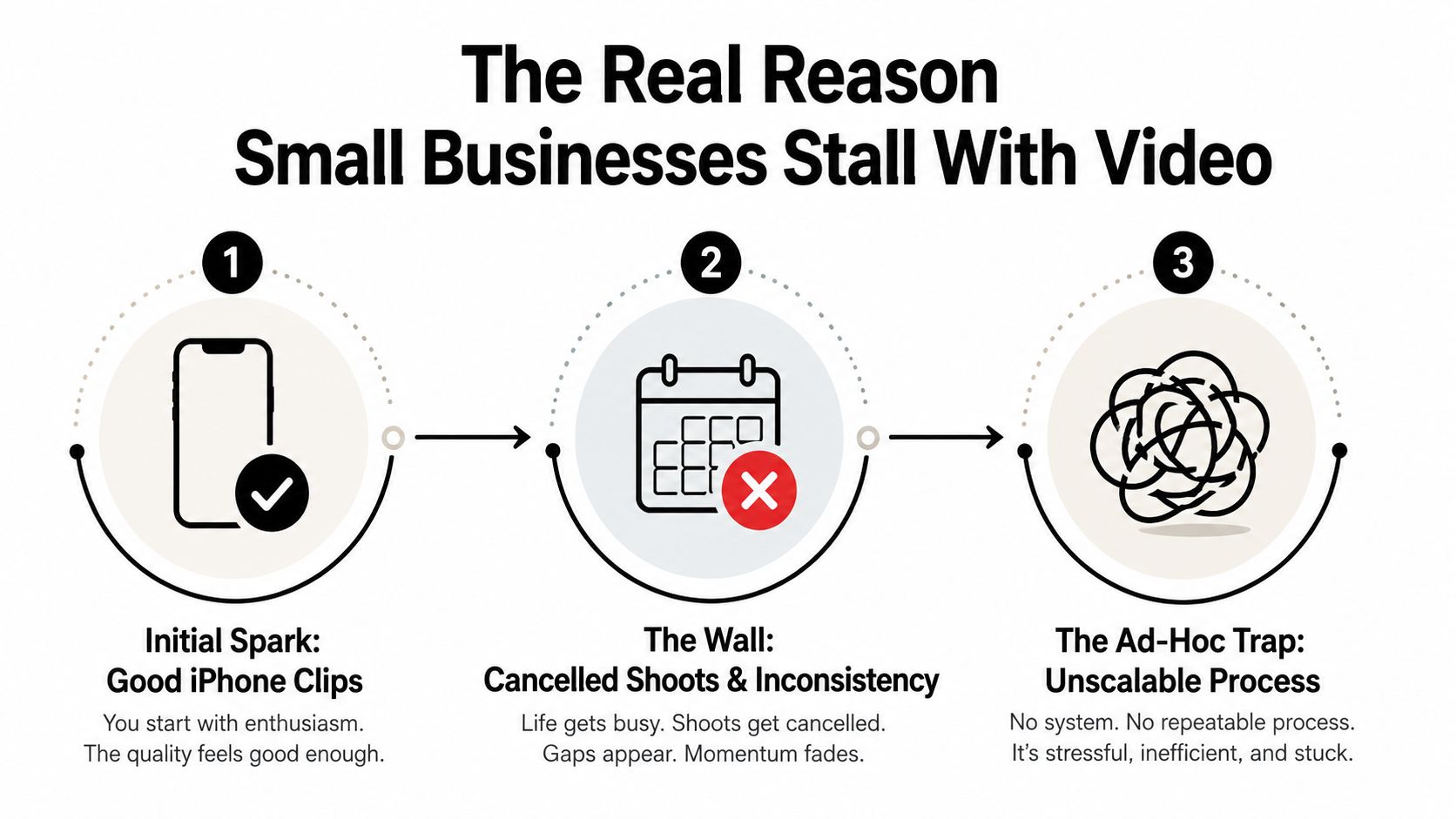
Most founders don't begin badly. They begin enthusiastically.
You record a useful tip on your iPhone between meetings. The lighting is acceptable, the idea is strong, and people respond. So you plan to do it again next week. Then a client call runs long, the room is noisy, the battery is low, and your “quick filming session” disappears from the calendar.
A few weeks later, your content has become a collection of isolated efforts. One reel looks polished, another has distracting room noise, and a third is still sitting in an editing app. You're not short on ideas. You're missing a repeatable route from idea to published asset.
Video is now part of the buying environment
The market has moved past the question of whether small businesses should experiment with video. 91% of businesses used video as a marketing tool in 2026, compared with 61% in 2016, according to HubSpot's marketing statistics. The same benchmark reports that 93% of businesses consider video important to their strategy, while 82% of marketers report good ROI from video marketing.
Consumers are asking for more, too. 84% want to see more branded video content, and 93% of marketers say video is a key part of their overall strategy, based on Wyzowl's 2026 video marketing summary. That makes video more than a visibility tactic. It can help explain an offer, answer objections, introduce a founder, demonstrate expertise, and move a prospect toward a conversation.
The practical conclusion isn't “post constantly.” It's choose a format and cadence you can sustain. A founder might build around short educational clips. A consultant might record a video podcast and extract advice-led cutdowns. A product business might prioritize demonstrations, customer questions, and behind-the-scenes proof.
Practical rule: A video system that ships consistently will outperform a sophisticated setup that only works when everything goes perfectly.
The expensive mistake is treating every shoot as a new project
Small businesses lose time when every recording requires fresh decisions. Where will you film? What should you say? Who edits it? Which platform gets the file? What happens after publishing?
A professional video content marketing strategy answers those questions before the camera turns on. Studio rentals can remove location friction. A Content Day can group multiple deliverables into one organized production block. A producer package can take over planning, recording, editing, and the storytelling details that founders often postpone.
The strategic advantage is compounding. Each recording session creates source material for multiple assets, and each published asset gives you feedback about the topics, formats, and messages your audience wants. You're building a library, not gambling on a single post.
That's why studio infrastructure isn't automatically a luxury expense. For a small business, the right environment can protect your time, preserve brand consistency, and make content easier to repeat quarter after quarter.
Setting Goals and Budgets That Actually Work
Start with the business outcome, not the camera.
Choose one primary objective for the next production cycle: generate qualified leads, support sales conversations, establish authority, recruit talent, or explain a product. A single objective keeps the content focused. It also tells you whether you need short-form clips, a longer interview, evergreen explainers, or a combination.
Adoption is no longer the budget question. 89% of businesses use video, while almost 40% of companies spent under $5,000 on production in 2025, according to HubSpot's video marketing statistics. That supports a lean starting point, but lean doesn't mean random. Put money behind the constraint that currently prevents you from publishing.
Use this worksheet:
- Objective: What action should the viewer take?
- Audience: Who needs to understand or trust you?
- Format: Which format delivers that understanding fastest?
- Cadence: What can your team maintain without heroic effort?
- Measure: Which signal connects the content to the objective?
Choosing the right production path by stage and budget
| Business Stage | Typical Budget | Recommended Path | Best Flexwork Fit |
|---|---|---|---|
| Testing an idea | Lean | DIY filming with a simple script and consistent location | Hourly Rentals when the home setup becomes a constraint |
| Building a visible founder brand | Moderate | Scheduled studio sessions with repeatable short-form deliverables | Content Day |
| Launching or scaling a branded podcast | Ongoing | Producer-led recording, editing, distribution, and growth support | Market, Manage & Produce My Podcast |
| Supporting a polished campaign | Project-based | Pre-production, professional capture, editing, graphics, and delivery | Producer Packages |
For planning, Content Days cost $3,000 per day and include either 20 edited reels or 60 professional photos. The Market, Manage & Produce My Podcast tier starts at $1,500 per episode with a 20-episode growth commitment. Those options suit different operating models. One creates a concentrated bank of assets. The other creates an ongoing publishing and growth program.
Don't buy equipment to solve a scheduling problem. Book the production path that removes your actual bottleneck.
DIY Filming Versus Booking a Professional Studio
DIY is useful when the message matters more than polish and you can protect a reliable recording routine. A founder sharing a weekly LinkedIn insight may need a phone, clean audio, controlled light, and a clear opening. That's a sensible place to start.
The ceiling appears when the environment keeps changing. Background noise, inconsistent framing, poor lighting, and repeated setup time make every session harder than the last. A professional studio rental gives you a controlled room, an established visual identity, and equipment that's ready when you arrive.
Use the simplest option that protects consistency
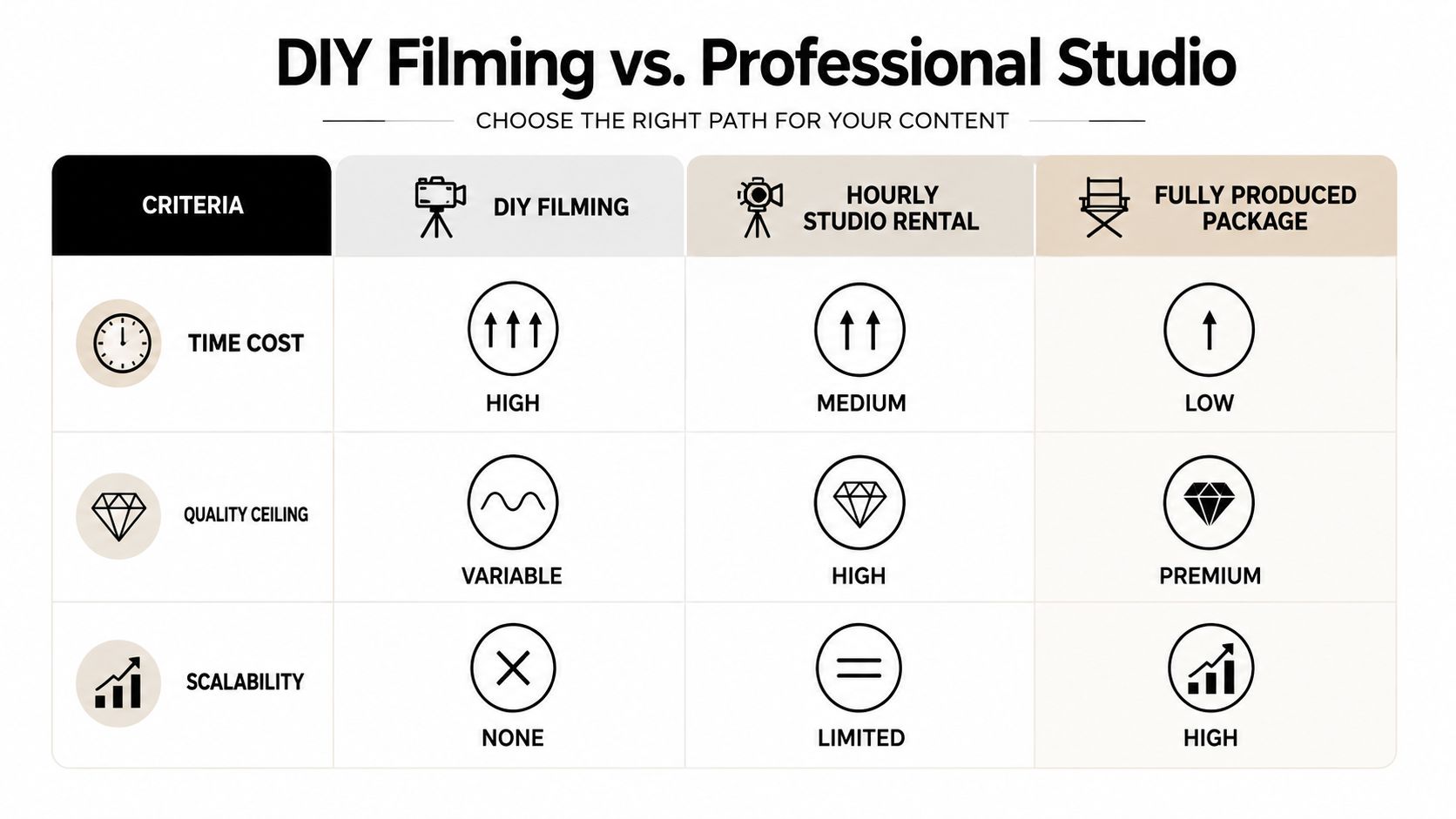
| Decision Factor | DIY Filming | Hourly Studio Rental | Fully Produced Package |
|---|---|---|---|
| Time cost | High when setup and editing stay with the founder | Moderate, with the environment prepared | Low for the client, because the production team carries more of the workflow |
| Quality ceiling | Variable | High with a controlled room and professional equipment | Premium when direction, editing, graphics, and storytelling are included |
| Scalability | Limited by founder availability | Useful for scheduled recording blocks | Strongest for an ongoing content program |
A studio is often the middle path people skip. You don't need to purchase every camera, microphone, light, backdrop, and acoustic treatment just to produce a handful of polished episodes. Flexwork's in-house studios are designed for creators and businesses that want professional capture without carrying the full burden of ownership.
Choose a fully produced package when the content represents a major launch, a flagship podcast, or a brand that needs motion graphics, visual storytelling, and dependable delivery. Choose hourly time when you can handle the message and editing but need a more consistent recording environment. Choose DIY when speed and authenticity are the priority, and the setup won't keep stealing time from the business.
Scripting, Storyboarding, and Shot Planning
Preparation is where a small-business shoot either becomes efficient or falls apart.
Start with a one-line hook. The hook should identify a problem, promise a useful answer, or challenge a familiar assumption. “Today I'm going to talk about marketing” gives viewers no reason to stay. “Your video budget isn't the problem, your production calendar is” creates tension and points toward a solution.
Build the message before the shot list
Use a simple beat sheet:
- Hook: State the problem or surprising point.
- Context: Explain why the viewer should care.
- Proof or example: Show how the issue appears in real business life.
- Action: Give one practical next step.
- Close: Invite a relevant response, booking, download, or conversation.
For a 20-minute podcast-style interview, prepare a small group of questions that move from origin to expertise to application. Don't write every answer. Give the guest enough structure to tell a natural story, then mark the moments that can become standalone clips.
A storyboard doesn't need to look like a film-school document. Draw boxes on paper or use a simple planning tool. Note the speaker, framing, background, supporting visuals, and intended platform. That prevents you from discovering in the edit that every clip has the same composition.
Tie every shot to a deliverable
Create a shot list that names the final asset, not just the camera angle:
- Founder advice clip: Direct-to-camera framing, one clear takeaway.
- Product demonstration: Hands, product detail, and a clean explanation.
- Podcast cutdown: Two-person exchange with room for captions.
- Website hero video: Wider composition, brand environment, and a concise value statement.
- Supporting footage: Workspace, process, tools, team interaction, and detail shots.
A Content Day is a practical solution. A full-day shoot delivers 20 edited reels or 60 professional photos, so your preparation should account for the entire batch rather than one favorite video. Write the hooks, group similar setups, and capture alternate introductions while the lighting and wardrobe are already in place.
Equipment, Studio Setup, and On-Camera Performance
A useful equipment setup has five priorities: clear audio, flattering light, stable camera placement, a deliberate background, and reliable monitoring. Most small businesses don't need an intimidating gear list. They need a setup that removes distractions from the message.
Audio comes first. A professional microphone placed correctly will usually improve perceived quality more than adding another camera. Lighting should separate the subject from the background without creating harsh shadows. The camera needs a stable position and consistent framing. A backdrop should reinforce the brand rather than look like an accidental corner of the office.
Control the room before you direct the speaker
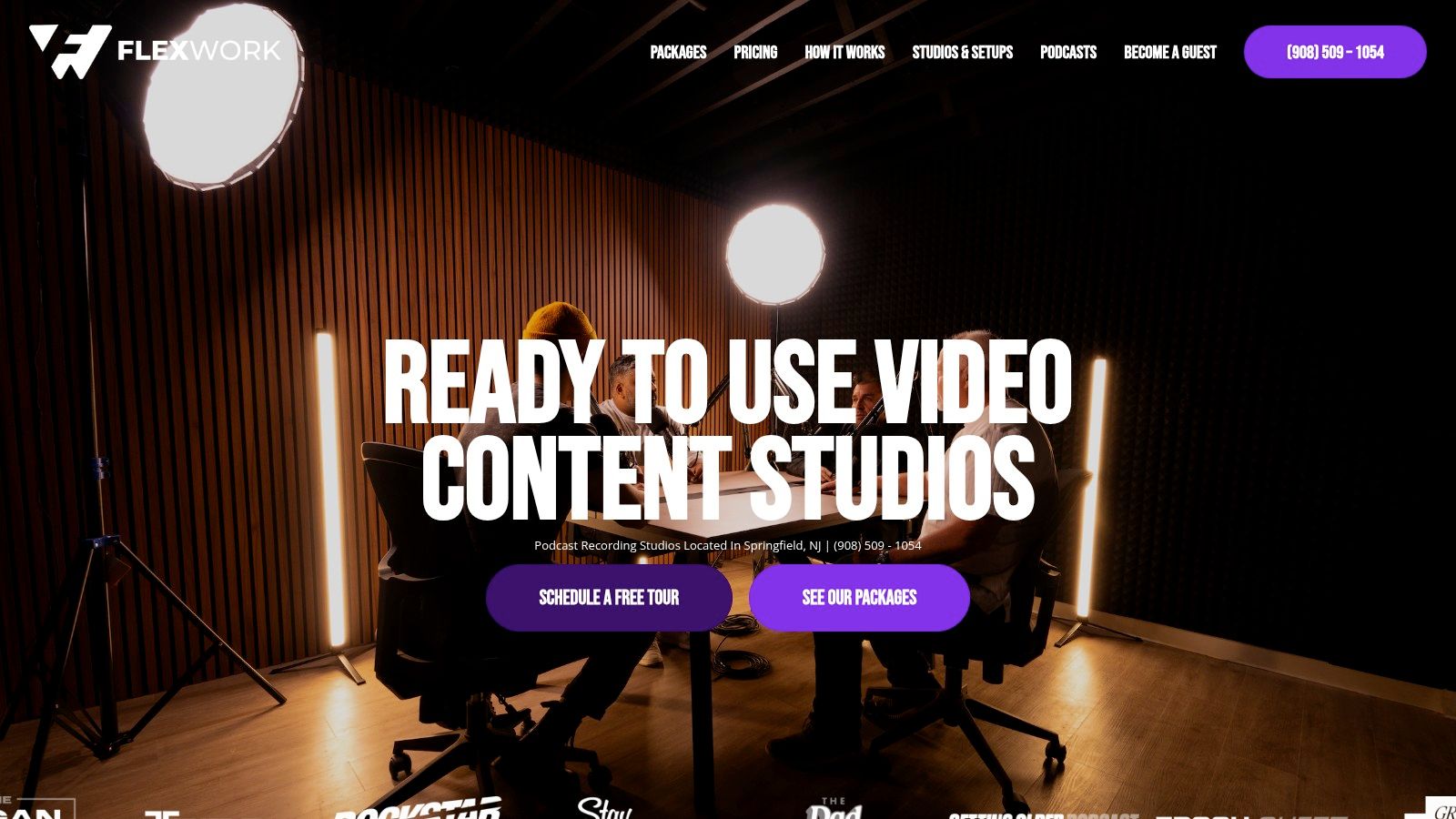
An acoustically treated room reduces the reflections and interruptions that make dialogue difficult to clean up. Flexwork Podcast Studios in Springfield, NJ provides soundproof rooms, modern set design, professional-grade audio equipment, and cinema equipment for podcast and video recording. The professional video recording studio setup gives small businesses a reference point for what a controlled production environment should accomplish.
In-room monitoring also changes the shoot. You can catch a loose microphone cable, distracting background detail, exposure issue, or wardrobe problem before the session ends. On-set direction helps the speaker reset after a stumble instead of apologizing, restarting, and losing energy.
Use these performance checks:
- Wardrobe: Choose solid colors and clothing that supports the brand without distracting patterns.
- Eye line: Look at the interviewer or lens intentionally. Don't let your gaze drift toward a monitor.
- Opening energy: Deliver the first sentence with more clarity and presence than feels natural in conversation.
- Pacing: Pause between ideas. Editors need clean spaces to cut.
- Recovery: If you miss a line, stop, breathe, and repeat the sentence from the beginning.
A producer's value often appears in those small interventions. The goal isn't to make a founder sound scripted. It's to help the strongest version of the founder come through consistently.
A controlled setup matters even more when one recording session must support a full episode, short clips, still photos, and website content.
Editing, Cutdowns, and Post-Production Decisions
Editing starts with selection, not effects. Choose the strongest full-length conversation or master video first. Once that anchor exists, extract the moments that stand on their own.
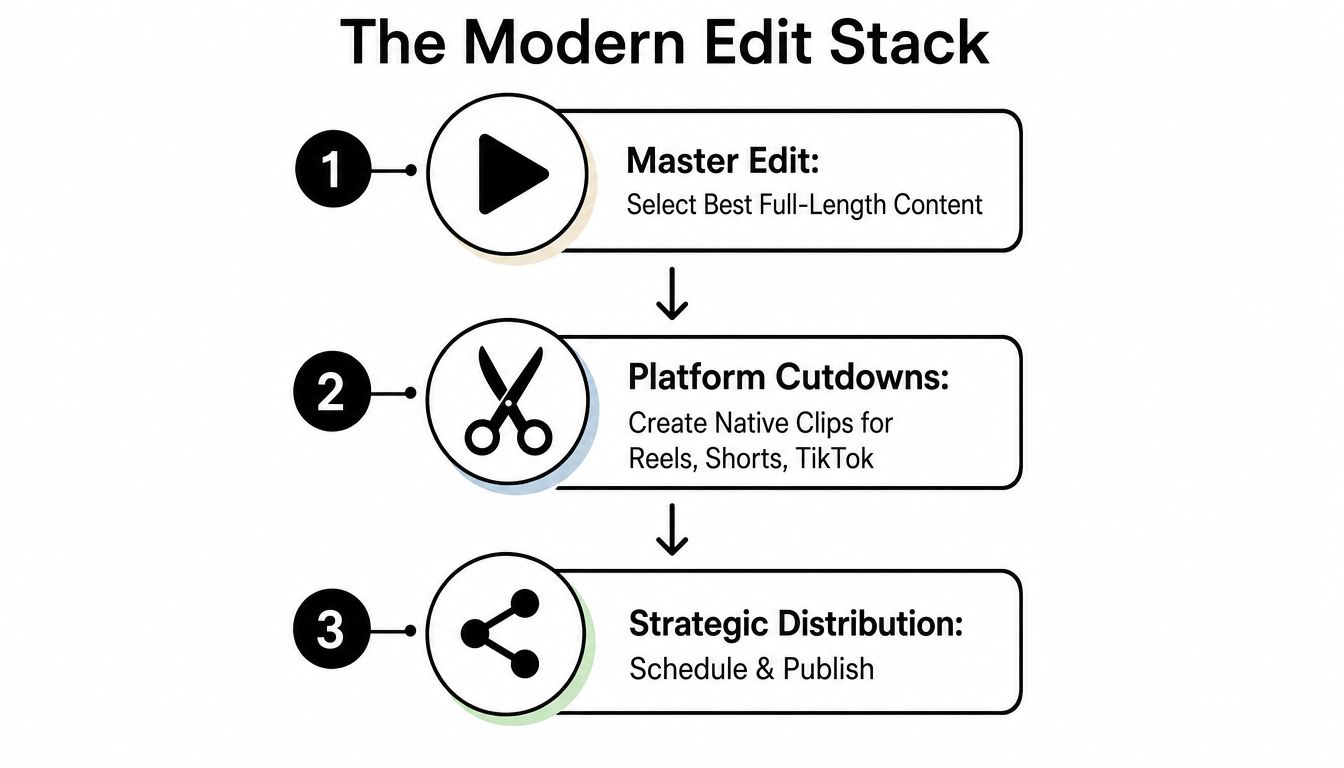
A small-business edit stack should follow this order:
- Master edit: Create the clean, complete version.
- Platform cutdowns: Shape clips for each channel.
- Strategic distribution: Schedule, publish, and connect each asset to a next step.
For social distribution, prioritize concise edits. Independent 2026 benchmarking reports that videos under one minute hold about a 52% engagement rate, while platform-specific brand-video engagement varies from 52% on Instagram and YouTube to 27% on LinkedIn in the same benchmark, documented by Vidico's short-form video statistics. That gap means a LinkedIn edit shouldn't just be an Instagram reel with a different caption.
Make each cut native to its destination
Open with the strongest sentence in the first one to two seconds, keep the core message within 60 seconds, and use captions that still make sense with sound off. Add branded lower thirds only when they clarify the speaker, concept, or next step. Motion graphics should support comprehension, not cover weak storytelling.
A Content Day's 20 edited reels can be released as a planned sequence rather than dumped into the feed. Group clips by audience problem, alternate educational and personality-led posts, and direct viewers toward one clear destination. If your team needs a fuller reference for mastering video production workflow, use it to tighten the handoff from footage selection through publishing.
Outsource the repetitive work when captions, color, sound cleanup, graphics, and exports keep blocking publication. Keep simple trims and internal clips in-house when budget is tight. The correct division depends on whether your team's scarce resource is money, time, or editorial judgment.
Distribution, Promotion, and Building a Repeatable System
Publishing is not distribution. Uploading a video and waiting for reach leaves too much value unused.
Build three connected layers. Owned channels include your website, podcast website, email list, and organic social profiles. Earned channels include guest appearances, partner sharing, customer conversations, and cross-promotion. Paid promotion gives you a way to place proven content in front of a defined audience without requiring every post to earn attention organically.
Your promotion budget should match the maturity of the content system. 41% of companies spent under $20,000 on video promotion in 2025, according to HubSpot's video marketing benchmark. For a small business, that reinforces the need to promote selectively. Don't put paid spend behind every clip. Identify the videos that explain the offer clearly, answer a recurring objection, or generate meaningful conversations, then test those assets against a defined audience.
Turn one recording into a connected asset set
A podcast episode can become a long-form video, short clips, quote graphics, an email, a show note page, and a sales follow-up asset. A founder Content Day can create reels for social, professional photos for the website, and additional visual material for launch campaigns.
Your content distribution channels should have distinct jobs:
- Website: Explain the offer and capture action from visitors who already want more detail.
- Email: Deliver context to people who've already given you permission to reach them.
- Social video: Earn attention and demonstrate expertise in a format people can consume quickly.
- Podcast platforms: Build a deeper relationship through recurring conversations.
- Paid placements: Extend the reach of content that already communicates effectively.
A podcast website costs $5,000 plus hosting. That investment makes sense when your show needs a durable home for episodes, guest information, calls to action, and search-friendly content. It's less relevant if you're still testing whether your format and audience fit are sound.
For a broader look at channel planning, these expert video marketing strategies can help you evaluate how content should function across social platforms rather than treating each upload as an isolated event.
Choose a cadence your team can operate
A repeatable system needs clear ownership. Someone approves topics. Someone prepares guests. Someone records. Someone edits. Someone publishes. Someone reviews the signals that matter.
Track metrics that connect to your objective:
- Lead generation: Qualified inquiries, booked calls, and form submissions.
- Sales support: Questions answered, content shared during sales conversations, and influenced opportunities.
- Authority: Meaningful comments, guest invitations, and direct responses from the right audience.
- Operational health: On-time delivery, approved assets, and the number of usable pieces created from each session.
The Market, Manage & Produce My Podcast tier starts at $1,500 per episode with a 20-episode growth commitment. That structure is designed for businesses that want video and podcast production to operate as a sustained program, with production, guest booking, social campaigns, and launch support handled as connected activities. It's a different decision from booking a single shoot. You're choosing a publishing engine with enough continuity to learn what works.
A practical schedule looks like this:
- This week: Choose one audience problem, write several hooks, and select one primary channel.
- This month: Record a controlled batch, approve a delivery calendar, and define the next action attached to each asset.
- After publishing: Review which topics created useful conversations, then adjust the next batch instead of abandoning the system.
- At scale: Move from isolated rentals to Content Days or a producer package when coordination becomes the constraint.
Flexwork Podcast Studios offers studio rentals, Content Day production, podcast production packages, editing, motion graphics, distribution support, and podcast websites from its Springfield, NJ facility. Visit Flexwork Podcast Studios to schedule a free studio tour, compare the right production path, and turn your next recording session into a repeatable video system that supports real business growth.