
Podcast Production Checklist: 8 Steps to Publish
 August 22, 202632 Minutes
A polished podcast depends less on one impressive recording session than on a reliable system connecting creative planning, studio execution, post-production, distribution, and promotion. That matters in a market estimated at 584.1 million worldwide listeners in 2025, with a projection of 619 million by the end of 2026, while about 4.58 million podcasts were available worldwide in January 2026. Podcast audience and show-volume estimates explain why consistency now matters as much as creativity.
Creators usually feel the breakdown in practical ways. Audio quality changes from episode to episode, guest files arrive with confusing names, approvals stall, metadata gets missed, and promotion starts only after publishing. DIY production can work, but it often turns the host into a producer, engineer, editor, project manager, and marketer at once.
This podcast production checklist follows eight stages, from format decisions and guest preparation through recording, file management, editing, distribution, and growth measurement. Flexwork Studios gives creators another route, with hourly studio rentals, Content Day sessions, Producer Packages, podcast websites, and the Market, Manage & Produce My Podcast offering for teams that want reliable infrastructure without carrying every production task alone.
1. Define Your Episode Format and Recording Structure
A strong show starts with a format people can recognize. Decide whether each episode is a solo commentary, co-hosted conversation, guest interview, narrative story, or roundtable. Then define the recurring elements, including the opening, main discussion, transitions, calls to action, and closing.
You don't need to imitate another show, but studying established formats can clarify your choices. The Joe Rogan Experience is known for open-format interviews, How I Built This uses founder stories with a structured narrative arc, and Serial builds investigative episodes around carefully controlled storytelling. These examples work for different reasons, but each gives listeners a dependable sense of what the show delivers.
Your format also determines the production workflow. A roundtable needs more microphones, more careful speaker identification, and more editing coordination than a solo show. A scripted series may require voice-over pickups, sound design, and more detailed approvals. An interview show needs guest preparation and flexible pacing.
Practical rule: Build enough structure to protect the episode, not so much that the conversation sounds rehearsed.
Create a format document
Keep the structure in a shared document that hosts, producers, editors, and studio staff can reference before every session. Include:
- Episode promise: State the value or question the episode should deliver.
- Segment map: List the order of the introduction, discussion, recurring features, and close.
- Timing guidance: Give each segment a target range, while leaving room for natural conversation.
- Recording needs: Note the number of speakers, video requirements, music cues, and expected pickups.
- Release details: Record the episode title approach, guest information, call to action, and required assets.
Test the structure before committing to a full season. A short pilot can reveal that the opening drags, the interview section needs more breathing room, or the closing arrives before the central idea feels complete. Build a modest buffer into the session schedule for pauses, resets, and technical interruptions.
If you're comparing formats, Flexwork's guide to podcasting genres and formats can help you connect the creative concept to the recording environment. When you book an hourly rental, tell the team whether you're recording a solo show, interview, video podcast, or multi-person discussion so the room and microphone setup support the format from the start.
2. Prepare Guest Research and Interview Briefs
Guest preparation determines how much useful material reaches the edit. Give the guest a clear sense of the show, the audience, and the conversation's purpose before cameras and microphones go live. The brief should create direction while leaving room for an answer to develop naturally.
Research the guest's current work, relevant background, recent appearances, and the questions your audience is most likely to care about. Avoid repeating familiar talking points. Instead, identify a decision, setback, process, tension, or point of view that can produce a specific story.
Build the brief around the episode premise, guest bio, audience context, core topics, sample questions, sensitive subjects, pronunciation notes, and intended call to action. Mark which details are confirmed and which still need approval. That distinction keeps the host from presenting an assumption as fact during the recording.
Turn research into a useful conversation plan
Use a reusable template for speed, then personalize the parts the guest will feel. Adapt the opening questions to recent work, choose the strongest story to pursue, and send enough context for thoughtful preparation. A short pre-call can confirm names and titles, establish rapport, explain the recording setup, review the conversation arc, and identify subjects that need careful handling.
Remote guests need an extra check of their recording environment and expectations. Confirm their location, availability, connection plan, and any materials they may reference, so production decisions are made before the session rather than during it.
- Lead with momentum: Select a few high-value questions that invite stories, examples, and decisions instead of yes-or-no answers.
- Protect the guest experience: Send arrival details, access information, recording expectations, and the approximate session flow.
- Plan the visual story: Flag moments that could become clips, demonstrations, product shots, or social posts.
- Give the editor context: Include the preferred name, company spelling, relevant links, and words requiring special attention.
Review the brief with the host and producer before recording. The host can then pursue a promising answer without losing the episode's central question, while the producer can mark potential pickups and edit points in real time.
Flexwork Content Days cost $3000 per day and support creators who want to batch-record guest interviews with professional production support and editorial guidance. The trade-off is a more concentrated schedule with less individual booking flexibility, which can suit guests with limited availability.
Use these podcast interview tips to refine the questions and pre-call. A prepared guest usually gives a more focused conversation, giving the editor stronger material to shape into a polished episode and reusable content.
3. Conduct Technical Soundcheck and Equipment Setup
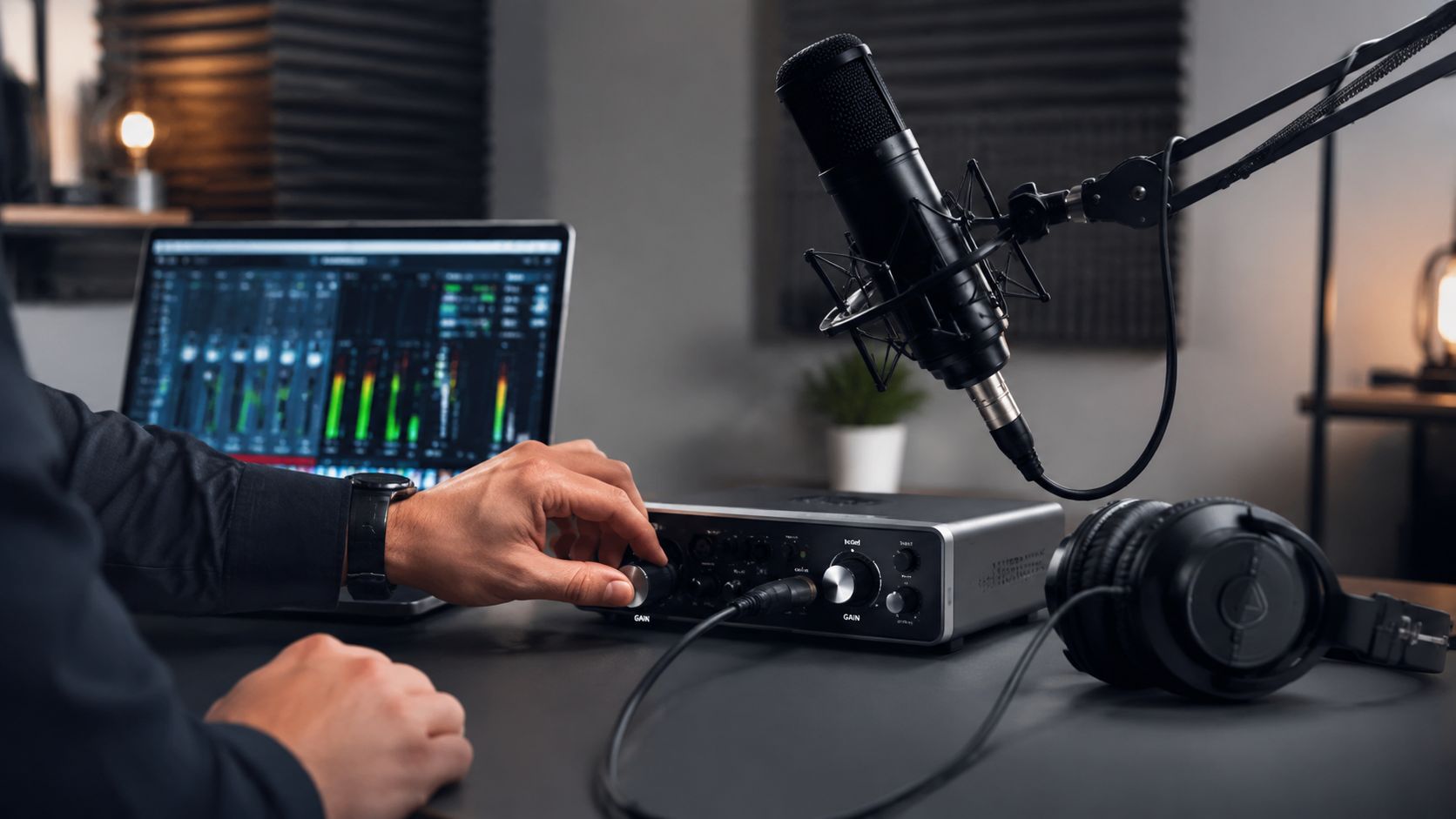
Technical setup determines how much usable material reaches the edit. Before the guest arrives, confirm microphone placement, gain, headphone monitoring, recording paths, camera framing, lighting, and room noise. A calm, documented check prevents technical problems from consuming the session or forcing expensive rescue work later.
Set levels conservatively and complete a 30-second test recording. Listen for clipping, room noise, cable movement, and imbalance between speakers. Confirm that the recording software captures the intended channels and saves files to the correct location. Treat loudness and peak targets as finishing references, not substitutes for clean source audio.
Check the room before the talent
Record room tone before anyone speaks. Listen for HVAC systems, traffic, notifications, and chair or cable noise. Make sure every participant can monitor comfortably without adjusting equipment during the conversation. For video, verify framing, focus, exposure, frame rate, and the audio reference track.
Broadcast-style pre-production guidance recommends testing equipment before the session, assigning production roles, confirming microphone and talent placement, and labeling and backing up media. Broadcast-style podcast pre-production guidance places these controls inside the workflow, rather than treating them as last-minute polish.
Create a short soundcheck record for repeat sessions. Note microphone models, interface settings, room arrangement, software inputs, and any recurring noise. That record helps a DIY creator rebuild a reliable setup, while a studio partner can apply established procedures without asking the host to manage every technical choice.
At Flexwork, in-house engineers handle soundcheck protocols within studio rentals and production packages. Home recording offers convenience and lower immediate cost. Flexwork support reduces setup decisions and protects the quality of the original files, with less control over the physical environment and scheduling.
Use this advanced recording techniques guide to refine the setup. A repeatable check keeps the host focused on the conversation and gives editors consistent material for later episodes.
4. Record Primary Content with Intentional Pacing
Preparation becomes publishable content only when the recording has direction. Keep the episode moving without making the conversation feel rushed. Hosts should know the next topic, guests should understand the purpose of the discussion, and the producer should watch for energy, clarity, and technical drift.
Start with a vocal warmup and a quick reminder of the episode promise. Keep the agenda visible, but don't bury your eyes in notes. A natural glance at the next talking point is better than interrupting a strong story because the host lost the thread.
Pacing isn't just about removing silence. A deliberate pause can give an important idea weight, while an unplanned detour can dilute the episode's value. The producer's job is to distinguish between the two.
Protect the best material
Use discreet cues when levels drift, a phone rings, or a background sound appears. Stopping every few seconds can destroy conversational energy, so intervene only when the problem threatens the final recording. If a guest makes a useful correction, capture a clean pickup while the context is fresh.
Build short resets between major segments. These breaks help participants restore energy, give the producer a chance to confirm the next section, and create clean editorial boundaries. Record the outro and pickups after the main conversation when the host has found the show's rhythm, rather than forcing a tired ending.
Flexwork Content Days cost $3000 per day and include 20 edited reels, making them useful when the production goal includes both a finished episode and a bank of social assets. The trade-off is commitment. A batch session requires stronger planning, but it can make the studio day more efficient than booking isolated recordings with separate content capture later.
A producer can also listen for moments that deserve visual treatment. A surprising answer, a clear framework, or an emotional turn may become a short-form clip, but only if the team notices it during recording and preserves a clean version.
5. Manage Audio Files and Backup Systems
A recording is only as reliable as the system protecting it. The wrong guest track, an erased camera card, or an untraceable final mix can delay publication and force avoidable rework.
Set up the episode workspace before recording. Separate raw audio, video, project files, music, graphics, guest materials, releases, review exports, approved masters, and promotional assets. Use filenames that show the show, season or series, episode, speaker or camera, and take. Consistency matters more than the exact format, so document the convention in a one-page guide and apply it to revised exports too.
The handoff should work even if the person who recorded the episode is unavailable. Leave a note that identifies the episode, confirms completed files, flags technical problems, lists missing assets, and names the next approver.
Use this release-control sequence:
- Verify source files: Open recordings before the crew leaves and confirm every expected track exists.
- Label versions: Separate working edits, review exports, approved masters, and platform-ready files.
- Protect the archive: Store important masters in cloud backup and separate physical storage. Limit access to the people who need it.
- Preserve context: Keep guest bios, releases, artwork, captions, transcripts, and metadata with the episode, not across scattered messages.
- Assign ownership: Name the people responsible for editing, review, approvals, publishing, and promotion.
A publishing workflow can fail through missing files, incorrect metadata, clipped guest audio, or unclear ownership. Podcast publishing workflow guidance emphasizes file naming, source-file verification, metadata checks, and approval gates.
Flexwork Podcast Studios' production packages include professional file management and backup protocols, plus an organized asset library for each episode. That support reduces coordination work and gives a team a defined archive process. DIY production can reach the same standard, but someone must own every checkpoint. If backup responsibility remains assumed rather than assigned, the session may have no protected copy.
6. Edit Audio for Clarity, Pacing, and Brand Consistency
Editing should make the episode easier to follow without erasing its personality. Remove technical distractions, repeated answers, confusing detours, and dead space that doesn't serve the story. Keep the breaths, reactions, and emotional pauses that make a conversation feel human.
Decide your editing philosophy before the first revision. A founder-led show may benefit from a conversational, lightly edited style. A branded series may need tighter transitions, consistent music treatment, and a more controlled narrative shape. Neither approach is automatically better. The right choice depends on the promise your show makes to listeners.
Set standards your editor can repeat
Create a DAW template with your preferred track layout, intro and outro elements, basic processing, music cues, and export settings. A template won't replace editorial judgment, but it reduces repetitive setup and helps each episode sound like part of the same series.
Listen on earbuds, a phone speaker, and in a car or similar everyday environment. Audio that sounds impressive in a studio can feel harsh, muddy, or uneven elsewhere. Check the beginning carefully, since a noisy opening or awkward first transition can undermine confidence before the episode has properly started.
A final mix should target integrated loudness around -16 LUFS for stereo, true peak below -1.5 dBFS, and a noise floor below -50 dBFS, using the podcast audio quality checklist as a reference. The linked loudness concept, what LUFS means, is useful for understanding why perceived volume matters across episodes and platforms.
Flexwork Producer Packages include professional audio editing, narrative shaping, social clip extraction, and final masters prepared for podcast platforms. Content Day sessions include 20 edited reels, which makes clip selection part of the production workflow instead of a task postponed until after launch.
For a practical editorial reference, review how to edit podcast audio. The best edit is not necessarily the most aggressive one. It is the edit that keeps the listener oriented and the brand recognizable.
7. Optimize and Distribute Across Podcast Platforms
A polished release depends on agreement between the episode, its metadata, artwork, website, and distribution feed. Set those pieces before publishing so listeners encounter the same title, description, links, and visual identity wherever they find the show.
Write a clear title rather than a keyword string, then prepare show notes for someone who has not pressed play. Podcast SEO guidance recommends 150 to 300 words of show notes, a keyword-led H1 or title, and timestamps above the fold. Use this Podcast SEO guidance for show notes and timestamps to structure the page for readers and search systems.
Music and other branded assets also need a final review. Confirm that the intro, transitions, outro, artwork, captions, thumbnails, and transcript use approved versions. Original music can support a recognizable sound, while AI-generated podcast music offers another option for developing episode or show assets within the production workflow.
Build an owned episode page
Give each episode an indexable page with an embedded player, a readable transcript, clear calls to action, and PodcastSeries and PodcastEpisode schema markup. A dedicated page gives search engines and AI tools enough context to connect the show with the individual episode. The Podcast website SEO guidance explains why the site should do more than contain a player.
Use this release check:
- Metadata accuracy: Verify guest names, episode numbers, descriptions, links, and calls to action.
- Asset quality: Review artwork, video thumbnails, captions, transcript formatting, music, and audio exports.
- Feed readiness: Confirm the hosting system contains the correct file and scheduled release.
- Platform consistency: Compare titles, descriptions, artwork, and links across Spotify, Apple Podcasts, YouTube, and other selected destinations.
- Website indexing: Test the episode page, transcript readability, and structured data.
Flexwork podcast websites cost $5000 plus hosting and include professional RSS feed management, episode archives, and listener engagement features. This option provides an owned audience hub with professional features. A basic hosting page can suit a casual show, while a dedicated site gives the team more control over search content, branded presentation, and conversion paths.
For a repeatable release process, use this guide on how to distribute a podcast. The episode is ready when its feed, website, metadata, and supporting assets match.
8. Promote and Monitor Performance Metrics
A published episode isn't a finished marketing asset. It needs a coordinated promotion cycle that gives people multiple ways to discover the conversation, understand its value, and share the strongest moments.
The opportunity is substantial. Edison Research's 2025 Podcast Consumer report cites a 603 million increase in weekly hours of podcast listening and a 355% increase. A separate 2025 industry summary estimates about 584 million podcast listeners worldwide. Edison Research's 2025 report provides the first figures, while the industry listener estimate provides the second. These figures point to audience scale, not a guarantee that any individual show will grow.
Turn one recording into a campaign
Prepare the promotion plan before release. Pull short clips while editing, create captions and thumbnails, write the guest toolkit, and schedule posts for the channels that matter to your audience. A creator may use Instagram, TikTok, YouTube Shorts, LinkedIn, email, or a combination, but every asset should lead back to the episode or a relevant owned page.
Track a small set of useful signals. Downloads can show reach, retention can reveal where the episode loses attention, and social shares can indicate which ideas people find worth passing along. Compare those signals with the episode's objective, whether that's audience education, guest visibility, community growth, or a business inquiry.
Give guests ready-to-use graphics, talking points, links, and sample copy. This reduces friction and makes it easier for them to share without rewriting the entire campaign. Review performance after launch, then use the findings to refine topics, openings, guest selection, clip style, and calls to action. Creator performance data can add context when you're evaluating content performance.
Flexwork's Market, Manage & Produce My Podcast package includes ongoing promotional strategy, social content creation, and analytics reporting. It starts at $1500 per episode with a 20-episode growth commitment, so it's designed for creators who want a sustained operating rhythm rather than one-off launch support.
8-Point Podcast Production Checklist Comparison
| Item | Implementation Complexity | Resource Requirements | Expected Outcomes | Ideal Use Cases | Key Advantages |
|---|---|---|---|---|---|
| Define Your Episode Format and Recording Structure | Low–Medium, planning and documentation upfront | Minimal: producer/host time, format doc, scheduling | Consistent episodes, predictable runtimes, streamlined production | New shows, serialized formats, regular-segment programs | Reduces decision fatigue; speeds production; builds listener habits |
| Prepare Guest Research and Interview Briefs | Medium, tailored research and question design | Researcher/producer time, brief template, pre-interview calls | Higher-quality interviews, shorter recording/edit time, better guest rapport | Guest-driven shows, high-profile interviews, deep-dive episodes | Elevates conversation; creates quotable moments; improves professionalism |
| Conduct Technical Soundcheck and Equipment Setup | Medium, protocol-driven technical validation | Engineer/technician, studio equipment, 15–30 min per session | Reliable audio, fewer re-records, reduced post-production cleanup | Studio recordings, live or multi-mic sessions, high-stakes recordings | Prevents failures; ensures broadcast-quality sound; provides redundancy |
| Record Primary Content with Intentional Pacing | Medium–High, real-time performance and monitoring | Skilled host, engineer, pacing cues, time for takes | Clean, clip-ready recordings with strong listener retention | Conversation shows, clip-focused content, sponsored segments | Reduces editing; creates natural clip points; maintains consistent energy |
| Manage Audio Files and Backup Systems | Medium, file systems and backup workflows | Cloud storage, local backup drives, file naming conventions | Secure archives, faster editor onboarding, minimized data loss risk | High-volume productions, distributed teams, long-term archives | Prevents catastrophic loss; enables remote workflows; supports compliance |
| Edit Audio for Clarity, Pacing, and Brand Consistency | High, technical skill and narrative shaping | Experienced editors, DAW templates, style guide, time for edits | Broadcast-quality episodes, consistent sonic brand, social clips | Narrative podcasts, monetized shows, multi-platform distribution | Improves perceived quality; enforces brand; optimizes for platforms |
| Optimize and Distribute Across Podcast Platforms | Medium, platform specs and feed management | Podcast host, metadata writer, artwork, transcriptions, website | Wider discoverability, synchronized platform launches, centralized analytics | Launches, growth-focused shows, multi-platform strategies | Maximizes reach; improves SEO; ensures platform compliance |
| Promote and Monitor Performance Metrics | Medium–High, ongoing promotion and analytics | Marketing resources, social content production, analytics tools | Measurable audience growth, content optimization, monetization insights | Scaling shows, sponsor-driven series, audience-building campaigns | Data-informed growth; identifies high-performing content; enables monetization |
Turn Your Checklist Into a Repeatable Production Engine
The strongest podcast production checklist isn't a document that sits in a project folder. It's an operating rhythm your team can follow when the episode is easy, when the guest is late, and when the release schedule is full.
Start by defining the format and recording structure. Prepare the guest and the interview brief. Confirm the room, equipment, recording paths, and sound quality. Record with intentional pacing, protect the original files, and hand the session to post-production with clear ownership. Then shape the final audio and video assets, publish them across the right platforms, and promote the episode while tracking the signals that can improve the next release.
That sequence creates a useful division between creative decisions and preventable friction. Your host can focus on asking better questions instead of troubleshooting a missing track. Your editor can shape the story instead of searching through unnamed files. Your marketing team can build a campaign from approved clips and transcripts instead of waiting for last-minute exports.
DIY production still has a place. It gives new creators direct control and can be a practical way to learn the medium. The trade-off is that the host absorbs every operational responsibility, and quality often depends on how much energy remains after recording. A professional studio partner costs more than handling every task alone, but it gives you access to infrastructure, technical judgment, production coordination, and a workflow built for repeatability.
Flexwork Studios supports that range of needs. Hourly studio rentals suit creators who need a polished room and reliable recording environment without a full-service commitment. Content Days cost $3000 per day and include either 20 edited reels or 60 professional photos, depending on the selected deliverable, helping teams turn a concentrated session into a broader content library.
Producer Packages add editorial and post-production support for creators who want polished audio, video, and visual storytelling. Podcast websites cost $5000 plus hosting, giving brands an owned destination for episode pages, archives, transcripts, and audience engagement. For creators focused on audience growth, Market, Manage & Produce My Podcast starts at $1500 per episode with a 20-episode growth commitment, covering ongoing strategy, content creation, and analytics reporting.
The premium result doesn't come from fixing everything at the end. It comes from making better decisions earlier, assigning ownership clearly, and giving every episode the same dependable path from idea to release. Flexwork Podcast Studios in Springfield, New Jersey, offers acoustically treated podcast and video studios, modern sets, professional-grade equipment, editing, motion graphics, branding, distribution, websites, and growth-focused marketing for creators in the NJ and NY metro area.
Explore the production packages, schedule a free tour, or inquire about a booking based on the level of support your show needs. A reliable system gives you more than a cleaner episode. It gives you room to keep creating.
Flexwork Podcast Studios offers turnkey studio rentals, Content Day sessions, Producer Packages, podcast websites, and growth-focused production support built around a repeatable podcast production checklist. Visit Flexwork Podcast Studios to explore your options, schedule a free tour, and plan your next release with professional infrastructure behind it.