A Professional Podcast Setup That Actually Grows Your Brand
 April 22, 202628 Minutes
Meta title: A Professional Podcast Setup That Grows Your Brand
Meta description: Learn when DIY stops working and how a professional podcast setup improves quality, workflow, and growth for serious creators.
URL slug: /professional-podcast-setup
Primary keyword: professional podcast setup
Secondary keywords: podcast studio rental, video podcast studio, podcast production services
Your show probably started the right way. You picked a topic, bought a mic, cleared a corner of your home, and committed to finally publishing. That DIY phase matters. It teaches you your voice, your format, and whether you want to keep showing up.
But there’s a point where DIY stops being scrappy and starts being expensive.
Not expensive because of one more light or one more plugin. Expensive because your time disappears into troubleshooting, your content looks inconsistent, and your brand starts sending the wrong signal. In a crowded podcast market, that’s a growth problem. A professional podcast setup isn’t about looking fancy. It’s about building a production system that protects your credibility, saves your energy, and makes your content easier to scale. If you’re serious about turning a podcast into a business asset, this is the upgrade path that matters.
The True Cost of a DIY Podcast Setup
Most creators misprice DIY.
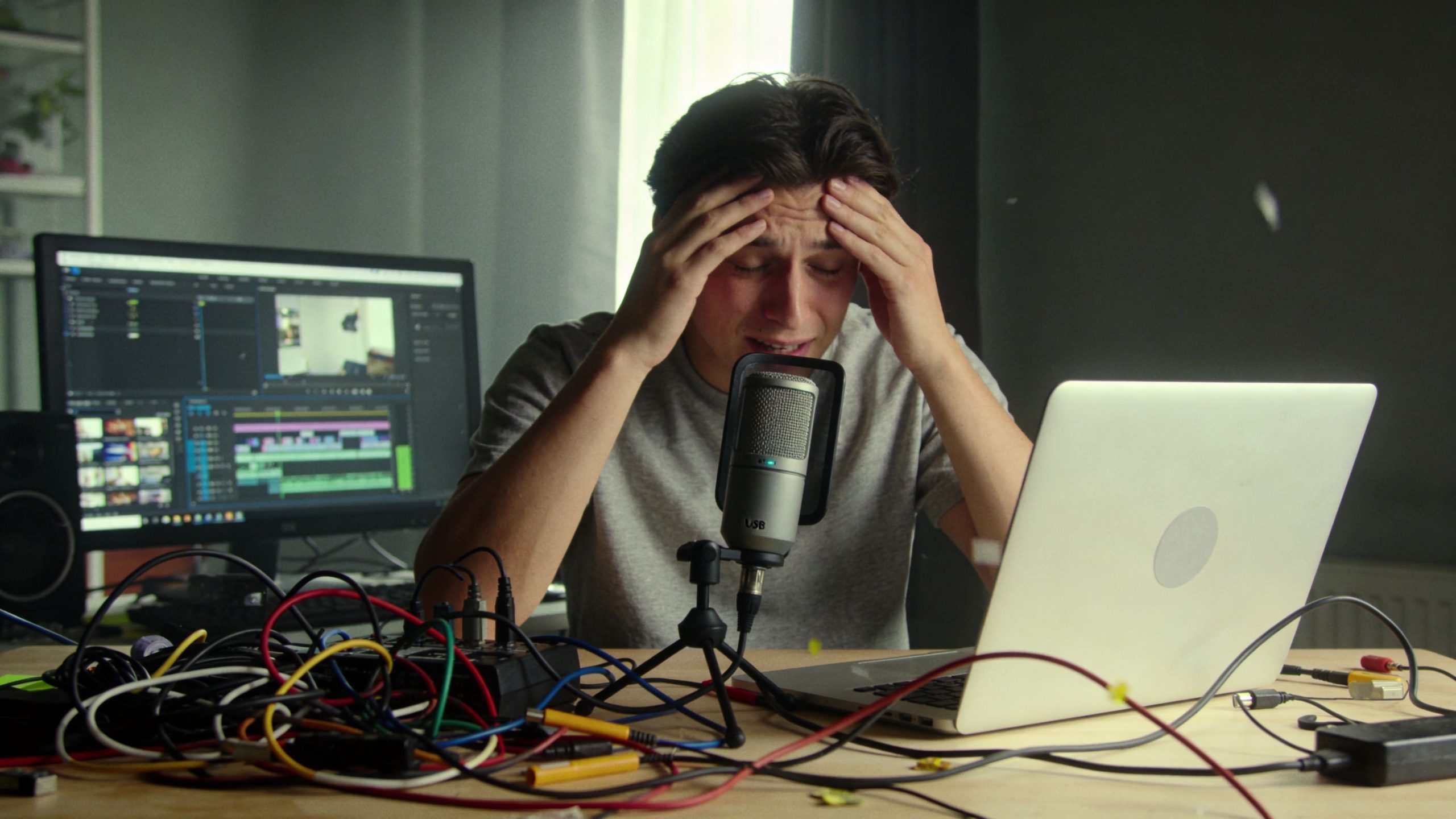
They count the microphone. They count the webcam. They count the editing software subscription. They do not count the late-night retakes, the ugly room tone, the guest episode that sounds flat, or the brand damage that happens when a smart show feels small because the production feels small.
That’s the actual bill.
Your room is part of your gear
A spare bedroom with parallel walls isn’t neutral. It’s active. It reflects your voice back into the mic, creates flutter echo, and makes every sentence harder to clean up later. You can own a respectable microphone and still produce weak audio because the room is doing damage before the file ever reaches your editor.
According to this breakdown of common podcast studio setup mistakes, untreated rooms increase post-production time by 3-5x due to reverb tails exceeding 0.5 seconds, while properly treated spaces can reach signal-to-noise ratios above 60 dB. The same source notes that retention falls 25% with audible reverb, and 44% of podcasts fail beyond 3 episodes partly due to poor audio quality driving listener drop-off.
That’s not a niche technical issue. That’s a sustainability issue.
Practical rule: If you’re spending more time fixing your room in post than developing your ideas, your setup is already holding back the show.
DIY turns one creator into six employees
Home production forces you into too many jobs at once. You’re the host, producer, engineer, lighting tech, editor, clipper, publisher, and project manager. That might feel efficient at first. It usually becomes creative drag.
The hidden cost shows up in familiar ways:
- Recording delays: You lose momentum because each session starts with cable checks, gain fixes, camera angle adjustments, and noise control.
- Inconsistent output: One episode sounds crisp, the next sounds hollow, and the third has a framing issue you only notice after export.
- Guest friction: High-value guests notice production quality immediately. If the setup feels improvised, the conversation starts on the wrong foot.
- Brand dilution: Audiences rarely say, “The treatment on the rear wall was weak.” They just decide the show feels less credible.
A lot of talented creators think they have a marketing problem when they really have a production problem.
The cheapest setup can become the most expensive one
There’s also a ceiling built into DIY. Once your ambitions grow, the setup has to do more than record clean audio. It has to support repeatable quality, guest scheduling, multi-camera video, short-form repurposing, and brand consistency across every platform.
That’s where many creators stall. They keep patching a home setup instead of upgrading the system.
Here’s the better question: not “Can I record from home?” but “Is my current workflow built for the version of this show I want six months from now?”
If the answer is no, stop shopping for random accessories and start thinking like a producer.
What professional standards actually look like
A real professional podcast setup is designed, not assembled. It accounts for room dimensions, isolation, absorption, diffusion, mic technique, monitoring, and pre-session checks. That includes rooms with enough space to work comfortably, treatment that blocks external noise and controls reflections, gain staging in the proper range, and microphone placement that reduces plosives before they become editing problems.
That’s why creators who are ready to move past the bedroom-stage workflow should look at environments built for recording, not just gear lists. A properly designed studio space like the ones shown on Flexwork’s in-house studios page changes the whole workflow. You don’t just get better sound. You get fewer failure points.
Bad audio rarely ruins a podcast all at once. It erodes trust episode by episode.
The Three Tiers of Podcast Production
Not every creator needs the same setup. Some need a cleaner home workflow. Some need a serious production environment. Some need a system that can support a show as a brand asset, not a side project.
The mistake is treating all three levels like they’re the same decision.
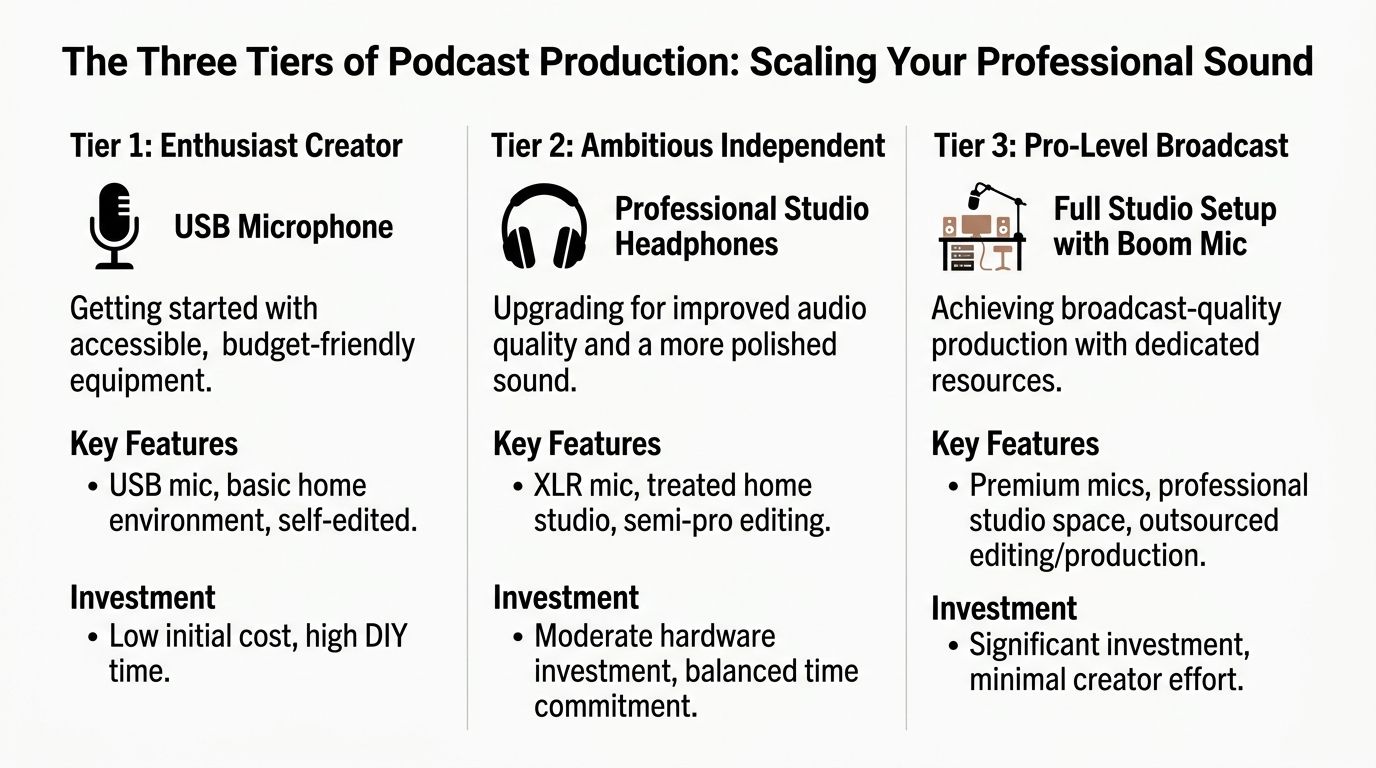
Tier one upgraded home studio
This tier is for the creator who has traction, but not enough volume or commercial intent to justify a larger move yet.
You upgrade from casual tools to dependable ones. That usually means moving from an all-purpose room to a quieter dedicated corner, replacing a weak webcam with a more intentional camera setup, using proper monitoring headphones, and making basic acoustic improvements so the room stops fighting your voice. You still handle your own recording and a lot of your own editing.
This level can work if your priorities are simple:
- You publish at a manageable pace
- You mostly record solo
- You don’t need polished multi-camera video every week
- You’re willing to trade time for cost control
Tier one is respectable. It’s not where most ambitious creators should stay for long.
Tier two pro-level home build
People often start chasing “studio quality at home” and discover how expensive that phrase gets.
A true pro-level home build isn’t just a better microphone and mood lighting. It means isolation, acoustic planning, reliable camera placement, controlled lighting, cabling, monitoring, storage, and a room that can support repeatable results. Once you want guest-ready video, stronger set design, and less editing pain, complexity rises fast.
Here’s the issue. Most creators overinvest in objects and underinvest in workflow.
You can build a technically solid room at home and still hate the process because now you also manage maintenance, resets, upgrades, troubleshooting, and the production burden that comes with a semi-permanent rig. If you record often, that friction adds up fast.
A home build makes sense when you need constant access, have the right space, and want to operate like your own production company.
Tier three studio ecosystem
This is the level that makes the most sense for creators treating content like a serious business function.
You stop trying to own every part of the setup and start accessing what you need on demand. The room is already treated. The lighting is already dialed. The camera angles are ready. The workflow is built around speed and consistency instead of trial and error.
That shift matters because production quality only solves half the problem. The bigger win is operational.
According to this discussion of studio versus home production economics, creators producing 10+ episodes per month can cut production time by 40% by using a professional studio with end-to-end services, and that can lead to 2.5x faster audience growth. The same source says 62% of new shows launched from home setups fail in the first year due to acoustic flaws, not gear quality.
That’s the point many creators miss. The problem usually isn’t that they bought the wrong microphone. The problem is that their operating model can’t support volume, consistency, and growth.
For a good side-by-side framing of what changes when you move beyond DIY, this studio versus DIY podcasting comparison is worth reading before you spend another dollar on gear.
A simple decision table
| Tier | Best for | Main strength | Main risk |
|---|---|---|---|
| Upgraded home studio | Early-stage creators | Low barrier to entry | Time-heavy and inconsistent |
| Pro-level home build | Dedicated creators with space | Greater control | High complexity and sunk cost |
| Studio ecosystem | Brand-led creators and teams | Quality plus workflow | Requires letting go of total DIY control |
How to know you’ve outgrown DIY
You don’t need a dramatic failure to justify moving up a tier. You just need repeated signals that the current setup is limiting the show.
Watch for these:
Your prep takes too long
If recording requires too much setup, you’ll publish less often.Your clips don’t match your ambitions
If your short-form content looks like an afterthought, your top-of-funnel suffers.You avoid inviting stronger guests
That’s often a production confidence issue, not a networking issue.You’re doing volume without infrastructure
Once you’re producing regularly, the workflow matters as much as the content.
A professional podcast setup should buy back time, protect quality, and make output easier to sustain. If it doesn’t do those three things, it’s not an upgrade. It’s just more equipment.
Your Blueprint for Pro-Level Audio and Video
A polished show feels effortless to the audience. It never is.
Behind that clean look is a chain of decisions that all support one outcome: make the host sound credible, make the guest look comfortable, and make every episode easy to repurpose. That’s what a professional podcast setup is supposed to do.
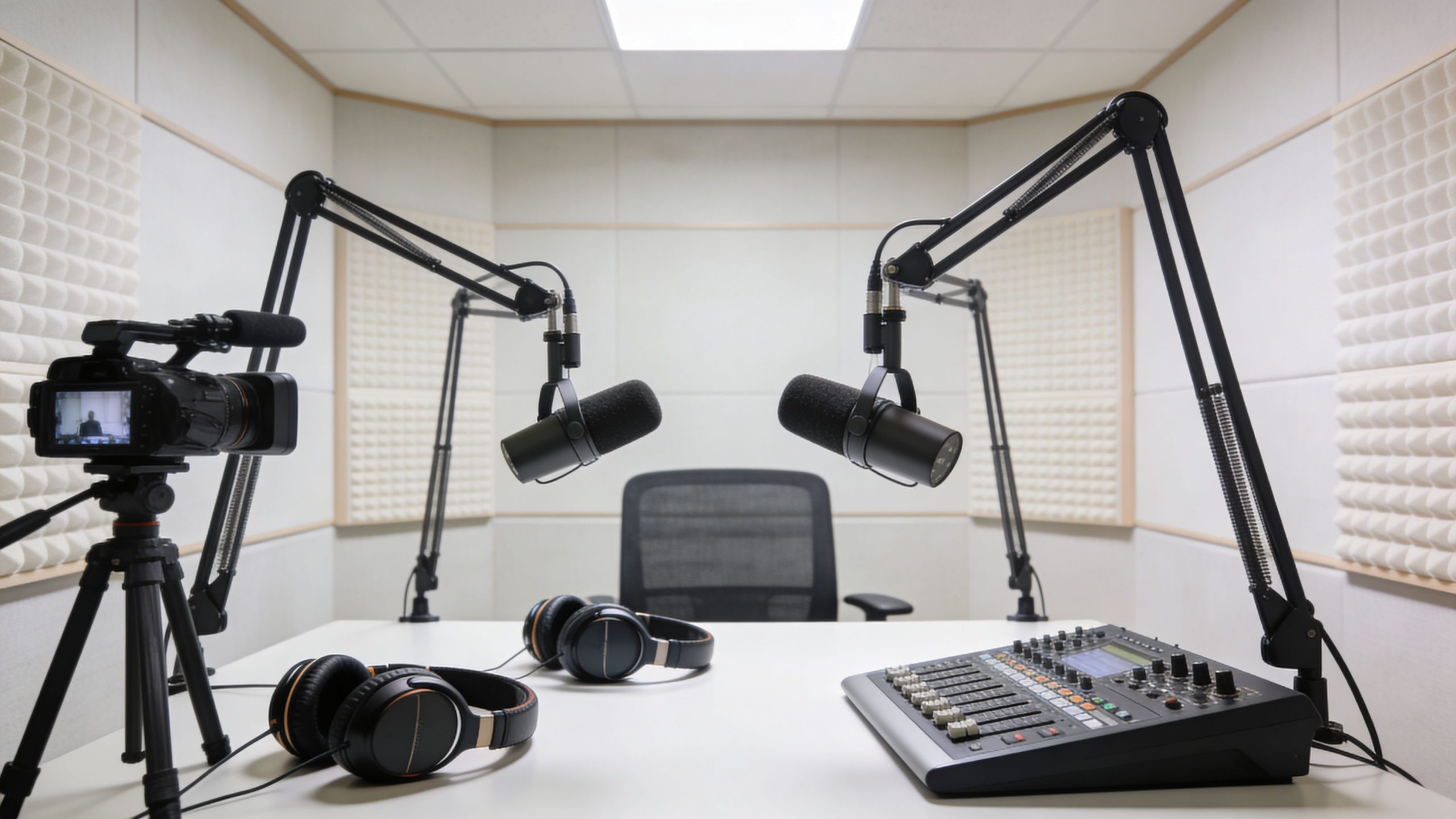
Start with the room and the frame
Good production starts before you press record. The room needs to control reflections, outside noise, and visual clutter. Audio-wise, that means using absorption where reflections hit first and diffusion where the room would otherwise sound flat or boxy. Visually, it means creating a set that reflects the brand instead of looking like spare furniture happened to be nearby.
An effective set usually does three things at once:
- Supports authority: Clean lines, intentional background elements, and a stable camera frame make the host look established.
- Avoids distraction: Random shelves, harsh overhead light, and cluttered walls weaken focus.
- Stays repeatable: Every episode should feel like the same show, not a new experiment.
If you want a grounded primer on the essential equipment needed for a podcast, that guide is a useful companion. Just remember that equipment lists only matter after the room and workflow make sense.
Choose microphones based on workflow, not hype
Creators waste a lot of money trying to buy “the best sounding mic” without asking a more useful question: what mic fits the room and the production style?
In an imperfect environment, mics that reject more background noise usually make life easier. In a controlled space, more sensitive options can capture a richer tone. Neither category is automatically right. What matters is whether the mic works with the room, the host’s voice, and the amount of editing tolerance in your workflow.
Mic technique matters just as much. A mic placed 6-8 inches off-axis from the mouth helps minimize plosives, and gain staging should be checked so peaks sit around -12 to -6 dB, based on the acoustic guidance in the earlier cited setup reference. Closed-back headphones also matter because they let you monitor in real time without bleed.
Producer note: The cleanest recording is usually the one that needed the fewest fixes, not the one with the most expensive signal chain.
Lighting should flatter, not announce itself
The right lighting setup makes a show look premium without making it look overproduced.
A simple three-point structure still works: key light for shape, fill light for control, and back light for separation. The mistake is pushing lights too hard or relying on overhead room lighting. That creates unflattering shadows, shiny skin, and a harsh image that feels cheap on camera.
Keep these principles in mind:
- A soft key light gives faces dimension without making them look severe.
- A restrained fill light preserves contrast so the image doesn’t go flat.
- A back light separates the subject from the background and gives the frame polish.
If you’re building a video-first show, camera placement should be locked before you test lighting. Lighting follows framing, not the other way around.
Here’s a useful visual reference for how professional studio recording environments come together in practice:
Vertical content is no longer optional
Most setup advice is outdated because it still treats vertical clips like an afterthought. That approach wastes footage and bloats editing time.
According to this video-focused production analysis, 71% of top podcasts post vertical video clips weekly as of 2026, and those clips drive 3x more engagement for creators targeting mobile audiences. The same source notes that professional studios recording vertical and horizontal feeds at the same time can cut social editing time by up to 50%.
That changes how you should build the set.
Build for two outputs at once
A smart video podcast studio is designed for the long-form episode and the short-form cutdowns during the same recording session.
That means:
- Framing with cropping in mind: Don’t place faces so wide that vertical edits feel cramped later.
- Using multiple camera angles: Wide, singles, and a vertical-first angle make repurposing faster.
- Capturing sync-ready audio: The easier it is to align clips across angles, the faster you publish.
- Planning visual identity ahead of time: Lower thirds, intro cards, and clip formatting shouldn’t be invented after recording.
If video is part of your strategy, a purpose-built video podcast studio becomes useful. The point isn’t novelty. It’s reducing friction between recording and distribution.
A professional podcast setup should create one excellent master recording and many usable assets. If your current system gives you a full episode but makes clips painful, the setup is incomplete.
The Flexwork Advantage Your All-in-One Production Partner
Most creators don’t need more gear. They need fewer bottlenecks.
That’s why the conversation should shift from equipment ownership to production capacity. If your goal is to publish stronger episodes, look better on camera, and turn recordings into brand assets, the key question is who handles what. Your role should be hosting, thinking, and showing up prepared. It should not be rebuilding a mini studio every week.

The business case is straightforward. The podcast industry is projected to reach 619 million global listeners by 2026, with over 4.58 million active podcasts competing for attention, and podcasts without broadcast-quality audio can lose 20-35% of their audience in the first five minutes, according to Riverside’s podcast statistics roundup. In a saturated category, production quality and marketing discipline aren’t extra polish. They’re table stakes.
The right package depends on your bottleneck
Some creators already know how to host but need a polished room and reliable capture. Others need editing support, branded assets, and help getting episodes out consistently. Businesses often need the whole machine, from recording through promotion.
That’s where a studio partner becomes more valuable than another purchase.
Here’s how to think about the options:
| Need | Better fit | Why it works |
|---|---|---|
| You want autonomy with pro infrastructure | Hourly studio rentals | You get a ready-to-record environment without building one yourself |
| You want batch content creation | Content Day | One production day creates a large bank of assets for multiple channels |
| You want a producer involved | Be My Podcast Producer | Recording, polishing, and delivery become more structured |
| You want growth support around the show | Market, Manage & Produce My Podcast | Production and marketing start working as one system |
What the offers look like in practical terms
The most overlooked service for busy founders and creators is the batch model. Content Days are $3000/day and include 20 edited reels or 60 pro photos. That’s useful when your problem isn’t recording one episode. It’s feeding all the channels around the episode without constantly resetting your week.
If you need stronger execution around the actual show, the Be My Podcast Producer package is built for creators who want their episodes cleaned up and delivered with more polish. It takes pressure off the host and creates consistency, which is what audiences notice over time.
If you’re treating the podcast like a business growth channel, the bigger move is the Market, Manage & Produce My Podcast option, which starts at $1500 per episode with a 20-episode growth commitment. That structure fits companies and serious personal brands that need more than technical capture. They need repeatable distribution, positioning, and marketing support around every release.
Then there’s the owned platform issue. Social clips are rented attention. Your website is infrastructure. Podcast websites are $5000 plus hosting, which matters when you want a professional home for episodes, guest features, SEO pages, and lead capture.
The creators who scale fastest usually stop treating the podcast as a file and start treating it as a media property.
One option that combines the full stack
For creators in the NJ and NY area who want studio access plus production support, this look inside Flexwork’s studio setup shows what a turnkey environment can include: treated rooms, modern set design, pro audio, multi-camera capture, editing, and marketing support in one workflow. Flexwork Podcast Studios is one example of that model.
That matters because piecing together freelancers, home gear, and ad hoc edits often creates a show that feels fragmented. A unified production environment creates continuity. Same room logic. Same visual standards. Same delivery process. Same level of professionalism every time the show goes live.
If you’re already good on mic, you don’t need more friction. You need infrastructure that lets your talent show up clearly.
Your Workflow from Post-Production to Promotion
Recording is the capture phase. It is not the finish line.
A professional show earns its edge in what happens after the session: the cleanup, the mix, the visual edits, the social cutdowns, the publishing assets, and the weekly distribution rhythm. This is where a podcast stops being “an episode” and starts acting like a content engine.
Editing is not the same as producing
A basic edit removes mistakes. A professional post-production process shapes the listening experience.
That usually includes tightening pacing, balancing voices, controlling harsh frequencies, leveling volume, cleaning distractions, and making sure the final episode feels intentional rather than merely acceptable. On the video side, it means choosing angles that support the conversation, adding titles or light motion graphics where useful, and exporting versions that fit each platform without looking recycled.
The strongest teams build a repeatable chain, not a patchwork process.
One recording should produce a week of assets
If you’re putting real effort into a recording day, squeeze full value from it. One strong episode can become an entire publishing cycle when the workflow is planned in advance.
A useful repurposing stack often looks like this:
- Full episode: Your anchor asset for YouTube, podcast platforms, and your site
- Short vertical clips: Best moments cut for Reels, Shorts, and TikTok
- Quote graphics: Clean pull quotes for LinkedIn, Instagram, or email
- Audiograms or teaser cuts: Helpful when you want lightweight promotion between larger drops
- Guest assets: Simple branded clips or graphics your guest can share easily
If you want a practical model for this, this guide to repurposing one podcast episode into 10 pieces of content is worth borrowing from.
Your production workflow should turn a single conversation into multiple entry points for discovery.
Promotion gets easier when your brand materials are ready
A lot of creators wait until they want sponsors, partnerships, or higher-profile guests before they organize their show materials. That’s late.
You want your positioning, show description, visual identity, social proof, and guest-facing assets in place early. If you need a clear refresher on what belongs in one, this explanation of how to define media kit is useful. A clean media kit helps with outreach, guest booking, partnerships, and brand credibility.
The larger point is simple. A professional podcast setup doesn’t end with acoustics and cameras. It ends with a workflow that helps your show travel. If an episode can’t move smoothly from recording to editing to promotion, the setup still isn’t professional enough.
If your show has outgrown the DIY phase, book time with Flexwork Podcast Studios and build a production workflow that matches your ambition. Whether you need studio rentals, a $3000 Content Day, producer support, or a full growth-focused package, the goal is the same: stop patching your setup and start producing like a real media brand.