Best Podcast Recording Software: Top Tools for 2026
 July 14, 202633 Minutes
Meta description: Discover the best podcast recording software for 2026. Explore top desktop, mobile & web tools for remote interviews, pro editing & live streams.
URL slug: /best-podcast-recording-software-2026
Primary keyword: best podcast recording software
Secondary keywords: remote podcast recording software, podcast studio software, podcast recording tools
You sit down to record with real momentum. The guest is strong, the topic is sharp, and the show has room to grow into a serious brand asset. Then the workflow gets in the way. One platform handles interviews but gives you weak video. Another edits well but slows your team down. A free tool gets the job done, yet the final episode still sounds homemade.
The best podcast recording software fixes that bottleneck. It shapes how fast you publish, how polished you sound, and how confidently you can put your show in front of sponsors, clients, and high-value guests.
Use this list as a strategic guide, not a random roundup. The right choice depends on your workflow. Remote podcast recording software should capture local tracks cleanly and protect quality when internet connections dip. Podcast studio software for in-room production should give you stronger multitrack control and cleaner post-production. All-in-one podcast recording tools should help you record, edit, and publish without turning every episode into a second job.
That distinction matters if you're building with ambition. Strong creators do not treat software as an isolated app choice. They build a production system. The tool you pick should fit the way you record now, and support the level of output you want six months from now in a professional studio environment such as Flexwork Studios, where content moves from hobby status to a polished business asset.
Podcasting is crowded and getting more competitive. Your edge comes from choosing a workflow that protects quality, saves time, and gives your show a consistent professional standard from day one.
1. Riverside

Riverside is the strongest pick for creators building a remote-first show that still needs to feel premium. It records local audio and video for each participant, so your final files aren't held hostage by a shaky connection during the interview. If you host expert guests, clients, or founders in different cities every week, this is the tool that keeps the production value up.
It also fits the way modern creators work. You can record, clip, repurpose, and publish from one environment instead of juggling a recording app, a transcript tool, and a social cutdown platform. That matters when consistency is the ultimate growth engine.
Best for remote interviews that need polish
In benchmark testing, Riverside stood out for remote recording fidelity under variable network conditions because it captures local 48kHz/24-bit WAV files independently of internet latency, helping prevent dropouts, according to this benchmark review on YouTube.
That one technical advantage turns into a simple business benefit. Your guest can have a rough Wi-Fi moment, and your episode still has a clean master file.
- Use Riverside if you record guests weekly: It keeps your remote workflow clean and professional.
- Use Riverside if video matters: Local capture makes a visible difference when you're cutting reels and YouTube clips.
- Skip Riverside if you want deep DAW-style mixing: It's a production hub, not your final mix environment for every advanced use case.
Practical rule: If your brand depends on remote interviews sounding expensive, don't record through a meeting app and hope post-production saves you.
For creators recording at Flexwork, Riverside also works beautifully as the remote layer inside a studio shoot. Bring the host into a controlled set, patch in the guest remotely, and let Flexwork handle the lighting, cameras, monitoring, and post-production while Riverside secures the guest side.
You can explore the platform at Riverside's official site.
2. Descript

Descript is for creators who think in words, not waveforms. If you want to record an interview, open the transcript, delete filler, tighten the pacing, and spin out social clips without switching mental gears, Descript is hard to beat.
Its Rooms workflow makes sense for lean teams. Record remotely, move straight into transcript-based editing, enhance the sound, and collaborate with an editor or producer in one place. That speed is valuable when you're publishing a thought leadership show while running a business.
Best for fast edit cycles
Descript shines when your bottleneck isn't recording quality. It's time. You don't want to spend your week nudging clips on a timeline when your real value is in the conversation itself.
That's why it works so well for coaches, consultants, educators, and founder-led brands. You can capture ideas quickly and turn them into a full content stack.
- Strong fit for transcript-first editing: Cut by text instead of learning a traditional DAW.
- Strong fit for teams: Review, comment, and revise collaboratively.
- Watch your usage: Heavy users need to keep an eye on plan limits and AI allowances.
If you want a similar text-first workflow but you're comparing options, take a look at Screen Charm as a Descript alternative.
At Flexwork, Descript often makes the most sense after a professionally recorded session. Record your host and guest in a clean studio, then use Descript to accelerate approvals, script trims, subtitles, and short-form content. That's exactly how a show graduates from “I recorded something” to “I have a content system.”
Visit Descript's website to test the workflow yourself.
3. Zencastr
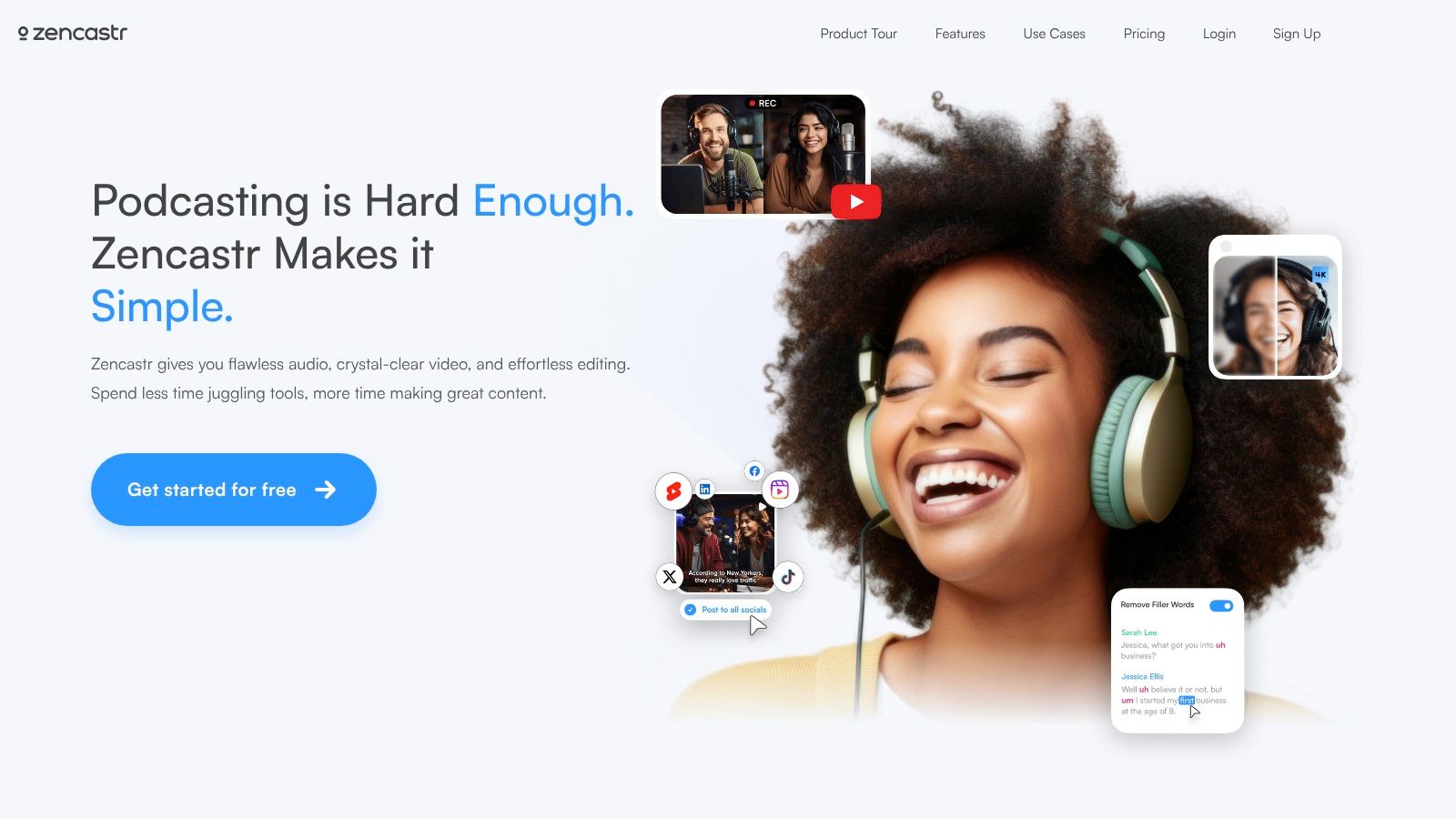
Zencastr stays relevant because it solves the core remote podcast problem well. You send a link, your guest joins without friction, and you get separate local tracks that are far easier to work with than a mashed-together call recording.
For interview-led shows, that simplicity is a competitive advantage. Guests don't want a complicated setup. They want clear instructions and a smooth experience that makes you look organized.
Best for straightforward guest booking workflows
Zencastr's free tier offers 4-channel recording with AI-driven noise suppression that can reduce manual editing time for solo creators, according to the same benchmark review noted earlier. More important than the estimate is the practical impact. You spend less time rescuing rough takes and more time publishing.
Its workflow also aligns with what many producers already consider standard for remote interview podcasts. Dedicated tools like Zencastr are preferred because they support local multitrack capture instead of relying on cloud-mixed recordings that degrade quality, as explained in Entrepreneurs on Fire's podcast software guide.
Remote interviews should capture each voice separately. That gives your editor control, and control is what creates a premium final product.
Zencastr is a smart middle ground if you don't need the broader production stack of Riverside but still want serious remote capture.
At Flexwork, it fits best when you're producing a hybrid guest lineup. Record your host in studio, bring in remote experts through Zencastr, and let the production team handle cleanup, alignment, and final delivery. That hybrid model is one of the fastest ways to raise your show's perceived value without overcomplicating your calendar.
You can review current plans and features on Zencastr's official site.
4. Cleanfeed

Cleanfeed is the tool for creators who care about audio first. Not flashy templates. Not a bloated all-in-one promise. Just strong, low-latency remote audio that feels closer to broadcast than casual podcasting.
If you host panel discussions, live interviews, or journalism-style conversations, Cleanfeed is a serious option. It's particularly useful when the voice itself is the product and every subtle dip, room reflection, or timing issue matters.
Best for audio-led professional sessions
Cleanfeed works best in setups where you already know who's handling editing and publishing. That might be you, but for many growth-minded creators, it's a studio team or post-production partner.
Its appeal is clean specialization.
- Best when dialogue quality is the priority: Great for voice-led formats and live-style sessions.
- Best when you already have post covered: Pair it with a DAW or a producer.
- Less ideal if you want one-click everything: This isn't the tool for hosting and repurposing inside one dashboard.
There's also a bigger strategic point here. Premium podcast software isn't just about recording. The strongest professional setups include lossless audio options, built-in post-processing, local multitrack recording that avoids internet latency issues, and cloud storage that reduces file management risk, as outlined in Zencastr's comparison of free and premium podcast tools.
Cleanfeed fits nicely inside a Flexwork workflow when the studio is acting as your production backbone. Record the host in a treated room, bring the remote guest in through Cleanfeed, and let Flexwork cover the finishing work that makes the episode release-ready.
See the platform at Cleanfeed's official website.
5. Adobe Podcast (Studio + Enhance)
Your guest is in a hotel room. The HVAC is loud, the walls are reflective, and the interview still has to go live this week. Adobe Podcast earns its place for exactly that kind of session.
Adobe Podcast is not the tool I'd build an entire production stack around. It is the tool I'd keep ready when real-world recording conditions fall short. Studio gives you a simple browser workflow for remote capture. Enhance cleans up audio fast enough to save episodes that would otherwise sound second-rate.
Best for fast cleanup and remote recordings that need help
This belongs in the all-in-one support category, not as your only recording environment. Ambitious creators should treat Adobe Podcast as a tactical layer in the workflow. Capture the best source you can, then run selective enhancement where it improves clarity, reduces room noise, and makes a guest track easier to edit alongside studio-quality audio.
That approach matters in a professional setup.
- Best for remote guests in imperfect spaces: Hotel rooms, home offices, and last-minute setups are where Adobe Podcast proves its value.
- Best for speed: The browser interface is easy to hand off to guests who do not want a technical setup.
- Best as a companion tool: Use it with a stronger recording, editing, or studio workflow instead of asking it to handle everything.
Adobe Podcast helps you protect the episode. It does not replace mic technique, room treatment, or producer judgment. If your goal is to turn your show into a serious media asset, use Adobe to clean up weak links in the chain, then finish inside a tighter production environment with proper editing, brand consistency, and release-ready polish.
Explore the tool at Adobe Podcast.
6. Hindenburg PRO 2
Hindenburg PRO 2 is built for spoken-word producers. That focus matters. Many DAWs feel like they were built for music first and dialogue second. Hindenburg flips that logic and gives podcasters, journalists, and narrative producers a workspace that respects long-form conversation.
If your show includes interviews, documentary segments, field audio, narration, and careful pacing, Hindenburg feels purposeful. It's not trying to be trendy. It's trying to help spoken-word content sound composed and controlled.
Best for narrative and long-form dialogue editing
Hindenburg suits creators who want cleaner editorial structure without the clutter of a music-heavy production environment. The auto loudness tools and transcript-aware workflow are particularly useful for shows with multiple voices and complex edits.
It also supports a more producer-led process. You can organize, shape, and refine a story without getting lost in unnecessary features.
Producer note: If your show depends on pacing, tone, and editorial rhythm, choose software designed around speech, not beats.
This is the kind of software that pairs well with premium production support. At Flexwork, Hindenburg-style editing thinking maps naturally onto the “Be My Podcast Producer” approach. You record with intention, then a producer helps shape the episode into something listeners want to finish.
If your bigger goal is brand growth, not just cleaner audio, that support matters. Flexwork's podcast websites are $5000 plus hosting, which gives serious hosts a stronger digital home than a basic episode feed alone. Strong software helps you record. Strong infrastructure helps you grow.
Learn more at Hindenburg's website.
7. Logic Pro (Mac)
Logic Pro is the studio pick for Mac-based creators who want control. Not “good enough” control. Real routing, proper multitrack sessions, quality native processing, and the ability to shape a show with precision.
For in-studio podcasts, Logic Pro is excellent. It handles long recording sessions well, gives you reliable editing depth, and doesn't force you into an internet-based workflow just to capture a clean conversation. If your show lives inside a dedicated set, this is one of the best podcast recording software choices for a polished, Apple-centered studio.
Best for in-studio podcast production on Mac
Logic makes the most sense when your production environment is stable. Multiple mics, a solid interface, a host who records regularly, and an editor who wants proper tools. It's less about convenience and more about control.
That's also why Logic isn't your remote interview answer on its own. For remote guests, you'll usually pair it with a dedicated capture platform and then bring the isolated tracks into Logic for post.
- Choose Logic if your show records in person: It's strong for controlled studio sessions.
- Choose Logic if you also produce music or branded audio: The built-in toolset is versatile.
- Skip Logic if you want instant beginner simplicity: It rewards users who are willing to learn it.
Essential podcast software needs robust multitrack recording and editing, along with practical tools like fade-ins, fade-outs, EQ, and compression if you want broadcast-quality production rather than basic mono output, according to Imagineer Systems' overview of podcast software essentials. Logic handles that brief well.
At Flexwork, Logic-style production is part of the advantage of recording in a real studio. You're not just capturing audio. You're building a show with headroom, clarity, and room to grow into sponsorships, video, and branded distribution.
Take a look at Logic Pro on the App Store.
8. REAPER
REAPER is for builders. If you like shaping your own workflow, creating templates, setting up routing exactly the way you want it, and running a lean system that doesn't waste resources, REAPER is a brilliant choice.
It's not glamorous. That's part of the appeal. REAPER gives you serious recording and editing power without pretending to be a lifestyle platform. For engineers, producers, and detail-oriented podcasters, that's a feature.
Best for custom studio workflows
REAPER is especially good in dedicated podcast studios, agency environments, and creator operations where the production process repeats every week. Once you've built a session template, your workflow gets fast and reliable.
There's one caution for hybrid production. Recent coverage of free podcast recording software notes that REAPER and Audacity require manual track alignment when combining local and remote audio in hybrid workflows, which is exactly the kind of issue many mainstream reviews gloss over, according to Iris.fm's analysis of hybrid recording challenges.
That doesn't make REAPER a bad choice. It means you need to know what role it plays.
- Excellent as the studio engine: Stable, flexible, and highly customizable.
- Less ideal as your only tool for remote capture: Pair it with a dedicated remote platform.
- Best in trained hands: It rewards process and punishes guesswork.
Flexwork offers a serious upgrade path. You don't need to become the engineer, the editor, and the systems designer just to launch a professional show. You can record in a built-out environment and let experienced producers handle the technical precision behind the scenes.
See what's possible at REAPER's official site.
9. Alitu The Podcast Maker
Alitu is the speed pick. If you want a platform that removes friction, simplifies decisions, and helps you get from recording to published episode without learning traditional audio production, Alitu earns its place on this list.
It's well suited to solo hosts and small teams who value momentum. You're not trying to become an audio engineer. You're trying to stay consistent, publish on schedule, and build authority around your ideas.
Best for simple all-in-one publishing
Alitu's relevance is bigger than its feature set. In a 2026 survey, Audacity was identified as the most widely adopted podcast recording software globally, used as the primary recording platform by about 17% of podcasters, according to Alitu's best podcast recording software survey coverage. That tells you something important about the market. A huge share of creators still prioritize accessible, practical tools over the flashiest ecosystem.
Alitu follows that same instinct. Simplicity wins when it helps creators keep shipping.
The best software for many creators isn't the one with the deepest controls. It's the one they'll actually use every week.
That said, there's a ceiling. If your show needs cinematic sound design, advanced routing, or high-touch editorial shaping, you'll outgrow its simplicity.
For many Flexwork clients, Alitu makes sense as a starter workflow, then the studio takes over when the show becomes part of a larger business strategy. That's the natural progression from hobby output to premium content asset.
You can check it out at Alitu's website.
10. OBS Studio
Your guest is mic'd up. The cameras are framed. The lower thirds are loaded. You want one recording session to produce a full YouTube episode, vertical clips, livestream segments, and clean branded visuals. OBS Studio is built for that job.
It is the strongest free choice for video-first podcasters who care about production control. You can switch scenes, bring in multiple cameras, capture your screen, add graphics, and record or stream at the same time. If your show is becoming a media property, not just an audio feed, OBS deserves a place in your workflow.
Best for live and hybrid video podcast setups
OBS fits best in an in-studio or controlled production environment. It gives ambitious creators a real visual command center, especially for hybrid setups that blend podcast recording, livestreaming, and content repurposing. You are not paying for convenience here. You are getting control.
That control comes with a tradeoff. OBS does not solve remote guest recording on its own, and it does not replace dedicated podcast platforms for isolated remote tracks. Use it as the video production layer, then pair it with Riverside, Zencastr, or Cleanfeed when remote reliability matters.
That is the smart way to categorize it in this list. OBS is not your all-in-one podcast system. It is your in-studio production engine.
- Best for visual production: Multi-camera scenes, branded layouts, overlays, and screen capture.
- Best for live distribution: Record once, stream live, and create assets for multiple platforms.
- Best used with another recorder: Add a remote audio platform when guest isolation and backup tracks matter.
At Flexwork, this is the difference between recording a podcast and producing a content asset. A planned OBS session can generate the flagship episode, social cutdowns, sponsor-ready clips, thumbnails, and launch visuals in one shoot. That workflow helps creators look established long before they build a full internal media team.
Explore the platform at OBS Studio's official website.
Top 10 Podcast Recording Software: Feature & Pricing Comparison
| Product | Primary use | Capture & workflow | Target user | Unique selling point | Price note |
|---|---|---|---|---|---|
| Riverside | Remote & in‑person studio recording | Local 4K video & 48 kHz multitrack; built‑in edit, livestream, progressive uploads | Creators scaling from solo to teams | End‑to‑end record→edit→publish; strong AI toolset | Tiered seats/hours; cost grows for larger teams |
| Descript (Rooms) | Record + text‑based editing workflow | Remote multitrack with transcripts, overdub TTS, Studio Sound | Fast editors, social/clip‑first creators | Instant transcript editing and overdub; rapid publish flow | Media minutes/AI credits on plans; business roles |
| Zencastr | Simple reliable remote ISO capture | Separate WAV/HD/4K tracks per guest; cloud backups, progressive upload | Hosts wanting easy guest links and ISO tracks | Straightforward guest experience; resilient uploads | Plan limits vary, check track/download caps |
| Cleanfeed | Broadcast‑grade remote audio studio | Low‑latency, high‑fidelity multitrack; up to 32 guests (Pro) | Radio/broadcast professionals & double‑enders | Broadcast‑grade audio and studio tools | Pro/Cinema tiers for advanced features; video on Cinema |
| Adobe Podcast (Studio + Enhance) | Browser recorder + AI cleanup | Individual WAV tracks; Enhance Speech AI and mic checks | Beginners and Adobe users wanting clean audio quickly | Industry‑leading speech enhancement and Adobe integration | Some premium features tied to Adobe subscriptions |
| Hindenburg PRO 2 | Spoken‑word DAW for storytelling | Multitrack editing, auto‑loudness, transcript tools, Soundly SFX | Long‑form podcasters, journalists, documentary teams | Voice‑optimized workflow and story/clipboard tools | Subscription or perpetual licensing options |
| Logic Pro (Mac) | Advanced in‑studio DAW (Mac only) | Robust multitrack, comping, routing, native plug‑ins | Mac studios producing music + podcasts | Deep post‑production tools and Final Cut integration | One‑time Mac App Store purchase; Mac‑only |
| REAPER | Highly customizable, lightweight DAW | Deep routing, scripting, low CPU footprint, long recording | DIY engineers and budget studios needing flexibility | Exceptional price‑to‑power and extensibility | Affordable license; long evaluation period |
| Alitu | All‑in‑one simple podcast maker | Remote recording, auto‑cleaning, one‑click publish, transcripts | Solo hosts and small teams wanting speed/simplicity | Minimal learning curve; built‑in hosting & AI show notes | Hosting limits (free tier); extra usage costs apply |
| OBS Studio | Live streaming & scene‑based video recording | Scene switching, simultaneous record/stream, multi‑track audio | Video‑first podcasters, livestreamed shows, event studios | Free, open‑source with multi‑cam live switching | Free (open source) |
Final Thoughts
You sit down to record, the guest is ready, the mic is live, and the session still feels harder than it should. That usually means the problem is not talent. It is workflow.
The right software should fit the way you produce. Riverside and Zencastr are the smart picks for remote interviews. Descript is the best choice for transcript-led editing and fast social cutdowns. Cleanfeed and Hindenburg PRO 2 suit audio-first teams that care about polished voice production. Logic Pro and REAPER give in-studio creators deeper control, better routing, and room to build a serious post-production process. Alitu works for speed. OBS works for shows that live on video, livestreams, and multi-camera content.
Choose your tool by recording environment first, then by editing style. Remote, in-studio, or all-in-one is the decision that matters most. That is how ambitious creators avoid paying twice, once for software and again for wasted time.
Strong shows come from a production system. Clear capture, efficient editing, consistent branding, and a publishing rhythm all need to work together. Software handles one part. The rest comes from recording in the right room, using the right support, and building a process you can repeat every week.
That is the difference between a hobby podcast and a brand asset.
For creators building in the NJ and NY market, Flexwork gives that system a professional home base. You can record in an acoustically treated studio, work with producer support, and create content that matches the standard of the brand you want to build. If your goal is bigger than getting episodes out, Flexwork also supports editing, motion design, repurposing, podcast websites, distribution, and strategy.
Make the software decision with intent. Pick the platform that fits your workflow. Then put it inside an environment built for consistency, quality, and growth.
If you're ready to stop patching together a DIY setup and start producing with real momentum, book a session with Flexwork Podcast Studios. From studio rentals and Content Days to producer support, podcast websites, and growth-focused production, Flexwork gives ambitious creators a professional base to build content that looks premium and performs like a serious business asset.