10 Free Audio Recording Studio Software Picks
 September 13, 202634 Minutes
Audacity is the strongest broadly compatible starting point for local podcast recording and editing, and it has surpassed 100 million downloads since 2000. The best choice changes when you prioritize Apple simplicity, remote collaboration, transcript editing, full DAW control, or video capture.
The popular advice is to choose the software with the longest feature list. That's the wrong filter for most podcasters. A solo host cleaning voice tracks needs a different workflow from a team recording remote interviews, a creator turning one conversation into short-form video, or a producer preparing sessions for a professional studio.
This guide ranks free audio recording studio software by real podcast workflows, not generic feature counts. You'll see which platforms work on Windows, macOS, Linux, mobile, or the web, where each tool handles multi-host sessions, remote collaboration, video capture, cleanup, plugins, and exports, and when its free plan becomes a constraint. If you're researching how to make beats without paid software, several picks also support music beds and production work.
Flexwork Studios fits into the next stage. DIY software can help you publish, but a premium studio, production package, Content Day session, or podcast website can remove the bottlenecks that make consistency difficult. Use this list to start intelligently, then recognize when dependable production support is the smarter business decision.
1. Audacity
Audacity remains the best starting point for local podcast recording and editing across Windows, macOS, and Linux. Development began at Carnegie Mellon University in 1999, and Audacity 0.8 reached the public on May 28, 2000. By 2025, the project marked its 25th anniversary and reported more than 100 million downloads since 2000, a remarkable lifespan for a free, open-source recorder. Audacity's official site documents the project's history and current development.
It records live audio through a microphone or mixer, digitizes tapes and records, supports multitrack editing, and exports formats including WAV, AIFF, MP3, and Ogg Vorbis. Independent software documentation confirms that broad format and platform support. Audacity also supports 16-bit, 24-bit, and 32-bit audio, with high-quality resampling and dithering for conversions and exports, according to its software listing.

Best workflow and practical limits
Use Audacity for a solo host, a locally recorded co-host show, voice cleanup, music beds, sound effects, and straightforward episode exports. It supports VST3, AU on macOS, LV2, and LADSPA plugins, along with real-time effects, loudness normalization, batch processing, and optional cloud project saving through audio.com.
Its interface looks utilitarian, but that can be an advantage during long voice sessions. You can record and edit locally without creating an account. The tradeoff is that Audacity isn't a full music DAW, so MIDI, virtual instruments, and advanced routing are limited compared with Waveform Free or a paid production platform.
Practical rule: Use Audacity when the job is to capture clean local audio, remove distractions, assemble an episode, and export reliably. Don't choose it as your primary tool for complex music production or elaborate video podcasts.
Audacity's official feature page also lists noise reduction and real-time AI transcription with Whisper, with no upload or minute limits for transcription. The feature overview makes it especially useful for podcasters who want cleanup and speech-to-text without building a subscription into the workflow.
For a deeper comparison of recording workflows, review Flexwork's podcast recording software guide. When echo, room reflections, or inconsistent microphone technique remain the problem, software can only take you so far. These echo prevention tips can improve the recording before cleanup begins.
2. GarageBand
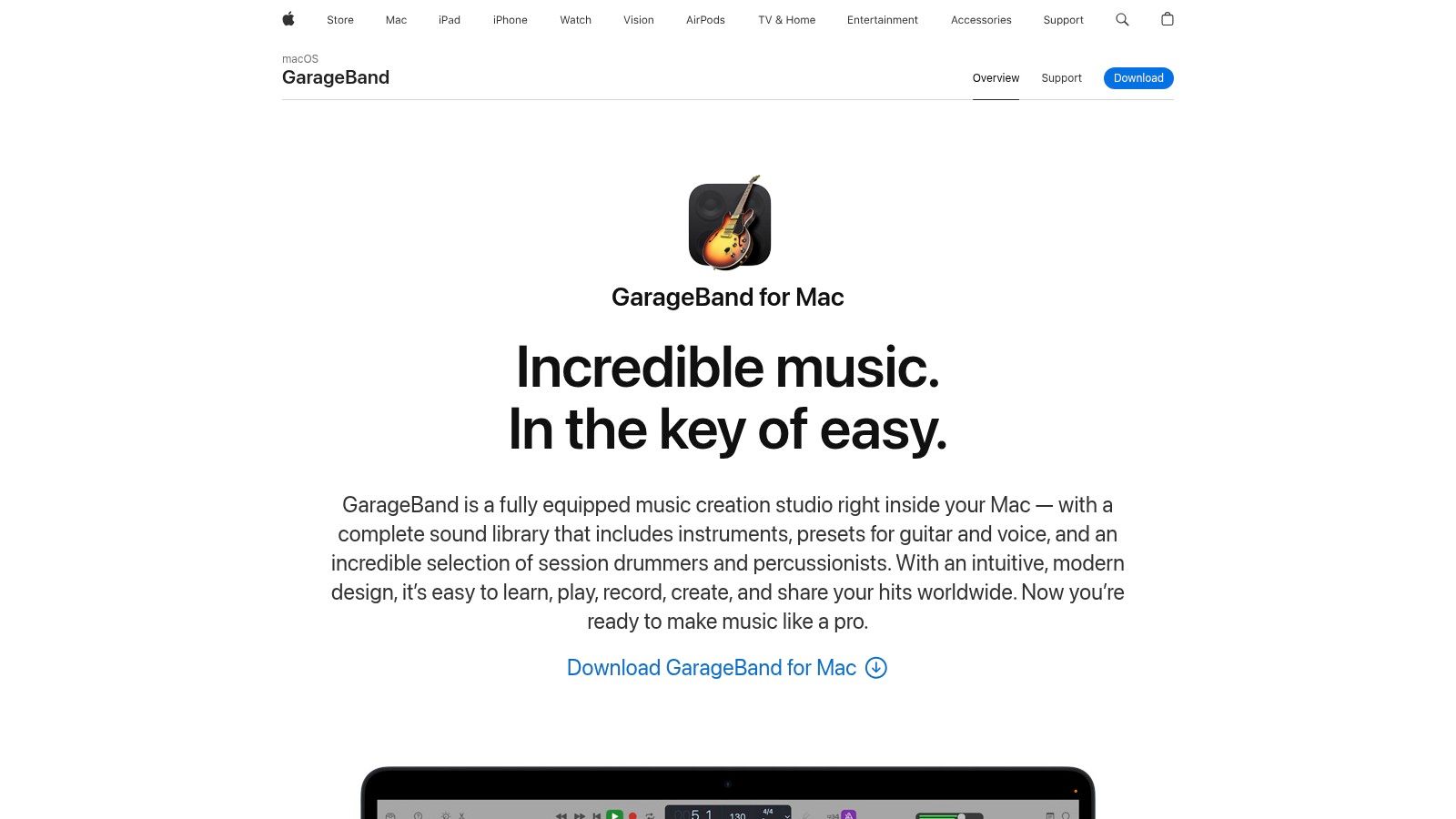
GarageBand is the clear choice for Apple users who want a polished start without wrestling with a technical interface. It runs on macOS and iOS or iPadOS, integrates tightly with Apple hardware, and gives podcast creators a comfortable route into multitrack recording, vocal processing, music beds, and episode assembly through Apple's GarageBand page.
The software includes compressors, EQ, reverbs, a large sound library, virtual drummers, and amp simulators. That makes it useful when a show needs more than spoken voice. You can build an intro, create an outro, add a branded music bed, and record multiple USB microphones without immediately moving into a complex professional DAW.
Best workflow and practical limits
GarageBand's strength is speed. Its templates and familiar Apple design help a new host build a usable vocal chain quickly, while Logic Remote gives you a practical control option from another Apple device. If your ambitions grow, the project also provides a smooth path toward Logic Pro because the two platforms share important workflow foundations.
The limitation is decisive. GarageBand is Apple-only, so it isn't suitable for a team split across Windows, Linux, and Mac. It also prioritizes music creation, which means podcast users may need to adapt presets and layouts for dialogue editing. Its routing and post-production depth are narrower than full DAWs.
Choose GarageBand when your entire setup is Apple-based and your priority is simple, stable, clean-sounding production. Choose Audacity instead when cross-platform access, local flexibility, or lightweight editing matters more.
For practical editing guidance after recording, see Flexwork's free podcast editing software recommendations. GarageBand works particularly well for creators who want to record at home, then bring a more intentional music and vocal identity to each episode.
3. Tracktion Waveform Free
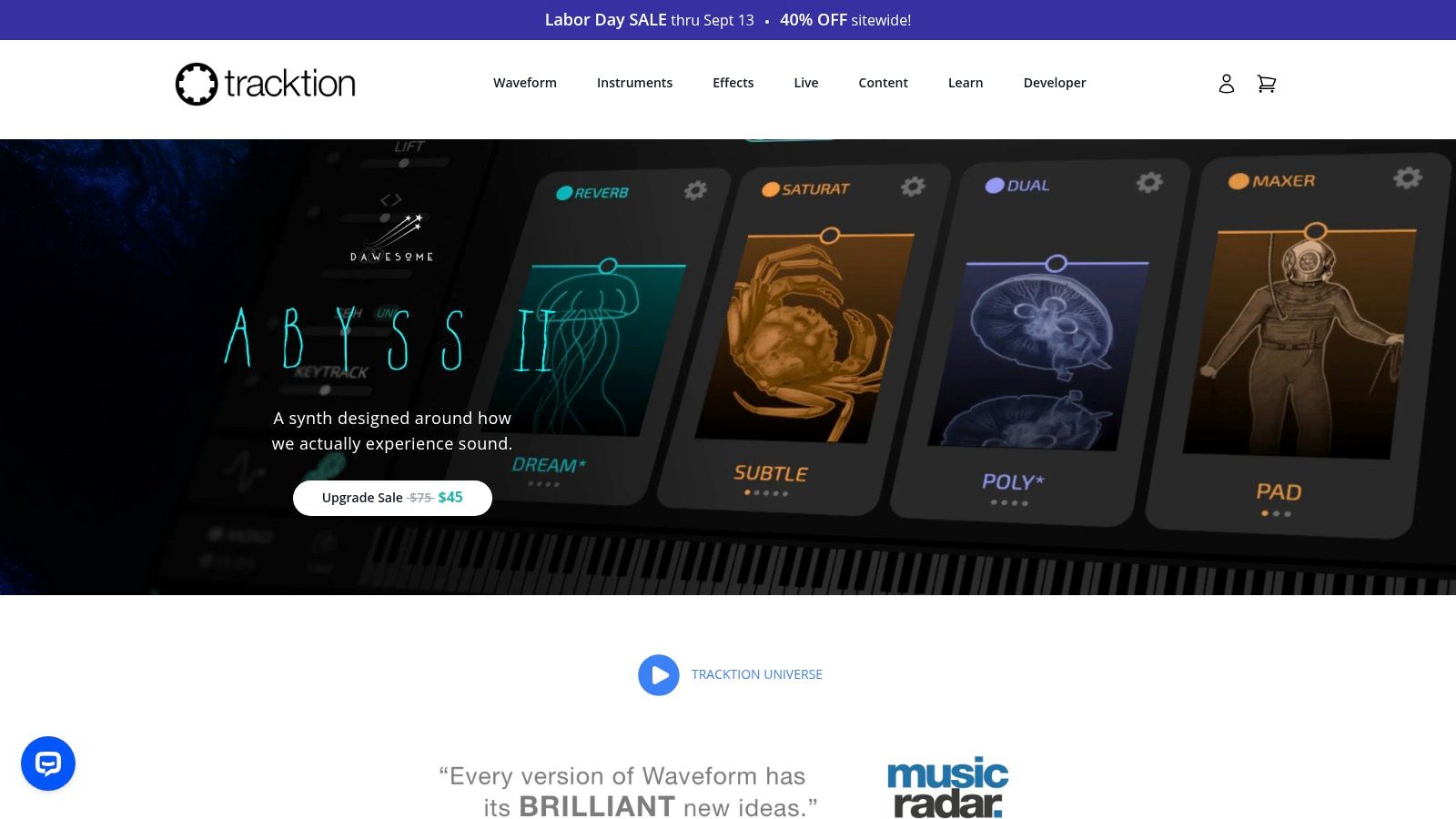
Tracktion Waveform Free is the strongest pick for creators who want a full DAW without committing to one operating system. It runs on Windows, macOS, and Linux, supports unlimited tracks, and offers the routing, editing, and mixing structure that ambitious podcasters often outgrow in simpler editors. Its official product page positions Waveform as a modern production environment with a clear route to Waveform Pro.
This is the right choice for a show that includes several voices, layered music, recurring effects, sponsor segments, and more detailed post-production. Clip-based editing and comping make it easier to organize multiple takes, while VST, VST3, and AU plugin support gives you room to build a repeatable processing chain.
Best workflow and practical limits
Waveform Free is more capable than its name suggests. Its rewritten audio engine includes plugin delay compensation, and its workflow scales well when a podcast becomes a broader content production system. You can keep voice, music, advertisements, ambience, and alternate versions organized in one project rather than exporting between several applications.
The interface asks more from you than GarageBand or Ocenaudio. You'll need to understand tracks, buses, routing, plugin order, and session organization. Some advanced features and content expansions require paid upgrades, and the built-in content library is smaller than what you'll find in large commercial DAWs.
A full DAW earns its place when you're repeatedly mixing the same show architecture, not when you're still deciding where to cut silence.
Select Waveform Free if you want maximum control across Windows, Mac, and Linux and expect your podcast to become a serious production property. It's also a smart bridge for creators moving toward professional post-production without changing DAWs later.
4. Pro Tools Intro
Pro Tools Intro is the best free option for creators who expect to hand sessions to professional engineers or studios using the Pro Tools ecosystem. It provides access to core Pro Tools editing and mixing workflows on Windows and macOS, with a session structure that helps you learn the conventions used by the paid tiers. Visit Avid's Pro Tools page for the current product family.
For a podcast, that means precise dialogue editing, dependable multitrack vocal work, and a familiar environment for anyone who may later collaborate with a professional producer. The AAX plugin ecosystem also gives you a defined path for expanding your processing toolkit.
Best workflow and practical limits
Pro Tools Intro makes sense when your future includes studio handoff. You can develop habits around clip editing, fades, playlists, mixing, and session management before paying for a larger version. That learning investment can reduce friction when a Flexwork engineer or another professional receives your project.
The free tier has track and feature limits compared with paid Pro Tools. It also uses AAX plugins rather than the broader VST ecosystem, and beginners may find the interface denser than Audacity or GarageBand. If you only need to record a single host, that learning curve may slow you down instead of helping.
Choose Pro Tools Intro for professional workflow familiarity, not convenience. It's a strong training ground for producers who want to understand studio sessions, while Audacity remains the more efficient choice for quick local recording and cleanup.
5. LUNA
LUNA Free suits podcasters who want a console-inspired recording and mixing experience, especially if Universal Audio hardware or plugins may become part of the future setup. The DAW runs on macOS and Windows, records and mixes with any audio interface, and is available through Universal Audio's LUNA page.
Its workflow emphasizes smooth tracking, low-latency monitoring, and an analog-style approach to arranging and mixing. For a host who cares about the feel of the recording process, that can make a long interview session more comfortable. LUNA also provides a platform for creators who may later add UA plugins or hardware.
Best workflow and practical limits
LUNA works best when you want to track several microphones, shape a show through a console-style mixer, and keep the recording experience close to a traditional studio. Optional paid extensions and continuing platform updates give you room to grow, including newer AI-assisted tools.
The account requirements are part of the decision. The free tier requires UA Connect and an iLok account, and some signature plugins or extensions are paid. Windows performance can also vary depending on the specific setup, so test your interface, drivers, and monitoring path before committing to a major production schedule.
If you need guidance selecting an interface, monitoring chain, and room arrangement, use Flexwork's audio recording studio setup resource. Choose LUNA when the recording experience itself matters and you're comfortable working inside the Universal Audio ecosystem.
6. BandLab Studio
BandLab Studio is the strongest choice for a creator who needs to capture ideas, collaborate remotely, and publish quickly. It works in a browser and on iOS and Android, so a guest or collaborator doesn't need the same desktop DAW to participate. The platform is available through BandLab's official Studio site.
Its cloud workflow includes multitrack recording, collaboration, versioning, AutoPitch, loops, samples, AI SongStarter, free mastering, and social publishing. For podcast creators, the most important benefit is access. A remote guest can contribute without learning a heavyweight application, and a host can create a quick voice track or music bed without installing a desktop editor.

Best workflow and practical limits
BandLab is excellent for early-stage collaboration, rough cuts, remote ideas, and fast publishing. It also works well when a small team wants shared access instead of passing project folders between contributors. The mobile apps make spontaneous recording practical, particularly for creators who build episodes around travel, events, or guest conversations.
The browser workflow has track and time limits, while offline work depends on the device and app. Browser plugin support is also more limited than desktop DAWs, so it's not the best choice for detailed vocal restoration or elaborate mixing.
Use BandLab Studio for collaboration and momentum, then export to Audacity, Waveform Free, or a professional environment for deeper cleanup. Its value is reducing friction at the capture stage, not replacing every part of a mature post-production pipeline.
7. Ocenaudio
Ocenaudio is the best companion editor for podcasters who want to cut, clean, and export voice quickly without opening a full DAW. It runs on Windows, macOS, and Linux, and its official website focuses on a fast, accessible waveform editing experience.
The software is ideal for a solo host recording a local track, a guest sending a separate recording, or a producer handling surgical fixes before assembling the final episode elsewhere. Real-time effect previews let you hear changes before committing, VST plugin support expands cleanup options, and the spectrogram view helps identify unwanted noise and problem frequencies.
Best workflow and practical limits
Ocenaudio excels at trims, fades, EQ, de-noising, and quick repairs. It's lighter than a full DAW and easier to learn than a large production environment, which makes it useful for creators who don't need MIDI, virtual instruments, complex routing, or a large session template.
Its limitation is equally clear. Ocenaudio isn't a complete multitrack production system. You can't expect the same deep mixing structure as Waveform Free, Pro Tools Intro, or LUNA. Use it as a focused voice editor, not as the central platform for a large multi-host show with many layers.
Workflow choice: Record and clean individual voice files in Ocenaudio, then assemble the episode in a multitrack DAW when the production includes music, ads, effects, or multiple speakers.
Pick Ocenaudio when speed and simplicity beat feature depth. It's a particularly good fit for dual-ender workflows, where each participant records locally and sends a clean file to the person handling the final edit.
8. Descript
Descript is the decisive choice for creators who think in transcripts, clips, captions, and social distribution rather than waveform edits. It runs on Windows and macOS, records multitrack sessions, transcribes conversations, detects speakers, and lets you edit audio by changing the text. Its official Descript site presents the platform as a combined recording, editing, and content creation environment.
This changes the editing experience. Remove a sentence from the transcript and the corresponding audio disappears. Filler-word removal, speaker detection, screen capture, webcam capture, captions, and clip tools all support the same goal, turning a long conversation into publishable assets without moving through several disconnected applications.

Best workflow and practical limits
Descript is built for solo creators and small teams that need an episode, video clips, captions, and social exports from one recording. It's especially useful when your audience strategy depends on repurposing interviews into short-form content rather than publishing audio alone.
The free plan has limits on transcription minutes and AI credits, and some video exports may include a watermark. AI features also depend on internet access, so the platform isn't a perfect replacement for a local editor when you need unrestricted offline work.
For a traditional local recording and cleanup workflow, Flexwork's podcast audio editing guide offers a useful counterpoint. Choose Descript when repurposing speed matters more than deep waveform control. If your show requires polished multi-camera editing, brand consistency, and repeatable social delivery, professional production support becomes valuable quickly.
9. OBS Studio
OBS Studio is the best free choice for video podcast capture, livestreaming, and multicamera-style production. It runs on Windows, macOS, and Linux, and its official OBS website provides the core software and community resources.
Although OBS is known for streaming, it can record high-quality multitrack audio locally. It supports up to six separate audio tracks per recording, allowing you to route microphones, desktop audio, music, and other sources independently for later mixing. Hardware-accelerated recording and scene management also make it practical for creators capturing camera feeds, screen content, and changing layouts.
Best workflow and practical limits
Use OBS when the session includes video, multiple sources, livestream graphics, or a screen demonstration. It pairs well with Audacity or Waveform Free because OBS handles capture while another application handles detailed audio post-production.
OBS isn't a DAW. Its audio mixing, restoration, and final mastering tools are limited compared with dedicated editors, so you'll usually finish the audio elsewhere. Remote guest recording also requires third-party tools and careful setup. Test scenes, sources, routing, storage, and backup recording before a live or high-stakes session.
Production principle: Let OBS capture the room and the show. Let a dedicated editor make the final audio feel controlled and intentional.
For cleaner source material before it reaches OBS, follow Flexwork's guide to improving audio quality. And if your content strategy includes short-form narration, this viral voiceover guide can help you think beyond the full episode.
10. Cakewalk Next
Cakewalk Next is a modern desktop option for creators who want a clean BandLab-connected workflow without relying entirely on a browser. It runs on Windows and macOS, supports multitrack audio and MIDI recording, and includes an updated piano roll and sampler tracks. Explore the platform through Cakewalk Next's official page.
The interface is designed for fast creation, which makes it suitable for voice production, music beds, branded intros, and simple creator projects. Integration with BandLab's cloud tools and content also gives teams a way to connect desktop production with broader online collaboration and publishing.
Best workflow and practical limits
Cakewalk Next is a strong fit for a creator who wants a more structured desktop workflow than BandLab Studio but still values the BandLab ecosystem. It's useful for recording a host, adding music, editing sections, and maintaining a repeatable project without adopting a heavier professional environment.
You'll need a BandLab account and periodic activation. The plugin and content bundle is also smaller than what you'll find in major commercial DAWs, so creators with demanding sound design or large production templates may eventually need another platform.
Choose Cakewalk Next for a modern, approachable desktop workflow tied to BandLab services. Choose Waveform Free if cross-platform Linux support, unlimited-track production, and broader DAW flexibility are more important.
Top 10 Free Audio Recording Studio Comparison
| Software | Core features | Platform | Best for / Target audience | Unique selling points / Value | Limitations / Price |
|---|---|---|---|---|---|
| Audacity | Multitrack recording & editing, real‑time effects, loudness normalization, plugin support | Windows, macOS, Linux | Creators needing free local editing, noise cleanup, batch exports | Free & open‑source, lightweight, broad plugin/community resources | Utilitarian UI, limited MIDI/instruments; Free |
| GarageBand | Multitrack recording, built‑in compressors/EQ/reverb, large sound library | macOS, iOS | Apple users making intros/outros, music beds, quick vocal polish | Polished UX, ready templates, smooth path to Logic Pro | Apple‑only, fewer pro routing tools; Free on Apple devices |
| Tracktion Waveform Free | Unlimited tracks, VST/VST3/AU support, clip editing & comping | Windows, macOS, Linux | Cross‑platform creators wanting full DAW features without cost | True DAW routing, efficient CPU use, clear upgrade to Pro | Some advanced features require paid expansions; Free |
| Pro Tools Intro | Core Pro Tools editing/mixing, AAX plugin support, session compatibility | Windows, macOS | Podcasters preparing studio handoffs or learning Pro Tools workflows | Industry‑standard workflow, precise editing & stable engine | Track/feature limits vs paid tiers; AAX‑only; Free tier with limits |
| LUNA (LUNA Free) | Multitrack tracking/mixing, UA integration, low‑latency monitoring | macOS, Windows | Creators wanting console‑style tracking and UA hardware integration | Analog‑style workflow, tight integration with UA plugins/hardware | Requires UA Connect/iLok; some extensions paid; Free tier |
| BandLab Studio | Cloud multitrack, collaboration/versioning, instant mastering & loops | Browser, iOS, Android (desktop via Cakewalk Next) | Remote interviews, quick captures, social publishing | Browser collaboration, built‑in mastering, instant sharing | Browser limits, limited plugin support; Free |
| Ocenaudio | Waveform editor, real‑time effects preview, spectrogram view | Windows, macOS, Linux | Fast surgical cleanup, trims, de‑noise for podcast voice tracks | Extremely easy to learn, fast and lightweight companion tool | Not a full DAW (limited multitrack); Free |
| Descript | Multitrack recording, automatic transcription, text‑based audio editing | Windows, macOS | Editors who edit by transcript, repurpose episodes into clips | Fast dialogue editing, captions, all‑in‑one clip creation | Free plan has minutes/AI limits; online AI features may be required |
| OBS Studio | Multicam scene management, per‑source routing, hardware‑accelerated recording | Windows, macOS, Linux | Video podcasters, livestreams, multicam shoots needing separate tracks | Free, reliable capture for combined audio/video workflows | Not a DAW, limited post tools; remote guests need extra tools; Free |
| Cakewalk Next | Multitrack audio & MIDI, piano roll, sampler, BandLab cloud integration | Windows, macOS | Creators wanting a desktop DAW tied to cloud collaboration | Clean, beginner‑friendly workflow, free with BandLab account | Requires BandLab sign‑in/activation; smaller content bundle; Free |
Turn a Free Setup Into a Repeatable Show
Free software can absolutely launch a podcast. It can't automatically give you a controlled room, consistent microphone technique, reliable guest coordination, clean video, polished branding, or a repeatable publishing system. Those are production decisions, and the best software only helps when the workflow around it is disciplined.
Use the following decision guide:
- Local voice editing: Choose Audacity for broad compatibility and a complete local recording workflow. Choose Ocenaudio for fast, focused cleanup of individual voice tracks.
- Apple production: Choose GarageBand when you want a polished Apple-native experience with a straightforward route toward Logic Pro.
- Full production: Choose Waveform Free when you need a serious DAW workflow across Windows, macOS, or Linux.
- Professional handoff: Choose Pro Tools Intro when learning Pro Tools sessions and studio compatibility matters.
- Console-style tracking: Choose LUNA when you want an analog-inspired workflow and may expand into Universal Audio tools.
- Cloud collaboration: Choose BandLab Studio when guests or collaborators need browser and mobile access.
- Transcript-led repurposing: Choose Descript when your episode must become captions, clips, and short-form video quickly.
- Video capture: Choose OBS Studio when cameras, screens, livestream scenes, and separate audio sources are central to the session.
- BandLab desktop production: Choose Cakewalk Next when you want a modern desktop DAW with BandLab integration.
A setup that protects the recording
Start with a microphone that suits your room and voice, then confirm that your computer or interface recognizes the correct input. Monitor through headphones so you can catch hum, clipping, room noise, and connection problems before they become permanent.
Record each speaker to a separate track whenever the workflow allows it. Keep gain conservative, control reflections with the room rather than relying entirely on plugins, and avoid stacking processors you can't explain. Back up project files and source audio before editing, then check the final export on headphones and speakers.
Your basic checklist should include:
- Microphone selection: Match the microphone to the room, speaker, and connection type.
- Input monitoring: Listen for noise, delay, distortion, and accidental system audio.
- Separate tracks: Keep hosts, guests, music, and effects independently editable.
- Conservative gain: Leave room for natural speech variation instead of recording too hot.
- Headphones: Monitor throughout the session, especially during remote conversations.
- Room control: Reduce hard reflections and nearby noise before applying cleanup.
- Backups: Preserve original recordings and project files in more than one location.
- Plugin restraint: Use noise reduction, EQ, compression, and normalization with a clear purpose.
- Export checks: Confirm the correct speaker balance, music level, file format, and episode ending.
The free-versus-paid decision is about bottlenecks, not status. Consider paid tools or professional help when you're repeatedly losing time to multi-camera editing, remote-guest coordination, branding, distribution, marketing, or inconsistent broadcast-quality output. If every episode requires a different workaround, the software may no longer be the main problem.
Flexwork Studios gives creators a practical upgrade path. Book Flexwork's studio rental when you need an acoustically treated room, professional microphones, cinema equipment, and a dependable recording environment without building the entire infrastructure yourself. Hourly Rentals suit focused sessions, while production packages support creators who need editing, sound mixing, video editing, motion graphics, animation, branding, distribution, or marketing.
For creators who want to batch content efficiently, Content Days are $3000 per day and include 20 edited reels or 60 professional photos. A podcast website is $5000 plus hosting, which gives a show a more durable home than relying only on platform profiles. The Market & Manage tier starts at $1500 per episode with a 20-episode growth commitment, connecting production with audience development instead of treating publishing as the finish line.
The right free tool can help you develop your format and prove your concept. The right studio and production partner can help you protect your time, raise consistency, and turn that concept into a show people recognize. Explore Flexwork's studio rental options and production packages when your podcast needs more than another software download.
Flexwork Podcast Studios offers acoustically treated podcast and video rooms, professional recording equipment, editing, branding, distribution, and growth-focused production support for creators in the New Jersey and New York metro area. Visit Flexwork Podcast Studios to explore studio rentals, Content Day sessions, podcast websites, and production packages that turn a DIY setup into a dependable content system.