Video Production Resources: Top Tools & Studios 2026
 May 25, 202633 Minutes
You record an episode, trim a few clips, post them on schedule, and still end up with content that feels smaller than the brand you want to build. That usually has nothing to do with your ideas. It comes from using disconnected tools that slow the process down and flatten the final result.
The fix is a better production system. Serious creators need video production resources for every stage: a studio or gear source, review and approval tools, stock media, music, captions, remote recording, and a distribution-ready workflow. The creators who grow fastest are not collecting random apps. They are choosing a stack that removes friction and protects quality from pre-production through publish.
That is the angle of this list. It is organized by the actual work. You will see where to rent pro gear, where to buy equipment, how to speed up post-production, and which platforms help you finish and distribute polished videos without turning your week into a file-management job.
You will also see the line between DIY and done-for-you support. If you can handle production yourself, several of these tools will serve you well. If you are tired of stitching together space, cameras, editing, clips, and launch support, a professional video podcast studio near you gives you a faster path to a cleaner result.
If your goal is making videos built for wider reach and stronger brand recall, this is the toolkit worth knowing.
1. Flexwork Podcast Studios

If you're in the NJ and NY orbit, start here. Flexwork Podcast Studios is the most complete answer on this list because it addresses the primary challenge ambitious creators face: the work around the work. You don't just need a room and a camera. You need a space that records cleanly, looks professional on camera, and connects smoothly to editing, branding, repurposing, and launch.
Flexwork gives you that in one place. The Springfield facility is built for podcast and video creators who want a broadcast-ready result without babysitting every technical detail. The rooms are acoustically treated and soundproofed, the sets look modern instead of generic, and the production environment is designed for podcasts, interviews, reels, shorts, and livestream sessions.
Why Flexwork beats the patchwork setup
Most DIY setups fall apart after recording. Files need cleanup. Clips need social edits. The show needs graphics. Episode art needs consistency. Distribution gets delayed. Flexwork closes that gap by pairing studio production with post-production and marketing support.
You can book a polished video podcast studio near me experience and keep the whole project under one roof.
Here's where that matters most:
- Recording quality: Soundproof rooms and professional-grade audio and cinema equipment remove the usual home-studio compromises.
- Visual polish: Modern set design gives your content a branded, credible look from the first frame.
- Post-production support: Editing, sound mixing, motion graphics, and show branding are built into the ecosystem.
- Growth support: The in-house digital marketing side can help with podcast websites, social campaigns, distribution, and guest positioning.
Practical rule: If you're spending more time coordinating freelancers than developing your show, you've outgrown the DIY stage.
Flexwork also fits the way modern creators work. The broader market for video production resources keeps expanding because brands, creators, and media teams need more content, more often. In the U.S., the labor market for film and video editors and camera operators remains active, with the Bureau of Labor Statistics listing median annual wages of $68,810 for camera operators and $70,980 for film and video editors as of May 2024. That steady demand is exactly why an integrated studio partner saves time. Instead of assembling specialists one by one, you walk into a production system that's already built.
The downside is simple. If you're nowhere near Springfield, in-person recording takes planning. And if you want line-by-line public pricing, you'll need to contact the team or book a tour. For creators who value speed, polish, and momentum, that trade is worth it.
2. Adorama Rental Co (ARC)
Need serious gear for a shoot without buying into a full kit? Adorama Rental Co is the practical move for creators and production teams working in the NY and NJ area. ARC is built for fast-turn equipment access, especially when your project outgrows your personal camera bag.
Its appeal is straightforward. You can rent cinema cameras, lenses, lighting, grip, audio gear, and accessories from a facility designed for professional checkouts, not casual hobbyist browsing. That matters when you're moving fast and can't afford a sloppy handoff.
Best for local shoots that need pro gear now
ARC makes the most sense when you already know what you want. If you've decided between a compact creator setup and a true cinema package, their inventory gives you room to scale without committing to ownership.
A few reasons it earns a spot in a serious toolkit:
- Current cinema options: Strong selection for higher-end shoots that need a real visual upgrade.
- Metro-friendly logistics: Brooklyn checkout plus Manhattan pickup and drop-off helps when production days are packed.
- Checkout support: On-site techs reduce the odds of discovering a problem once you're already on set.
If you're still deciding what camera class fits your production style, Flexwork's guide to the best camera for video podcasting is a good filter before you rent.
ARC isn't ideal for bargain hunters. Pricing is quote-based, insurance paperwork is standard, and popular gear gets booked quickly. But when the client expects a premium image and your in-house setup won't cut it, this is the kind of rental partner that keeps the day moving.
Visit Adorama Rental Co.
3. AbelCine
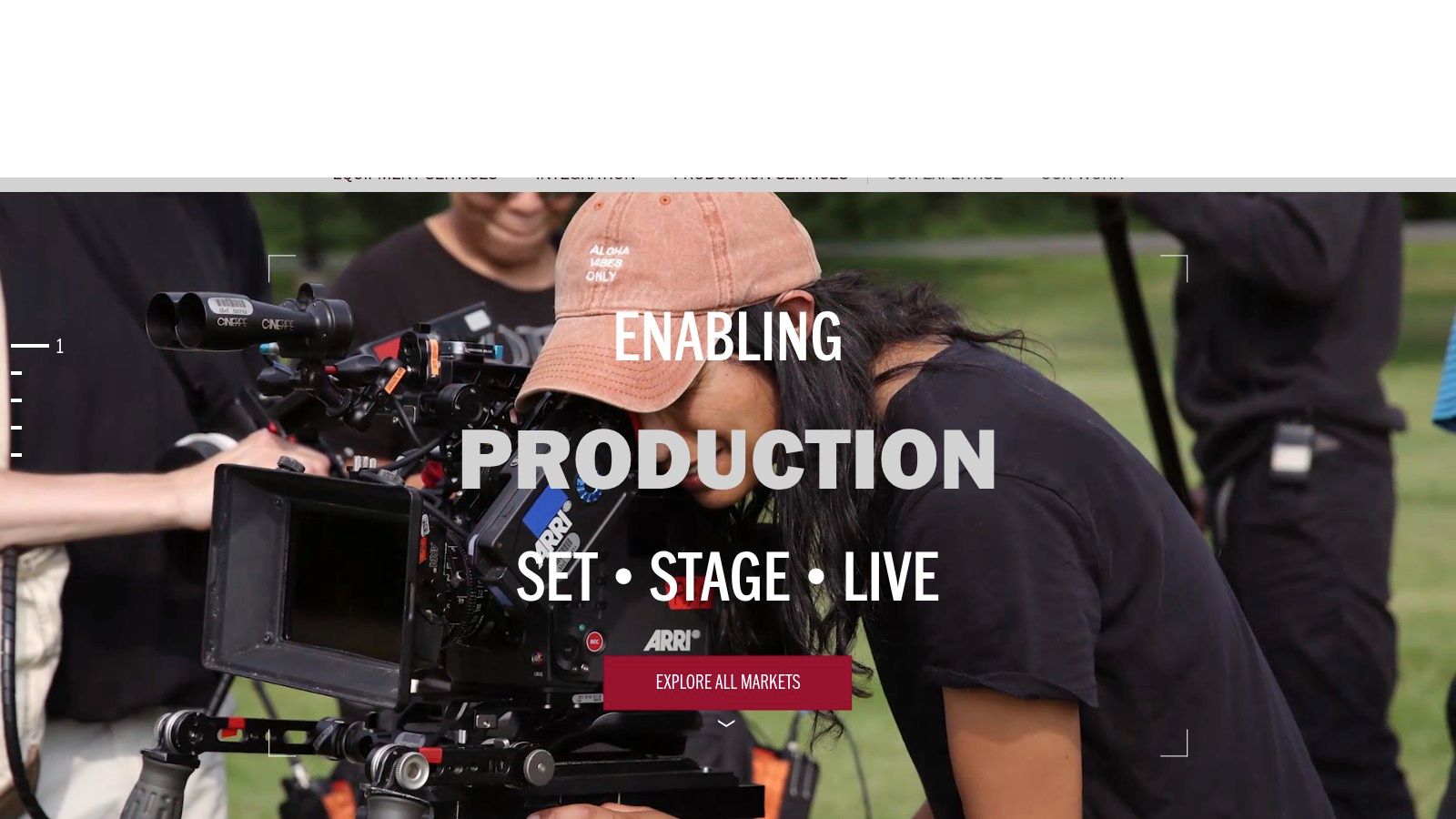
AbelCine is where you go when your production has stopped being casual. Commercial shoots, multi-camera interviews, branded series, live-to-tape productions, and more technical studio builds all sit comfortably in its lane. This isn't just a place to grab a body and lens. It's a professional vendor with deep technical knowledge and serious infrastructure.
The inventory is strong across cameras, lenses, lighting, audio, monitoring, and data workflows. Beyond the equipment, the team understands how those pieces fit together in an actual production environment.
Best for teams that want expertise with the gear
A lot of rental houses can hand you equipment. AbelCine is stronger when the package needs to be engineered properly. If your production involves multiple cameras, broadcast-style signal flow, or a polished client-facing setup, that expertise matters.
Good gear helps. A well-built package saves the shoot.
Another advantage is training. AbelCine runs workshops and hands-on education that help in-house teams level up without guessing through expensive mistakes. That's especially useful for brands that are building an internal content arm and want their producers to speak the same language as experienced crews.
The trade-off is cost and process. Premium gear comes with premium paperwork, and quote-based rentals won't feel lightweight for a tight creator budget. Still, if your production has higher stakes and you need more than a simple gear handoff, AbelCine is a smart place to spend.
Visit AbelCine.
4. PRG Gear
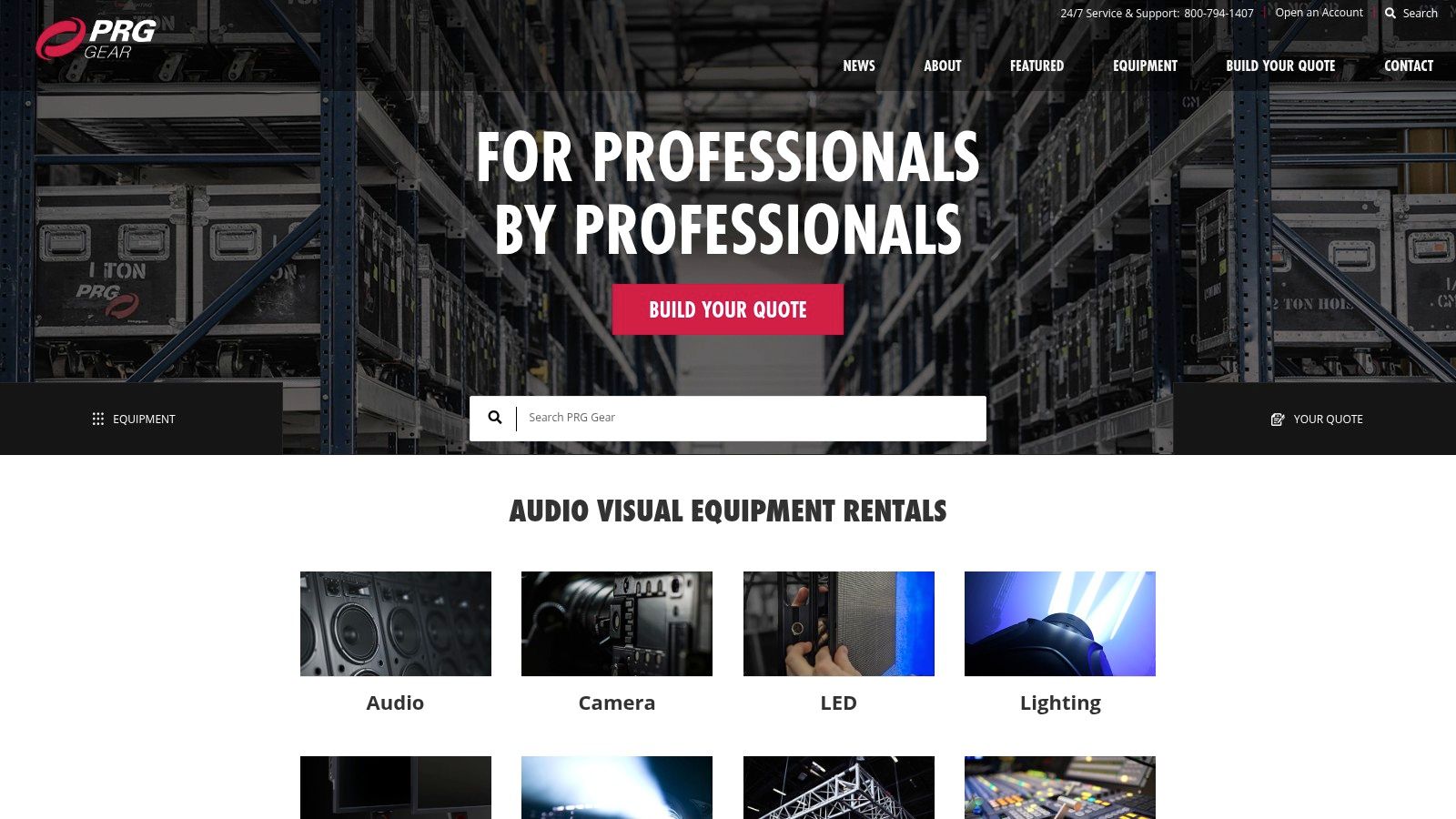
PRG Gear is the scale play. If your project includes a larger studio build, branded event production, live capture, or a technically complex setup with multiple moving parts, PRG stands out because it can support the whole environment, not just the camera package.
That's the difference. Smaller houses are great for straightforward rentals. PRG is better when production infrastructure matters as much as the lens choice.
Best for bigger shoots and event-backed content
Its Secaucus location is convenient for NJ and Manhattan productions, and the inventory reaches well beyond standard creator gear. Cameras, lenses, LED walls, lighting systems, audio, networking, and production support all live inside the same ecosystem.
Use PRG when your shoot needs:
- Scalable inventory: Helpful when one production day expands into a larger event or branded series.
- Engineering support: Useful for complex routing, live workflows, and integrated builds.
- Reliable maintenance: Professional stock tends to mean fewer ugly surprises at load-in.
PRG isn't built for the lean solo podcaster trying to keep costs microscopic. It's better suited to teams with a clear production plan and enough budget to justify extensive support. If your content operation is moving toward bigger stages, bigger clients, or hybrid event filming, PRG belongs on your shortlist.
Visit PRG Gear.
5. B&H Photo Video

B&H is the purchase hub. When you're done renting the basics and ready to own the gear you use constantly, this is one of the easiest places to outfit a studio, field kit, or creator workstation without bouncing between a dozen specialty shops.
That convenience matters more than people admit. Cameras, microphones, lights, grip, monitors, storage, editing computers, and accessories all sit in one buying flow. For founders and creators, that saves mental bandwidth.
Best for building your permanent setup
B&H is especially useful when you're standardizing a kit across multiple shoots or team members. You can compare options, buy new or used gear, and get fulfillment from a retailer that's already part of most production workflows.
It's a smart option for:
- Core ownership gear: Cameras, lenses, microphones, and lights you'll use repeatedly.
- Editing upgrades: Storage, monitors, and computers that speed up post-production.
- Accessory cleanup: Batteries, media, stands, cables, and all the unglamorous pieces that still make or break a shoot.
The downside is simple. B&H sells gear. It doesn't replace a rental house or an all-in-one production partner. If you buy too early, you can end up owning a pile of equipment without a reliable workflow to support it. Buy once you know what your repeatable production model looks like.
Visit B&H Photo Video.
6. Frame.io
You send a cut at 6 p.m. By 9 a.m., feedback is scattered across Slack, email, text, and a voice note that says, “Can we make the intro hit harder?” That mess slows post more than your editor, your camera, or your render settings.
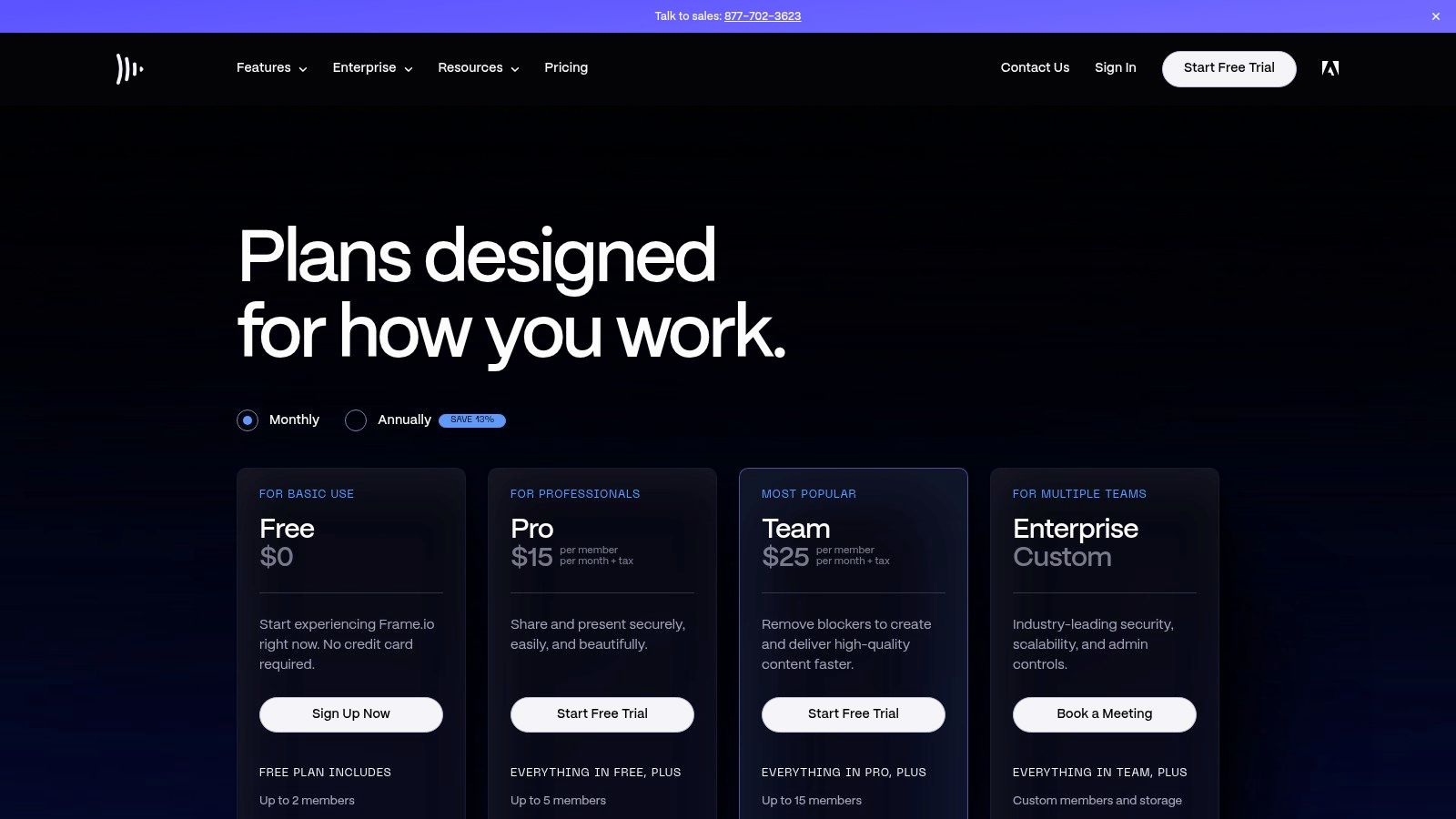
Frame.io solves the review problem with frame-accurate comments, version tracking, approvals, and one place for everyone to respond. If you work with clients, brand teams, freelancers, or remote editors, it quickly becomes part of the process instead of another app sitting on top of it.
Best for approvals that stop dragging out
Frame.io is strongest in the stage between edit and publish. That matters because this list is not just a pile of tools. It covers every step of production. Rent gear from ARC or AbelCine when you need pro equipment. Buy repeat-use hardware from B&H when your setup is stable. Use Frame.io when the bottleneck shifts to revisions, approvals, and stakeholder management.
It is a strong fit for teams that need:
- Timecoded feedback: Comments land on the exact frame, not in a vague email thread.
- Clean version control: Editors can share updated cuts without confusing clients about what changed.
- Client-friendly review: Non-editors can approve work without learning your NLE.
If your edits also need stronger titles, lower thirds, and visual polish, Flexwork's guide on how to create motion graphics is a useful companion.
Here's the practical recommendation. Use Frame.io if you already have an editor or post workflow and your pain comes from approvals. If you are still piecing together production with freelancers, borrowed gear, and scattered post support, an all-in-one studio service like Flexwork can save more time because the workflow is managed for you from capture through delivery.
Workflow note: Bad approvals kill momentum faster than slow editing.
Lower tiers have limits, and the stronger security and team controls cost more. Even so, for brands producing video regularly, Frame.io is one of the easiest upgrades you can make.
Visit Frame.io pricing.
7. Storyblocks
Storyblocks is the volume player for editors who need assets constantly. If you're cutting short-form video every week, producing explainers, or creating branded social content with tight turnarounds, unlimited stock access can save your team from endless one-off purchases.
That predictability is what makes it valuable. Instead of debating every single clip, motion element, or sound effect, you can search, test, download, and move.
Best for high-output content teams
Storyblocks works best for creators and brands that publish often and need visual support around their original footage. Think b-roll, animated backgrounds, templates, graphics elements, music beds, and sound effects that help a simple talking-head edit feel complete.
It's a strong fit when you need:
- Repeatable asset access: Useful for social series, shorts, and branded explainers.
- Template support: Helpful when speed matters more than reinventing every motion element.
- Budget consistency: Subscriptions are easier to forecast than constant à la carte licensing.
If your social edits need more polish, Flexwork's guide on how to create motion graphics is a smart next read before you start layering templates.
Storyblocks does require taste. The same easy access that speeds up editing can also make content feel generic if you rely too heavily on obvious footage or overused motion assets. Used well, though, it gives small teams the visual depth of a much larger production department.
Visit Storyblocks pricing.
8. Artlist

Artlist is the soundtrack-and-finishing layer. Great visuals with weak music still feel unfinished, and strong cuts often rise or fall on sound design, track choice, and the speed of licensing. Artlist keeps that part simple.
The platform is especially useful for creators who don't want to wrestle with fragmented licensing rules every time they post branded content. Music, sound effects, footage, templates, LUTs, and creative tools all sit inside one ecosystem, depending on the plan.
Best for creators who want cleaner licensing
If you're publishing podcast trailers, social teasers, personal brand videos, and commercial content under one brand umbrella, simplified licensing matters. You want tracks that fit quickly and don't create headaches later.
Artlist works well for:
- Trailer edits: Music that adds energy and shape to episode promos.
- Short-form content: SFX and tracks that make reels feel deliberate, not empty.
- Agency workflows: Business tiers make more sense when multiple clients are involved.
The main catch is making sure your plan matches your actual use case. Social posting, commercial work, team use, and client delivery don't always fall under the same license path. Check before you build your workflow around it. Once you do, Artlist becomes one of those tools you end up touching on almost every project.
Visit Artlist.
9. Rev

You finish the edit, pull the clips, write the post copy, and then the transcript still is not done. That bottleneck drags down the whole release. Rev fixes it.
Rev handles one of the most overlooked parts of video production: turning spoken content into usable text fast. That matters for accessibility, but its full value extends further. Good transcripts give you cleaner show notes, better on-site SEO, faster social captioning, and a much easier path from one recording to multiple assets.
Best for captions that speed up the rest of your workflow
If you are still doing captions manually, stop. DIY works for occasional short clips. It breaks down fast once you publish full episodes, client content, or recurring branded video. Rev is the better call when consistency matters and your team needs files that are ready to use, not half-correct drafts that create cleanup work later.
Rev is a strong fit for:
- Podcast transcripts: Turn long-form conversations into articles, newsletters, and web copy.
- Subtitles for social: Help clips perform with the sound off and keep the message clear.
- Higher-accuracy deliverables: Use human review when the content needs cleaner punctuation, speaker labeling, or client-facing polish.
The platform gives you two clear lanes. Use AI for speed and volume. Use human transcription or captioning when accuracy matters more than turnaround time. That split makes Rev practical for creators who are still building a DIY workflow and for brands that have already outgrown it.
There is also a useful middle ground here. Record high-quality content in studio, then use Rev to turn that footage into searchable, reusable text assets. If you also run hybrid interviews, Flexwork's guide to hosting remote guests from a NJ podcast studio shows how to tighten the production side before transcription even starts.
Rev can get expensive if you send every long recording through human services. Use it selectively. Save human review for flagship episodes, sponsored content, and anything client-facing. For creators who want fewer post-production bottlenecks and more content from every shoot, Rev earns its spot in the stack.
Visit Rev.
10. Riverside
Riverside is the best answer when your guest can't get to the studio. Remote recording used to mean accepting mediocre quality. Riverside improved that equation by recording local separate tracks, offering creator-friendly editing aids, and making remote interviews feel much closer to a real production workflow.
It's especially useful for podcasters and hosts who rely on experts, founders, clients, or creators from outside their local market. You don't have to choose between access and quality anymore.
Best for remote interviews that still need to look polished
Riverside shines when you need speed and flexibility without falling all the way down to standard web-meeting quality. Local recording, separate tracks, clipping tools, AI cleanup features, and publishing support make it practical for recurring remote content.
It's a strong fit for:
- Guest-heavy podcasts: Easier to book people who can't travel.
- Remote branded interviews: Better-looking output than ordinary meeting platforms.
- Repurposing workflows: Built-in clipping helps turn long conversations into shorts.
If you want to blend remote guests into a more polished studio format, Flexwork's guide to hosting remote guests from a NJ podcast studio is the right playbook.
Remote is fine for access. Studio is still better for presence.
Riverside's free plan has visible limitations, and less tech-comfortable guests may still need a little hand-holding. But for hybrid podcasting and distributed interviews, it's one of the most useful tools you can add.
Visit Riverside pricing.
Top 10 Video Production Resources Comparison
| Provider | Primary offering | Key features | Target audience | Unique selling point | Price / access |
|---|---|---|---|---|---|
| Flexwork Podcast Studios | Full‑service podcast & video studio (turnkey) | Soundproof studios, cinema‑grade gear, mixing, editing, motion graphics, show branding, in‑house marketing & guest network | Podcasters and video creators launching or scaling shows; NJ/NY metro; multi‑show producers | End‑to‑end creator‑led production + in‑house digital marketing and curated guest network for fast growth | Package‑based; contact or book free tour to view rates |
| Adorama Rental Co (ARC) | Pro cinema gear rental & pickup | Current‑gen cameras, lenses, lighting, on‑site tech, large Brooklyn checkout, Manhattan pickup | NYC/NJ productions needing fast gear rentals | Large local inventory with on‑site technical support for rapid turnarounds | Quote‑based rentals; COI/deposit often required |
| AbelCine | Premium cinema rental, training & engineered packages | ARRI/Sony cine gear, multi‑cam broadcast flypacks, workshops, white‑glove checkout | High‑end commercial, live‑to‑tape and multi‑cam productions (NYC/LA) | High equipment standards + education/training arm | Quote‑based; premium pricing and insurance paperwork |
| PRG Gear | Large‑scale AV & production rental | Vast inventory (LED, cameras, audio, networking), engineering, Secaucus hub | Studio builds, events, complex productions needing scalable support | Deep stock and engineering support for large or complex shows | Quote‑based; better for mid/large budgets, plan lead times |
| B&H Photo Video | Retail purchase of pro gear & accessories | New/used pro video, audio, lighting, store pickup, EDU/B2B programs | Teams outfitting studios or field kits; buyers seeking deals | Competitive pricing, huge in‑stock selection and fast fulfillment | Retail purchase; online ordering or NYC SuperStore pickup |
| Frame.io | Video review & approval platform | Time‑coded comments, versioning, Camera‑to‑Cloud, transcripts, NLE integrations | Remote editors, clients and distributed production teams | Speeds feedback loops and enables camera‑to‑cloud workflows | Subscription tiers; free plan limited, advanced security on higher plans |
| Storyblocks | Unlimited stock media subscription | Unlimited downloads (8K/4K), motion templates, SFX, Adobe plugin, AI toolkit | High‑volume editors creating reels, explainers and branded content | Predictable cost for high asset usage and broad searchable library | Subscription (individual/team), tiered access/licensing |
| Artlist | Royalty‑free music, SFX and bundled creative assets | Music & SFX catalogs, Artlist Max (footage, templates, LUTs), team/business plans | Creators and agencies needing easy sync licensing | Simple sync licensing and broad music/SFX catalog | Subscription plans; licensing scope varies by tier |
| Rev | Captions, transcripts & subtitles (human + AI) | Human/AI transcription, broadcast‑compliant captions, multilingual subtitles, API | Producers needing accurate captions for accessibility, SEO, compliance | Clear per‑minute pricing and broadcast‑grade captioning | Per‑minute pricing; human services costlier but higher accuracy |
| Riverside | Remote browser/mobile recording studio | Local 4K video & separate tracks, AI cleanup, Magic Clips, built‑in clipping & multistream | Remote interviews, podcasts with distributed guests | Studio‑quality remote recording + built‑in repurposing tools | Freemium → subscription tiers; free tier limits (watermark/720p) |
From Resources to Results
You finish recording at 4 p.m. By 6 p.m., you still need backups, selects, thumbnails, captions, short clips, approvals, and a posting plan. That gap between recording and release is where a lot of creator workflows stall.
The primary bottleneck is coordination. A decent camera, solid mic, and capable editor are not enough if every stage lives in a different tool, a different freelancer inbox, or a different timeline. Video production resources only pay off when they work as a connected system from shoot day through delivery.
That is the difference between a DIY stack and a studio-backed workflow. DIY works when you are still testing formats, keeping output light, or building your first repeatable process. It makes sense to rent gear from ARC, AbelCine, PRG Gear, or B&H, manage reviews in Frame.io, pull assets from Storyblocks and Artlist, clean up captions with Rev, and record remotely in Riverside. That route gives you control. It also gives you more handoffs, more file wrangling, and more room for delays.
Flexwork Podcast Studios fits the moment when you need speed, consistency, and a brand presentation that feels ready for sponsors, clients, or a bigger audience. Instead of booking space, then finding crew, then chasing post-production, you work with one team that handles the production arc in order. That saves hours every week and usually produces better-looking output because the strategy, recording setup, edit, and packaging are aligned from the start.
The pricing reflects that model. Flexwork's Market, Manage & Produce My Podcast package starts at $1500 per episode with a 20-episode growth commitment. Content Day sessions are $3000 per day and include either 20 edited reels or 60 professional photos. Podcast websites start at $5000 plus hosting. Those offers are built for creators who are done patching together separate vendors and want a cleaner operating system for content.
Use the standalone tools when you are optimizing cost. Use the all-in-one studio route when time, consistency, and output volume matter more.
The creators who pull ahead are not the ones collecting the most apps or the most gear. They are the ones shipping polished content on a schedule, with a workflow that holds up under pressure. If your current process still depends on too many tabs, too many handoffs, and too many follow-ups, it is time to simplify.
If you're ready to stop piecing together your setup and start producing content that looks and sounds like a real brand, book a session with Flexwork Podcast Studios. Tour the Springfield studio, explore production packages, and get a faster path from idea to polished episode, reels, and launch-ready assets.