
How to Edit a Video Podcast: A Pro Guide for 2026
 September 7, 202619 Minutes
You've just finished a recording that felt effortless. The guest was sharp, the conversation had momentum, and the strongest moments sounded ready for publication. Then the media folder opens, and the excitement gives way to camera angles, separate audio tracks, long pauses, mismatched exposure, captions, graphics, and exports.
That transition is where many promising shows lose consistency. Learning how to edit a video podcast means building a repeatable post-production system, not adding random effects to a static recording. This guide follows a studio-grade process, from organizing raw footage through story editing, audio mixing, visual polish, and multi-platform cutdowns. It's the same practical logic a premium production team uses, whether you're editing independently or preparing footage for Flexwork Studios.
From Great Recording to Polished Episode
A good recording gives you options. It doesn't give you a finished episode.
Start by protecting those options. Copy every camera card and audio source into a clearly labeled project folder before opening your editing software. Keep the original media untouched, create a working project, and confirm that each file plays correctly. If you're still refining your setup, Flexwork's video podcast equipment guide can help you understand what needs to be captured cleanly before post-production begins.
The first review should be observational, not obsessive. Listen for the strongest ideas, emotional turns, useful stories, and moments that could stand alone as short-form clips. Don't start trimming every breath while you're still trying to understand the episode.
Practical rule: Preserve the conversation before you polish the presentation.
A professional edit turns raw material into a viewing experience with intention. The finished episode should feel easy to follow, sound comfortable on headphones and speakers, and give viewers enough visual movement to stay oriented without distracting them from the conversation.
Why Your Video Edit Is Your Growth Engine
Recording video expands what a podcast can become, but it also raises the audience's expectations. Viewers notice frozen framing, abrupt audio changes, poorly timed captions, and graphics that compete with the speaker. They may never identify the technical problem, but they'll feel that the show isn't ready.
That matters because podcast discovery increasingly happens on visual platforms. By 2026, approximately 50.6% of podcast shows were posting full video to YouTube, up from about 22% in 2022, a rise of roughly 130%, according to Pod Rewind's 2026 video podcast statistics. The shift changes the edit itself. You're no longer assembling an audio episode with a camera recording in the background. You're shaping a long-form YouTube asset, a set of vertical clips, and a recognizable visual brand from the same conversation.

Retention begins with clarity
A strong video edit serves three jobs:
- It removes friction: Clean dialogue, controlled pauses, and purposeful cuts make the episode easier to watch.
- It establishes rhythm: Camera changes, screen inserts, b-roll, lower thirds, and restrained motion graphics prevent an extended conversation from feeling visually static.
- It creates discovery assets: The editor identifies statements with enough context and tension to work as standalone reels, shorts, or social clips.
YouTube is especially important in this environment. Content repurposing strategies work best when the main episode and its derivatives are planned together, rather than treated as unrelated deliverables after the fact.
A raw “Zoom call” look can still be appropriate for a private conversation or a deliberately informal series. It isn't automatically wrong. The mistake is allowing an unplanned look to define a premium brand. If your show represents a founder, agency, coach, or growing company, your edit communicates how carefully you handle every other part of the business.
The goal isn't visual noise. It's controlled attention. Switch angles when the speaker changes emotional direction, use b-roll when it adds evidence or context, and let a compelling answer breathe when cutting would weaken it.
Your Professional Post-Production Shortcut
The most expensive part of editing isn't always the software. It's the time required to make hundreds of small decisions while maintaining a consistent standard. Every hour spent searching for a usable quote, fixing a camera mismatch, or rebuilding a social clip is an hour you're not spending on guests, clients, sales, or creative direction.
Flexwork Podcast Studios offers post-production support for creators who want to hand off raw footage without handing off their voice. A production workflow can include multi-camera synchronization, dialogue editing, sound mixing, color correction, branded graphics, lower thirds, and short-form cutdowns. The value comes from having those decisions made within one visual system, rather than stitching together separate freelancers and inconsistent templates.
Choose the level of support you actually need
The right service depends on your production burden.
Be My Podcast Producer is suited to creators who want a handled post-production process around each recording. The team can take the raw assets, shape the long-form episode, apply the show's visual identity, and prepare content that's ready for distribution. That approach is useful when you have a clear concept but don't want editing to become a second job.
For creators building a larger media operation, Market, Manage & Produce My Podcast is a broader growth partnership. The tier starts at $1500 per episode with a 20-episode growth commitment, as specified in Flexwork's service offering. It's designed for teams that need post-production connected to publishing, audience development, and ongoing content management, not just a finished timeline.
A useful trade-off: Full-service editing makes sense when consistency and speed matter more than maintaining every technical task in-house.
A Content Day creates another path. Flexwork lists Content Days at $3000 per day, including 20 edited reels or 60 professional photos. The production logic is simple. Concentrate recording and capture into a focused session, then build a library of social assets that supports the long-form show between episodes.
The workflow can also benefit from desktop voice control techniques, especially when an editor is navigating timelines, marking selects, or triggering repetitive commands. Voice control won't replace editorial judgment, but it can reduce friction around routine actions.
Here's a closer look at how a coordinated studio process can support the final result:
The alternative is a DIY pipeline that looks inexpensive at first but creates hidden costs through revisions, delays, and inconsistent outputs. If you're comfortable editing, keep the creative decisions close. If editing repeatedly interrupts publishing, delegation is often the more disciplined choice.
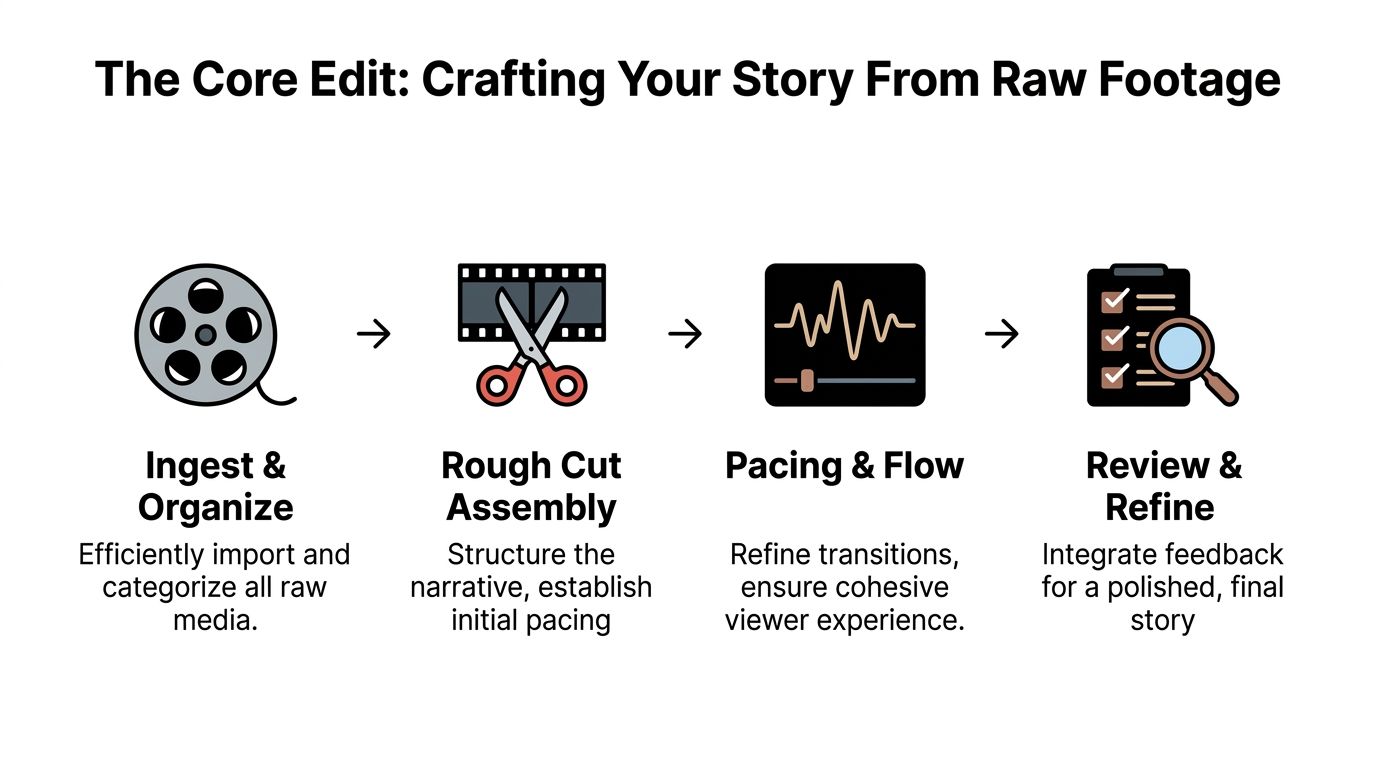
The Core Edit Crafting Your Story From Raw Footage
A reliable edit begins before the first cut. Sync all audio and camera feeds, then organize the project so every asset has a home. The professional workflow described in Flexwork's video editing workflow starts with that foundation because story decisions are harder when the editor is still hunting for files.
Build a project that can survive revisions
Use bins or folders for:
- Raw footage: Each camera angle, screen recording, and original media source.
- Audio: Lavaliers, boom microphones, backup recorders, and processed dialogue.
- Selects: Strong quotes, possible openings, key explanations, and clip candidates.
- Graphics: Logos, lower thirds, intro and outro elements, title cards, and brand assets.
- Exports: Full episodes, review files, vertical clips, and final masters.
If playback stutters, generate low-resolution proxies. Proxies let the editor judge timing and performance without forcing the computer to decode every high-resolution file in real time. The final export still references the original media, so the workflow improves responsiveness without sacrificing image quality.
Shape the episode in passes
First, create the synchronized sequence. Line up the camera angles with the cleanest primary audio. Check the beginning, middle, and end for drift before you start cutting. A sync problem discovered late can force you to rebuild every edit that follows.
Next, make the story edit. Watch the full conversation and remove false starts, repeated thoughts, technical interruptions, extended dead air, and material that doesn't serve the episode's central promise. Keep a light touch. A podcast should still feel like a real exchange, not a collection of aggressively compressed sentences.
Then, establish visual coverage. Use the main shot when the speaker is carrying the idea. Cut to the guest for reactions, use a two-shot for connection, and introduce a tighter crop when an important statement needs emphasis. With one camera, footage captured in 4K or higher can provide room for post-production crops, as explained in this guide to editing a video podcast.
Finally, mark the clip moments. Don't wait until the full episode is exported. Add markers while the ideas are fresh, noting the quote, its context, and the most useful opening line for a vertical version.
Editorial test: If a cut improves the story but makes the conversation feel unnatural, reconsider the cut.
A professional timeline doesn't need a camera change every few seconds. It needs movement that follows meaning. That distinction separates visual storytelling from decoration.
Polishing Your Podcast Audio Color and Graphics
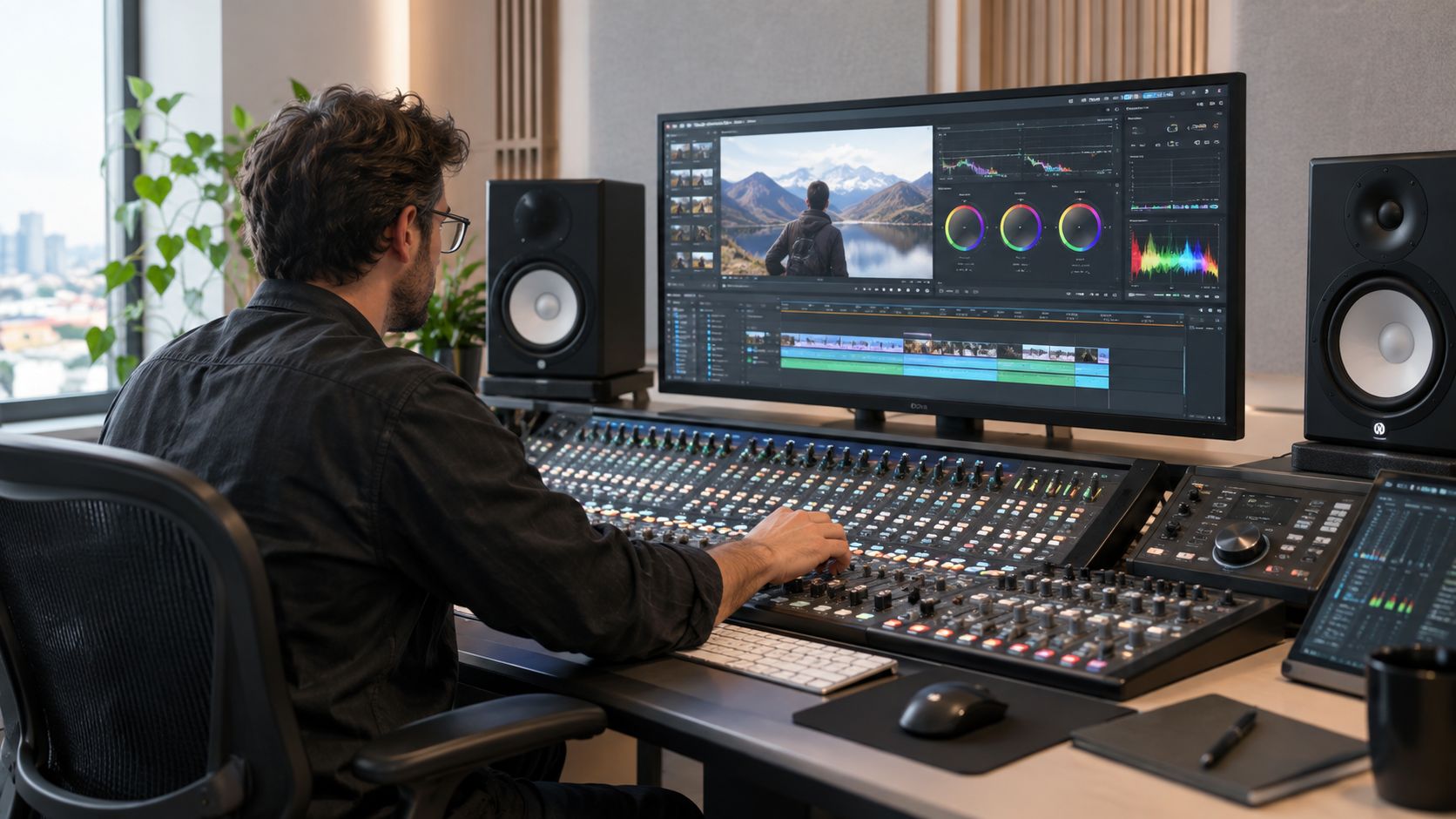
The polish phase should make the episode feel effortless. Viewers shouldn't be thinking about microphone levels, mismatched cameras, or whether a lower third arrived at the wrong moment. They should be listening to the idea and trusting the presentation.
Make the dialogue comfortable first
Audio is the fastest way to expose an amateur edit. Begin by choosing the best microphone source, then reduce distracting background noise without making the voice sound processed. Balance the host and guest so the listener isn't reaching for the volume control whenever the conversation changes speakers.
A practical mix often includes gentle EQ for intelligibility, light compression to control large volume swings, and careful de-essing when sharp consonants become tiring. Don't over-process a flawed recording in search of perfection. Excessive noise reduction can create watery artifacts, while heavy compression can remove the natural energy that makes an interview compelling.
Match the cameras before adding style
Correct exposure and white balance across every angle. If one camera looks cool and another looks warm, the audience notices the cut even when the edit is otherwise smooth. Match skin tones first, then refine contrast and saturation so the image supports the show's identity.
Color grading should be consistent, not theatrical by default. A founder interview may benefit from a clean, modern image, while a culture series may support deeper contrast and more expressive color. The grade should reinforce the subject and set, not overpower them.
Use graphics with restraint
A polished graphics package usually includes:
- Lower thirds: Introduce a guest with their name and relevant role, then remove the graphic before it becomes visual clutter.
- Chapter cards: Help viewers understand major topic changes, especially in a long conversation.
- B-roll and screen inserts: Add evidence, examples, or context rather than filling empty space.
- Calls to action: Direct viewers toward a specific next step, such as a related episode, resource, or booking page.
Editing time expands quickly at this stage. A podcast editing benchmark from LucidLink places a light edit at roughly 2–3 times the episode's runtime and a heavily edited interview at 4–6 times the runtime. That makes templates, organized assets, and repeatable review notes operational necessities, not minor conveniences.
For practical audio guidance, Flexwork's resource on how to edit podcast audio can help you separate dialogue cleanup from the broader visual finishing process.
Exporting and Distributing for Maximum Reach
Export decisions should match the destination. For a standard long-form video podcast, a widely cited target is an MP4 file with H.264 video and AAC audio at 1920×1080 resolution, with a talking-head bitrate of 2 Mbps to 5 Mbps, according to Blubrry's video format specifications. Match the frame rate to the original recording rather than changing it casually during export.
Before delivery, watch the exported file outside the editing software. Check the opening, speaker changes, captions, graphics, transitions, and final call to action. Scrub through the file on headphones and a larger screen if possible. A timeline can hide problems that become obvious in the finished upload.
Build the cutdown system from the master
Create several short vertical clips from the strongest moments in the same recording. Each clip should make sense without requiring the viewer to know the entire episode, and each should carry captions because many social viewers encounter clips in sound-off environments.
A practical cutdown includes:
- A direct opening: Start with the strongest statement, not a long introduction.
- Complete context: Keep enough setup for the point to land properly.
- Readable captions: Use line breaks that follow speech and keep important words visible.
- A clear finish: Point viewers toward the full episode or another useful resource.
The full episode and its cutdowns should share fonts, colors, framing, and naming conventions. That consistency turns scattered uploads into a recognizable show system. Flexwork's guide to how to distribute a podcast provides a useful reference for connecting production decisions to publishing.
For teams automating uploads or metadata, the YouTube API developer's guide offers context on how programmatic publishing can fit into a broader workflow. Automation can handle repetitive distribution tasks, but it shouldn't decide which moments deserve emphasis.
The strongest workflow treats export as the beginning of audience access, not the end of editing. One carefully structured recording can support a complete episode, vertical discovery clips, branded graphics, and a consistent publishing rhythm without rebuilding every asset from scratch.
Flexwork Podcast Studios supports the full video podcast post-production process, from multi-camera editing and audio mixing to graphics, short-form cutdowns, and distribution-ready exports. If you want a polished workflow without managing every technical step yourself, visit Flexwork Podcast Studios to explore studio sessions and production packages.