Video Podcast Equipment: The 2026 Pro-Level Guide
 May 22, 202625 Minutes
Meta description: Choosing video podcast equipment? Build a setup that improves workflow, brand perception, and content repurposing without wasting money.
URL slug: /video-podcast-equipment-guide
Primary keyword: video podcast equipment
Secondary keywords: video podcast setup, podcast studio equipment, video podcast studio
You're probably at the point where your show idea is sharp, your message is solid, and your audience is starting to take you seriously. Then the recording starts. The room sounds hollow. The lighting looks flat. The camera angle feels accidental. Suddenly your brand looks smaller than it is.
That's the central problem with video podcast equipment. It's not just about gear. It's about whether your content feels trustworthy, premium, and worth watching. Flexwork Studios sees this exact inflection point all the time with creators, founders, and teams who are ready to stop improvising and start producing content that matches the level of the business behind it.
A smart setup should do three things at once. It should make you look credible, make production easier, and make repurposing clips faster. If your equipment doesn't support all three, it's not a professional system. It's a pile of purchases.
Why Your Video Quality Is Your Brand's First Impression
The market has moved. Your setup has to move with it.
Podcasting started in the early 2000s and took off in late 2004, but the current video-first phase is far newer, and it's changing what creators need to produce well. By late 2024, more than 40% of U.S. consumers said they consume podcasts monthly, and YouTube reported 1 billion monthly podcast viewers in early 2025, which is why camera-ready production now matters so much for modern shows (how video podcasts became mainstream).
DIY quality sends a message you probably don't mean to send
People say content matters more than production. That's only half true. Strong ideas survive bad production, but they rarely scale through it.
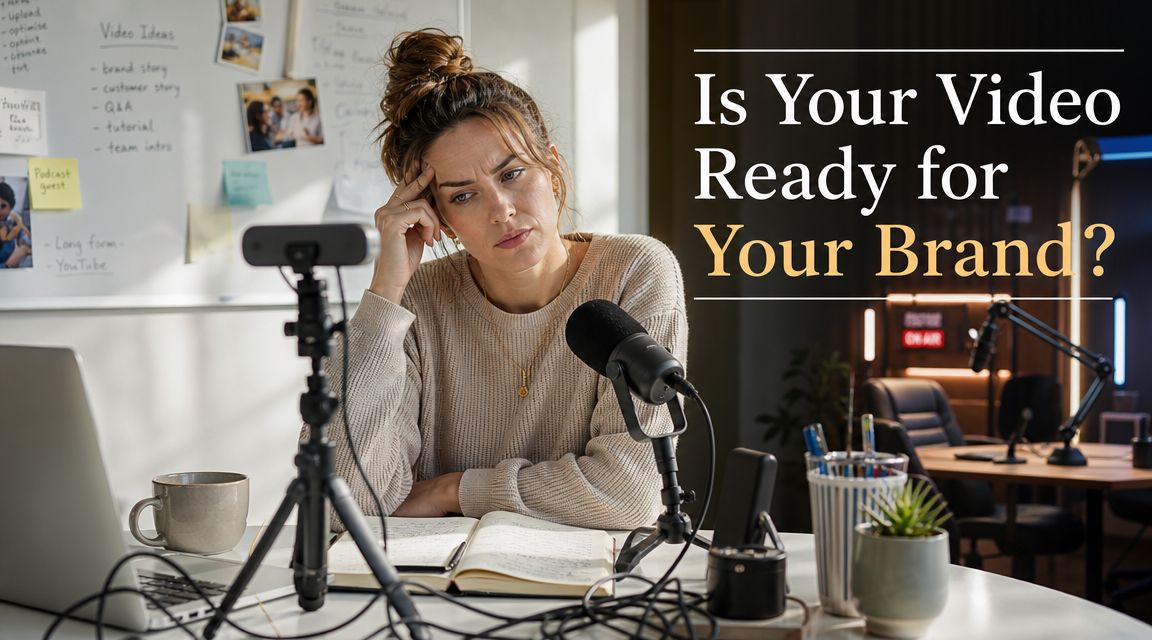
If your show looks dim, sounds distant, or feels chaotic, viewers don't interpret that as charming. They interpret it as unprepared. That matters if you're selling expertise, building a founder brand, pitching investors, recruiting talent, or trying to book better guests.
A polished frame tells people you know what you're doing before you say a word. That's brand perception. It starts with your shot, your sound, and your consistency.
Practical rule: If your visual setup makes you look less established than you are, it's holding back the business, not just the content.
Video quality affects workflow, not just aesthetics
Most shopping-list articles miss this point. Better video podcast equipment doesn't only improve the final image. It reduces friction every time you record.
A reliable setup means fewer retakes, fewer audio surprises, fewer editing headaches, and fewer episodes sitting half-finished on a hard drive. Bad gear doesn't just look amateur. It creates hesitation. You postpone recording because setup feels annoying. You avoid guests because your process feels fragile. You stop posting clips because pulling them is messy.
That's how DIY burnout starts.
If you're still sorting out lighting, start with fundamentals before you buy random fixtures. This video lighting guide for entrepreneurs is worth a look because it focuses on how lighting shapes authority on camera, not just brightness. You can also get more specific with Flexwork's breakdown of lighting for video recording.
Buy for the level of brand you want to project
There's a difference between “good enough to record” and “good enough to represent my company.”
That distinction should guide every equipment choice. A solo coach recording thought leadership videos has different needs than a multi-host branded show. A founder building a personal brand needs a setup that flatters skin tone, keeps eye lines natural, and records clean audio every single time. A marketing team needs repeatability more than experimentation.
Here's the standard I recommend:
- If you're testing an idea: Start simple, but make audio clean and lighting intentional.
- If you're publishing consistently: Build for repeatability, not novelty.
- If the show supports revenue: Treat production quality like client-facing infrastructure.
- If you want clips to travel: Frame and light for social cutdowns from day one.
You don't need a giant studio to look credible. But you do need to stop pretending equipment is a side issue. In video podcasting, quality is your packaging.
The Core Four Your Essential Video Podcast Equipment
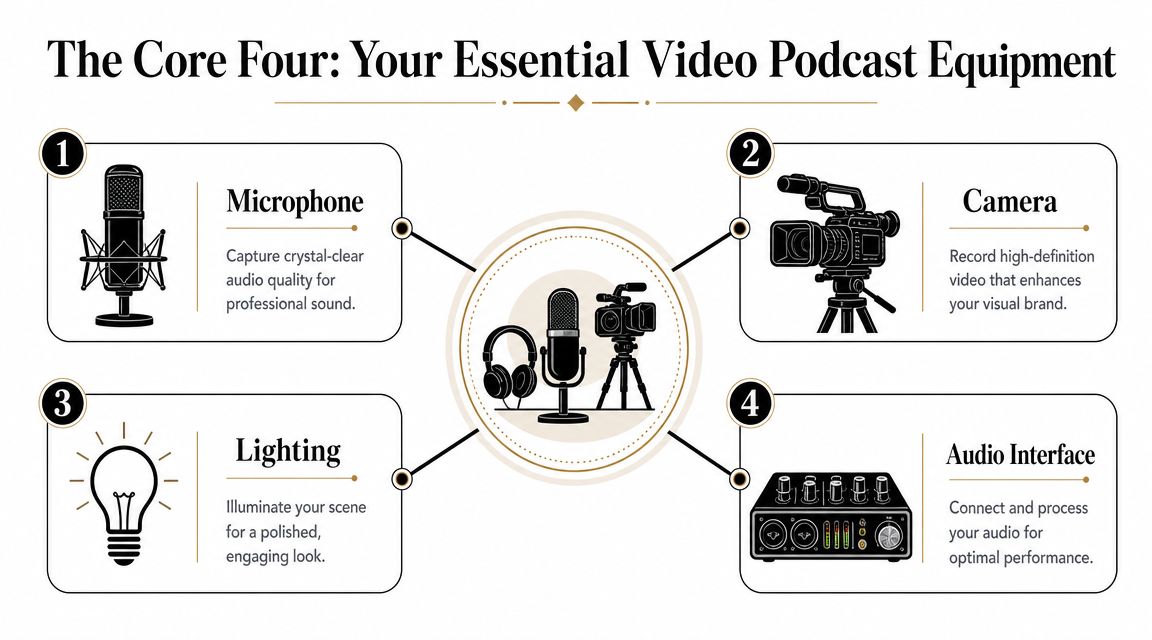
This can often be overcomplicated. Professional video podcast equipment comes down to four categories that do the heavy lifting. Microphone. Camera. Lighting. Audio interface or mixer. Get these right and your production gets easier fast.
Start with the microphone
Audio is the first decision, not the fourth. Major equipment guidance consistently recommends a dedicated microphone instead of relying on a camera or laptop mic. A USB mic is the easiest place to start, while XLR mics make more sense when you need cleaner gain staging and room to expand into mixers or multi-mic workflows. That matters even more as 46% of U.S. podcast listeners prefer to watch podcasts, compared with 42% who prefer to listen, according to the guidance cited in this equipment roundup from Buzzsprout's podcast equipment guide.
The practical advice is simple:
- USB microphone: Best for solo creators who want plug-and-play recording with fewer technical failure points.
- XLR microphone: Best for hosts planning interviews, multi-host episodes, live switching, or future studio expansion.
- Mic placement: Keep it close, around a few inches from your mouth, and slightly off-axis to reduce plosives and improve clarity.
- Headphones: Non-negotiable if you want to catch noise, bleed, or clipping before it ruins the take.
A sharp camera with bad audio still feels amateur. Clean audio with a decent camera can still feel professional.
Choose a camera for workflow
Often, people waste money. They buy for specs they won't use and ignore the features that matter in long-form production.
For podcasting, a camera has one job. It needs to stay reliable through the full episode while producing a flattering, consistent image. Battery life, recording limits, clean output, autofocus, memory handling, and tripod compatibility matter more than chasing headline specs.
A single camera is enough to start. One angle can absolutely work if the framing is strong and the lighting is handled well. But if you're building a show for the long term, add a second angle before you chase cinema aesthetics. It gives your editor more flexibility and makes interviews feel more dynamic.
If you're comparing options, Flexwork has a useful guide on the best camera for video podcasting.
Here's the decision filter I'd use:
| Setup need | Smart camera choice |
|---|---|
| Solo desk setup | Reliable webcam or mirrorless camera with dependable autofocus |
| Guest interviews | Mirrorless camera with strong battery support and clean HDMI |
| Multi-host show | Matching cameras or at least color-consistent cameras |
| Live production | Cameras that play nicely with switchers and long recording sessions |
A note on lenses. You don't need a giant collection. For most podcast sets, a practical lens that gives you a natural medium close-up will do more for your brand than an exotic lens used badly.
Before the next category, this walkthrough is worth watching if you want a visual feel for setup choices and tradeoffs:
Lighting is where production starts to look intentional
Lighting separates “I recorded this” from “I produced this.”
You don't need a dramatic cinematic setup for a strong podcast image. You need control. Good lighting shapes the face, separates you from the background, and keeps your set looking consistent from episode to episode.
A simple three-point approach still works:
- Key light: Your main source. This gives your face shape.
- Fill light: Softens harsh shadows so the image stays flattering.
- Back light or practical light: Adds depth and helps you stand out from the background.
If that sounds too technical, simplify it further. One soft key light placed well will outperform a badly placed ring light every time. The goal isn't “more light.” The goal is deliberate light.
The interface or mixer is your control center
For solo USB recording, you may not need an interface immediately. But once you bring in multiple microphones, live guests, or hybrid workflows, you need proper control over your signal chain.
An interface or mixer helps you:
- Manage multiple inputs: Essential for interviews and co-hosted shows.
- Balance levels: So one host doesn't dominate while another disappears.
- Improve monitoring: You hear issues while recording, not during editing.
- Build a scalable workflow: Add hosts, switch setups, and route clean signals with less chaos.
Think of it this way. The microphone captures your voice. The interface organizes your production. Without that organization, the whole setup gets fragile fast.
Beyond the Basics Building a Cohesive Studio System
Good equipment doesn't automatically create a good show. A professional result comes from a system. That means the room, the supports, the signal path, and the repeatability all work together.
The mistake I see most often is obvious. People buy another camera when the room is the actual problem. Independent guidance consistently points the other way. Improving acoustics and lighting usually does more for quality than adding another angle, especially in reflective home studios with mixed lighting issues, as outlined in this guide on setting up a video podcast room.
Fix the room before you expand the rig
Echo is the fastest way to make a show feel cheap. Hard walls, bare floors, windows, and empty corners all work against you.
You don't need to turn your office into a recording bunker, but you do need basic control. Soft furnishings, curtains, rugs, and acoustic panels reduce reflections and make your voice sound closer, fuller, and more expensive. The same logic applies to lighting. If daylight changes every hour and your overhead lights mix color temperatures, your footage won't match from episode to episode.
If room sound is still a problem, this guide on how to soundproof a room gives a practical starting point.
Better room tone and stable lighting do more for perceived quality than an extra camera pointed at the same flawed set.
Support gear prevents stupid failures
Nobody gets excited about tripods, cables, or power management. They should. These are the items that keep a recording day from falling apart.
A cohesive studio system usually includes:
- Solid tripods: Wobbly framing kills confidence and slows resets.
- Reliable memory cards: Your camera setup is only as good as the storage behind it. One common recommendation is to make sure the card can store at least a full typical episode in full-HD MP4.
- Headphones for every active participant: Monitoring catches problems early.
- Consistent cabling: Label it, route it cleanly, and stop guessing what plugs where.
- Teleprompter if needed: Useful for intros, sponsor reads, and founder messaging that needs tighter delivery.
The point isn't to own more accessories. It's to remove failure points from your workflow.
Build for editing, not just recording
A lot of creators think production ends when they hit stop. That's backward. Your setup should make post-production easier, because that's where content multiplies.
Separate audio tracks, consistent framing, stable lighting, and clean signal flow all speed up editing. If you're trying to sharpen that side of the operation, this breakdown from Satura AI on what YouTubers use to edit videos is useful because it connects tool choices to turnaround speed.
Remote guests deserve the same thinking. If you're pulling someone in virtually, don't just accept messy audio and awkward framing. Give them a prep checklist. Ask for headphones. Guide their camera height. Ask them to face a window or a lamp, not sit under a ceiling light. Production quality is often just pre-production discipline.
Blueprint for Success Sample Setups and Checklists
Most creators don't need more theory. They need a plan they can build.
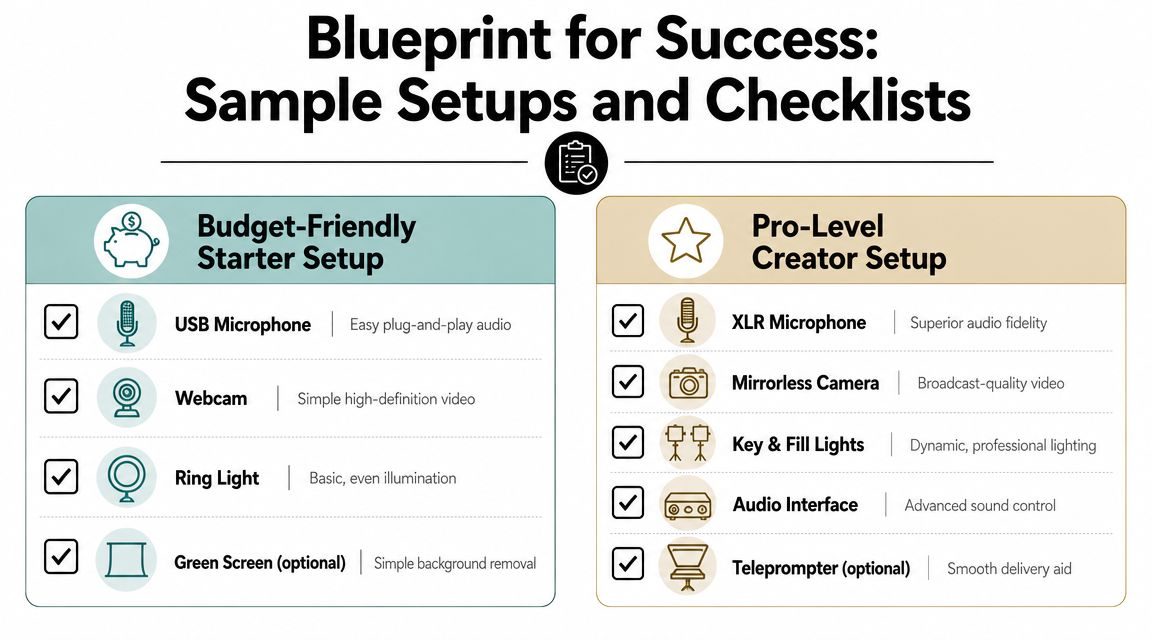
Solo creator setup that looks polished
This setup is for coaches, consultants, founders, and creators recording a desk-based show or interview series.
Checklist:
- USB microphone for simple recording and fewer technical variables
- Single camera with dependable autofocus
- One soft key light plus practical background lighting
- Tripod locked to a repeatable frame
- Closed-back headphones
- Rug, curtains, or acoustic treatment to tame reflections
- Simple shot list for intros, episodes, and clip pull moments
Signal flow is straightforward. Microphone into computer. Camera records locally or feeds into the computer. Headphones monitor during capture. Editor receives one clean video file and one clean audio source.
Multi-host setup that scales
This setup is for guest-driven shows, branded podcasts, and teams producing content in batches.
Use this checklist:
- XLR microphones for each host or guest
- Mixer or interface to manage multiple inputs
- Two cameras for visual variety and edit flexibility
- Consistent lighting across seats
- Matching framing so cuts feel clean
- Stable storage and power management
- Clear labeling for every cable and channel
Producers begin to think operationally. Two cameras create a better watching experience, but they also add complexity. That's why many long-form creators standardize on 1080p instead of 4K, because smaller files are easier to edit, store, and upload over multi-hour workflows, while still delivering a professional look, as explained in this guide to video podcasting equipment choices.
A common signal path looks like this:
- Microphones feed the mixer or interface
- Cameras record each angle
- Audio is monitored live through headphones
- Files move into editing with labeled tracks and matching takes
If you're building a creator workflow beyond the recording itself, Flexwork's roundup of tools for content creators is a useful companion.
The Ultimate Shortcut Professional Results with Flexwork Studios
There's a point where building your own setup stops being efficient. You've spent hours comparing microphones, watching camera reviews, testing light placement, and trying to make a spare room behave like a studio. That's time you could've spent recording.
For creators in the NJ and NYC orbit, one practical option is Flexwork's video podcast studio. The studio offers a turnkey recording environment designed for podcast and video production, including acoustically treated rooms, multi-camera capability, pro lighting, and in-studio production support. That solves the biggest problem ambitious hosts run into. They don't just need gear. They need a setup that works every time.

When renting beats buying
If you record occasionally, host seasonal interviews, or want polished episodes without building your own room, renting makes more sense than accumulating equipment. You skip setup delays, maintenance, troubleshooting, and the slow creep of accessories you barely use.
That matters even more if your real goal isn't engineering. It's publishing consistently.
A studio workflow also helps teams that need branded consistency across episodes. Same lights. Same framing. Same sound profile. Same turnaround expectations. That kind of repeatability is hard to create in a home office.
Production packages make the business case clearer
Some creators need a room. Others need a production partner.
If you want support beyond the recording day, Flexwork's service structure lines up with different stages of growth:
- Hourly rentals: Useful when you need speed, a controlled environment, and access to professional infrastructure without building your own setup.
- Be My Podcast Producer: Better fit if you want ongoing production support and a more managed process.
- Content Days: $3000/day and includes 20 edited reels or 60 pro photos, which is a smart option if you want to batch record and leave with a month's worth of usable marketing assets.
- Podcast websites: $5000 plus hosting if the show needs a proper branded home online.
- Market, Manage & Produce My Podcast: Starts at $1500 per episode with a 20-episode growth commitment for teams treating the show as a serious media channel.
Renting a complete production environment is often the fastest way to find out what setup you actually need before you buy anything for yourself.
Your Content Strategy from Episode to Ecosystem
The smartest creators don't build a setup just to record a full episode. They build it to generate assets.
That's the shift most outdated video podcast equipment guides miss. Downstream value often comes from short-form distribution. Current guidance increasingly favors clean HDMI, reliable autofocus, medium close-up framing, and multi-format planning because those choices make editing and vertical cutdowns easier for Shorts, Reels, and similar formats, as explained in this guide to the video podcast blueprint for multi-format output.
Record once with repurposing in mind
A camera placed too wide may look fine for a full episode but feel weak for vertical clipping. Inconsistent lighting can make every social cut look like it came from a different show. Mixed audio tracks slow down editing when you need fast turnaround.
A better production mindset looks like this:
- Frame medium close-up shots so vertical crops still look intentional
- Record separate audio tracks so dialogue edits stay clean
- Keep lighting consistent across every angle and every shoot day
- Use autofocus and clean outputs that reduce post-production cleanup
- Mark clip-worthy moments live so social editing moves faster
If your team is trying to speed up the chop-into-clips phase, this guide on how to streamline your video clipping workflow is a useful reference point.
Think like a media brand, not a hobbyist
One polished recording session can fuel an entire publishing system. Full episode. Guest promo clips. Founder thought-leadership snippets. Trailer cuts. Teasers. Social assets. Website embeds. Email content.
That only works when the source footage is strong and consistent. Bad inputs create bottlenecks all the way down the line.
The takeaway is simple. Buy or book video podcast equipment based on the business outcome you want. If you want better guests, stronger perception, faster edits, and more content from every session, your setup has to support those outcomes on purpose.
If you're ready to stop patching together a setup and start producing content that looks and sounds aligned with your brand, book a tour or inquiry with Flexwork Podcast Studios.