
What Is a Video Podcast and How Creators Can Start One
 August 29, 202627 Minutes
A video podcast is an episodic show recorded and distributed as synced audio and video, and 51% of the U.S. population age 12 and older has watched one. Video viewership also overtook audio-only consumption in Q3 2025, changing how creators need to design, record, and distribute a show.
That shift matters if you're building a personal brand, launching a business series, or trying to turn thoughtful conversations into a professional media property. A video podcast isn't an audio recording with a camera pointed at the host. It's a flexible show that can reach someone on a phone, play in the background during a commute, or hold attention on a living-room television.
This guide breaks down what is a video podcast, how the main formats work, which production choices affect the viewer experience, and how to launch without creating an exhausting DIY operation. It also shows where a professional studio, production package, or Content Day can remove friction for creators who want to publish consistently.
What Is a Video Podcast in 2026
A video podcast is an episodic digital show released on demand with synchronized picture and sound. The viewer can watch the conversation, listen to it without looking at the screen, or move between those two experiences depending on the setting. Distribution can include YouTube, Spotify, Apple Podcasts, Pocket Casts, and other services connected through hosting and RSS infrastructure, as explained in this overview of video podcast distribution.
The important distinction is synchronization. A video podcast usually captures the host, guest, environment, presentation materials, or supporting footage while preserving a usable audio track. A static image placed over an audio file can be distributed as video, but it doesn't create the same visual experience as a filmed show.
Audience behavior now makes the format impossible to dismiss as a niche experiment. Edison Research reported in 2025 that 51% of the U.S. 12+ population had ever watched a video podcast, 37% had watched one in the last month, and 26% had watched one in the last week. Edison also reported that video had become a mainstream extension of podcast listening rather than a separate category.
The Q3 2025 milestone makes the shift even clearer. Edison Research reported that video podcast consumption overtook audio-only consumption for the first time, with 82% of weekly podcast consumers actively watching video compared with 78% listening to audio only. That doesn't mean every listener wants a camera in every moment. It means creators need to respect both viewing and listening contexts.
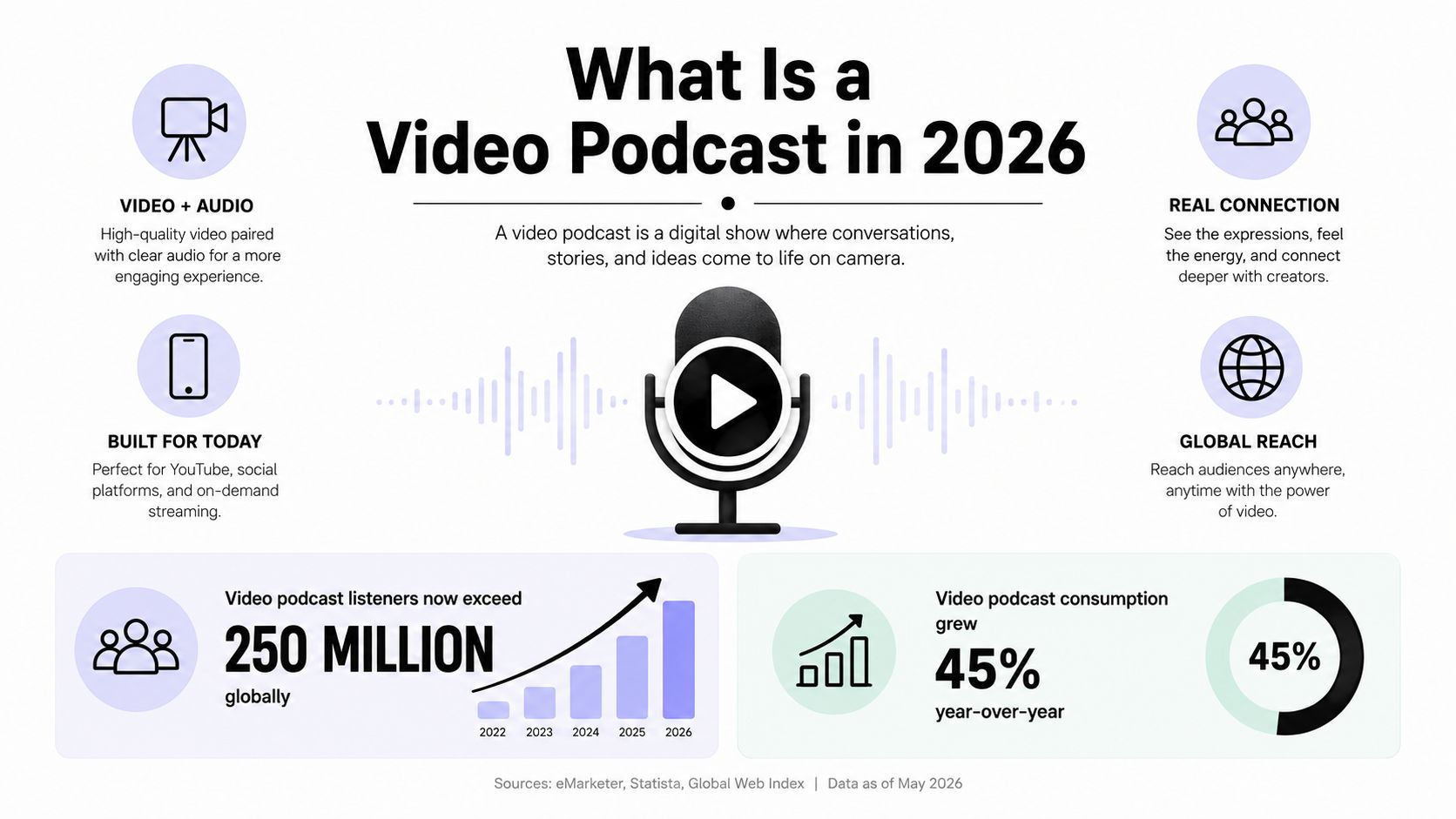
For a first-time host, the practical definition is simple:
- Record a recurring show: The content follows an episodic concept, such as interviews, commentary, education, or storytelling.
- Capture intentional visuals: Framing, lighting, camera movement, screen demonstrations, and guest reactions give people a reason to watch.
- Preserve a strong audio experience: The episode still needs to work for someone walking, driving, or closing their laptop.
- Publish in more than one environment: A full episode, short clips, audio feed, and social assets can come from the same recording session.
Think of the show as a conversation with two doors. One door opens to a listener's headphones. The other opens to a viewer's screen. Your production choices should make both entrances feel considered.
The Main Video Podcast Formats Creators Choose
The format you choose determines how many angles you need, how quickly the edit moves, and what viewers expect to see. A solo business coach can build an effective one-camera show through direct eye contact, clear lighting, and a steady frame. A founder interviewing guests may need separate host and guest angles, plus a wider safety shot, so the exchange feels natural on screen and remains easy to follow as audio.
A single-camera talk show keeps production manageable. The host addresses the audience or holds a conversation from one consistent frame. Joe Rogan-style framed conversations are a familiar reference point, but this structure also suits analysts, educators, and creators who want an intimate room feel. Editing usually stays relaxed, with cuts removing mistakes, long pauses, and distractions rather than constantly changing the visual pace.
Interview shows benefit from clear visual separation. A dedicated guest chair, host position, and wider composition help viewers identify who is speaking, especially when they watch casually from a living-room screen. This format suits entrepreneurs, authors, operators, and specialists because the guest remains the visual focus while the host still guides the conversation.
Panel shows add energy and production demands. A newsroom-style roundtable may use individual close-ups alongside a wide shot, giving the editor coverage for interruptions, reactions, and changes in emphasis. The extra angles create a faster rhythm for viewers, but they also require careful lighting, isolated audio, and continuity between shots.
Narrative documentaries sit at the most produced end of the range. They may combine scripted voiceover, B-roll, motion graphics, archival material, interviews, and location footage. Since the story must carry attention beyond a seated conversation, planning centers on research, scripting, visual sourcing, and editorial structure. That work matters for hybrid audiences, who may watch the story on a large screen or listen while doing something else.
| Format | Cameras | Edit Rhythm | Best For |
|---|---|---|---|
| Single-camera talk show | One primary angle | Relaxed, conversational | Solo hosts and focused commentary |
| Interview setup | Host and guest angles, often with a wider frame | Clean cuts between speakers | Business, leadership, education, and expert shows |
| Multi-camera panel | Multiple close-ups plus a wide shot | Faster, reaction-driven | Roundtables, debates, and co-hosted programs |
| Narrative documentary | Camera coverage varies by scene | Structured, story-led, visually layered | Investigations, profiles, and premium brand storytelling |
These categories overlap in real production. Many creators begin with one camera because it keeps the workflow manageable, then add angles when the audience, budget, and editorial ambition justify the extra capture and editing.
Before choosing a setup, browse Flexwork's guide to podcasting genres and formats. Choose the visual structure that supports how you communicate and gives viewers something meaningful to watch, not just another image beside the audio.
Studio Versus Remote Production
The studio-versus-remote decision comes down to four variables: budget ceiling, guest location, control over the look and audio, and turnaround time. A remote session can make a national guest accessible. A studio session can make every episode feel like it belongs to the same show. A hybrid session can combine both advantages.
Fully remote recording through tools such as Zoom, Riverside, or SquadCast reduces travel and makes scheduling easier. It also places more responsibility on each participant. Guests may use different microphones, sit near noisy rooms, appear under mixed lighting, or join with unstable connections. An experienced editor can improve the result, but the source material still limits what the team can repair.
In-studio production gives the producer control before the conversation begins. Lighting can be shaped for both faces, microphones can be positioned consistently, backgrounds can support the brand, and cameras can be checked before the host starts speaking. That consistency matters when a show needs to publish on a dependable cadence.
| Factor | In-Studio | Fully Remote | Hybrid |
|---|---|---|---|
| Budget | Higher production commitment, with predictable resources | Lower overhead and fewer logistics | Balanced investment |
| Guest access | Best for local or traveling guests | Works across locations | Host records locally while guests join remotely |
| Look and audio | Controlled lighting, set design, and microphone placement | Varies by guest equipment and room | Host side stays consistent, guest side varies |
| Turnaround | Efficient handoff to an editor and possible rough cut during the session | More cleanup and coordination may be required | Moderate workflow complexity |
| Brand consistency | Strong episode-to-episode continuity | Depends on each recording environment | Consistent host identity with broader guest reach |
The hybrid model works well for a founder who wants a polished home base but doesn't want geography to limit the guest list. The host records in a controlled room while the remote guest joins through a dedicated capture workflow. That setup still needs testing, clear guest instructions, and a plan for handling connection issues.
Use Flexwork's studio versus DIY podcasting guide to evaluate the tradeoffs in practical terms. If the show sells expertise, supports a service business, or represents a growing company, treat production consistency as part of the brand rather than a cosmetic upgrade.
Technical Specs That Matter
A viewer may forgive a plain set, but unclear speech or distracting motion can end a session quickly. Technical choices matter because they shape what audiences watch on a television, laptop, or phone, and what they continue as audio when the screen is out of reach. Resolution affects whether faces and set details remain clean on a large screen. Frame rate influences motion and editing flexibility, while codec and bitrate affect how smoothly the file processes after upload.
For interview-led shows, a practical delivery profile keeps the workflow predictable. Practical video podcast guidance recommends MP4 with H.264 video and AAC audio, generally in 16:9 at 1080p, encoded at the recorded frame rate. Common recording choices include 24, 25, or 30 frames per second. Platform guidance can support 24 to 60 fps and 8-bit 4:2:0 video, but a higher setting does not automatically make a conversation more watchable.
A talking-head episode often balances image clarity with manageable files at 2 to 5 Mbps, according to the same guidance. Higher settings preserve more detail, while increasing upload and processing demands. Treat the export like luggage for a trip: pack enough quality for the destination without carrying unnecessary weight through every publishing step.
Audio needs the same care as the image. Production guidance recommends local audio captured as 48 kHz WAV, with a separate track for each speaker, alongside local video captured at 1080p or 4K. Clean local files give an editor room to fix levels and remove distractions. One compressed call recording leaves far less room to recover a weak voice or unstable connection.
| Spec | Standard Show | Premium Show |
|---|---|---|
| Container | MP4 | MP4 |
| Video codec | H.264 | H.264, with higher-quality source capture before delivery |
| Resolution | 1080p | 4K source, delivered according to platform needs |
| Frame rate | 24, 25, or 30 fps | Recorded frame rate selected for the visual style |
| Audio | AAC delivery, WAV capture | AAC delivery, isolated 48 kHz WAV capture |
| Aspect ratio | 16:9 | 16:9 master plus vertical derivatives |
| Bitrate | Talking-head target around 2 to 5 Mbps | Higher source quality, then platform-specific exports |
A producer brief can stay simple:
- Capture locally: Record isolated speaker audio and camera files instead of relying only on a compressed call.
- Keep the master flexible: Preserve higher-quality originals before creating platform exports.
- Match the frame rate: Avoid unnecessary conversion during editing.
- Prioritize dialogue: A sharp image cannot compensate for room noise or uneven voice levels.
- Export for the destination: Create a full episode and separate vertical clips rather than forcing one file everywhere.
For equipment choices that support this workflow, review Flexwork's video podcast equipment guide. You do not need to memorize engineering terminology. Set a repeatable capture and export standard that a producer can apply to every episode.
Where Video Podcasts Get Distributed
Distribution should follow how people use each platform. YouTube supports discovery through search, recommendations, mobile viewing, and living-room screens. Spotify places video inside the podcast feed, while Apple Podcasts and other podcast apps support on-demand listening and video playback. RSS works as the connective layer, carrying episodes through podcast infrastructure.
YouTube and Spotify show why a video podcast needs more than one destination. YouTube reported in 2025 that podcast viewing on TV screens reached 700 million hours in October, up 75% year over year, with more than 1 billion monthly viewers for podcasts on the service. Spotify reported that more than 240 million users had accessed video podcasts on its service.
Creator adoption is also broad. Spotify reported that more than 250,000 video podcast shows were on its platform in 2024, up from 100,000 in 2023, and that more than 170 million users had watched a video podcast on Spotify. These figures support a cross-platform plan, but the same episode should not be presented identically everywhere.

Build a distribution set that includes:
- Full episode: Publish the primary 16:9 version on YouTube and compatible video feeds.
- Clean audio file: Provide a listening-first version for RSS and audio applications.
- Captions and transcript: Make spoken ideas easier to follow, search, and access.
- Chapter information: Let people move through longer conversations.
- Vertical clips: Reframe strong moments for Shorts, Reels, and other discovery surfaces.
- Platform-specific metadata: Adapt titles, descriptions, thumbnails, and calls to action for each channel.
The full episode develops trust and context. A short clip offers a quick entry point. Together, they let viewers choose the format that fits the moment, from a television session in the living room to audio during an eyes-busy routine.
Why Audio Plus Video Wins for Modern Audiences
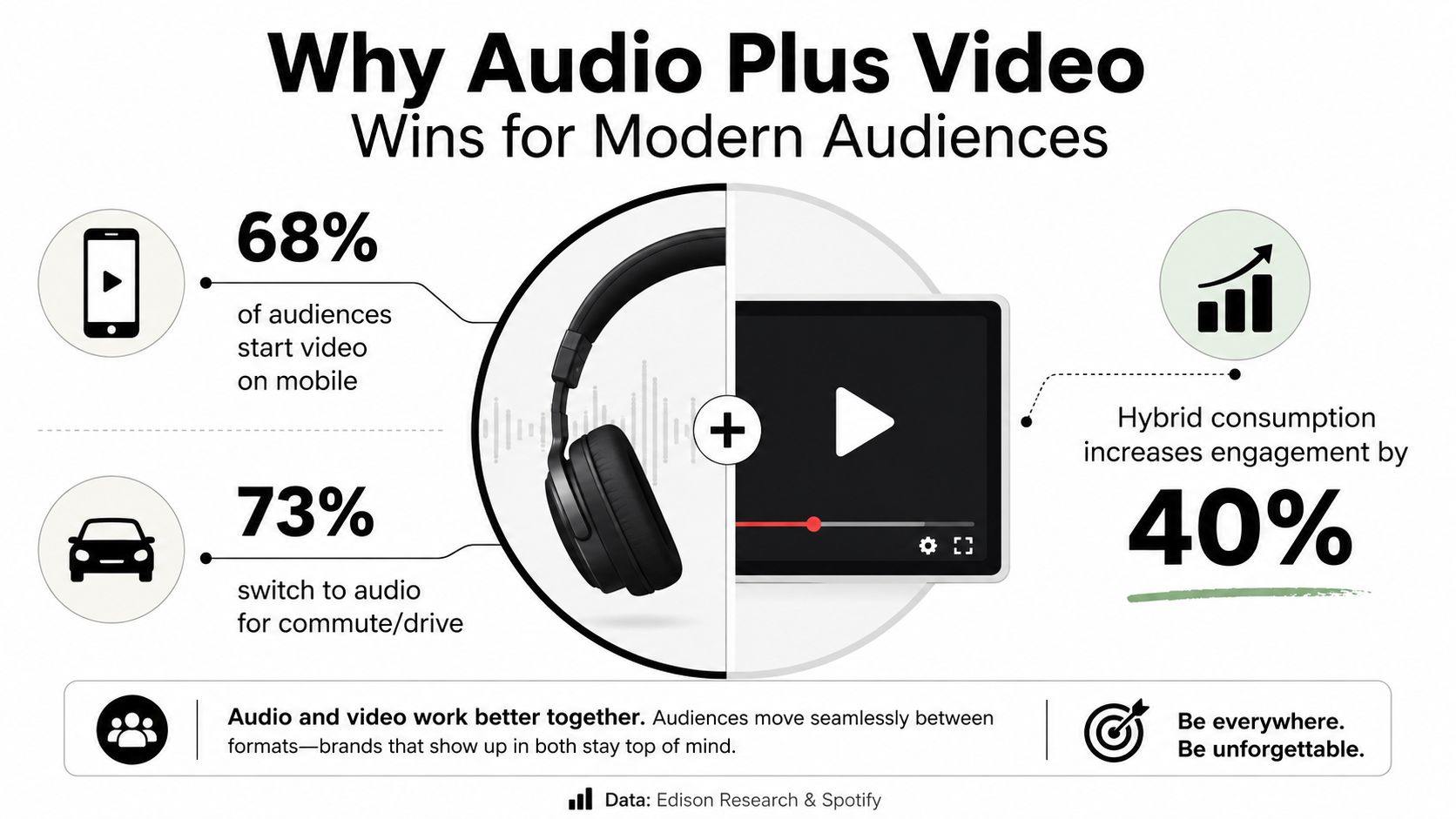
Most podcast audiences are hybrid listeners who switch between watching and listening according to the moment. Edison Research found that 80% of podcast consumers both watch and listen, while 13% are listen-only and 7% are watch-only. The market therefore includes different habits, not one universal preference for video.
A living-room viewer may follow facial expressions, demonstrations, and on-screen context. The same person may choose audio while driving, walking, or handling routine tasks. In 2026, the production question is simple: what will audiences watch, and what should remain easy to hear without a screen?
That distinction guides every visual decision. Show who is speaking, preserve genuine reactions, and make the set recognizable through consistent framing. Avoid placing a key argument only in text or graphics. If the audio version cannot carry the point clearly, the visual design is doing too much of the explaining.
One recording can serve several audience needs:
- The full conversation builds authority: Long-form episodes give the host room to explain, challenge, and develop an idea.
- The visual layer supports discovery: A facial reaction, demonstration, or sharp exchange can become a strong preview.
- The audio version supports convenience: The same argument remains available when watching is impractical.
- The production system supports sponsors: Clear framing, clean sound, and repeatable delivery create a professional setting for partners.
- The brand becomes recognizable: Consistent backgrounds, colors, lower-thirds, and pacing connect episodes.
Practical rule: Start with clean audio and controlled lighting. A more expensive camera cannot fix an echoing room, a poorly placed microphone, or a distracting set.
A premium visual signal does not require spectacle. It comes from choices that respect the viewer's attention in the living room and the listener's routine everywhere else.
How to Launch Your First Video Show
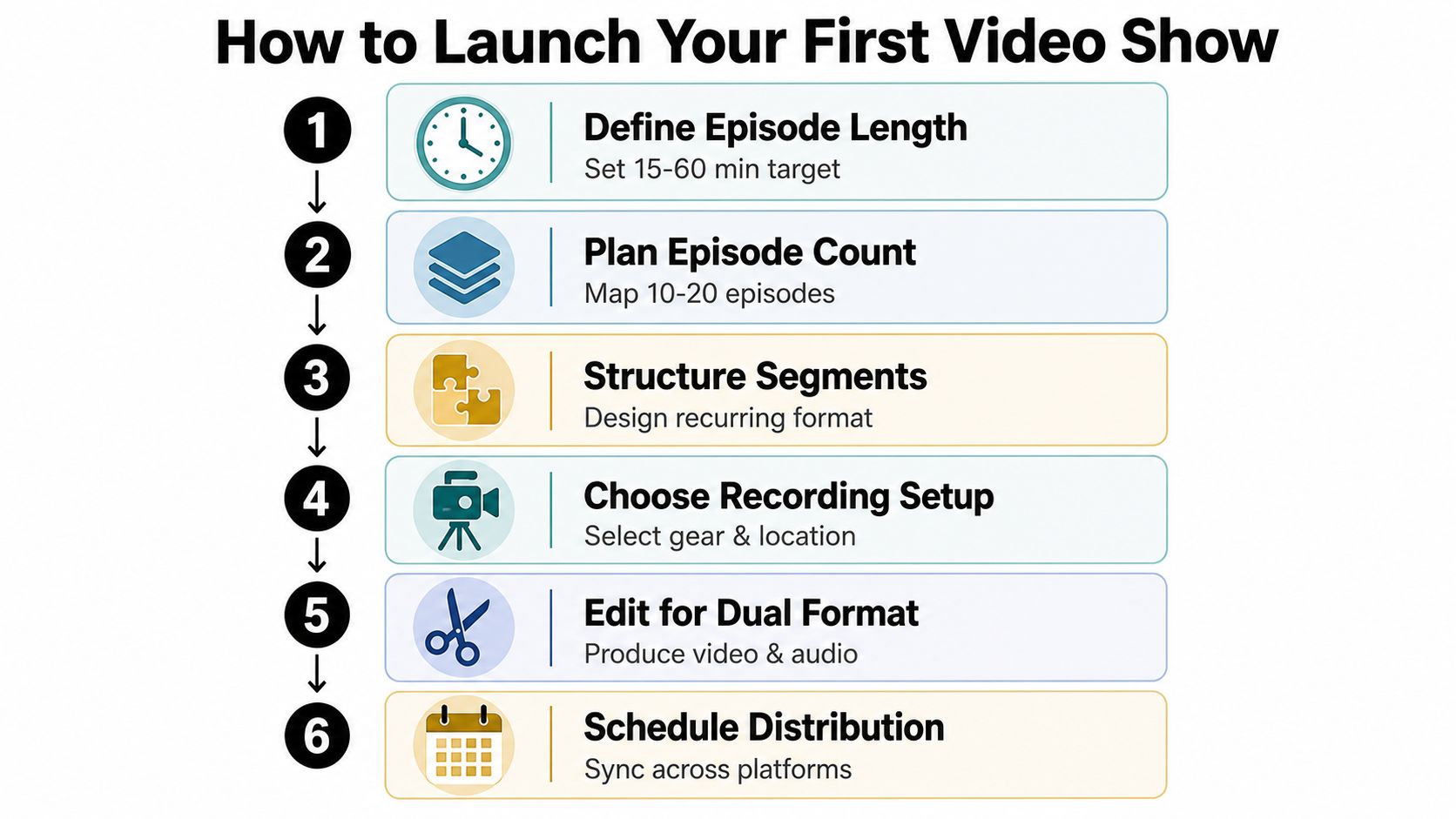
A reliable launch starts with decisions, not equipment shopping. Define the promise of the show, choose a repeatable episode shape, and decide what must be produced every time before you schedule the first recording.
Start with the editorial shape
Set an intended episode length that gives the host enough room to deliver value without letting every conversation expand indefinitely. Decide whether the show is built around interviews, teaching, commentary, or a recurring mix. Then create a segment structure that gives the host a path through the episode, such as an opening point of view, the main conversation, a practical takeaway, and a closing invitation.
Map the first batch of topics before recording. A launch feels more professional when the visual identity, guest experience, and episode promise remain stable across the initial releases.
Treat recording day like a production
Frame the host and guest before the conversation begins. A two-shot can establish the relationship, while individual angles give the editor room to tighten pauses and preserve reactions. Capture isolated audio for each speaker, check skin tones under the lighting, and record a short room tone so the editor has a clean reference.
Your recording checklist should include:
- Confirm the set: Remove visual clutter and check that brand elements sit naturally in frame.
- Check every microphone: Listen for clothing noise, plosives, cable movement, and uneven distance.
- Lock exposure and focus: Prevent brightness or sharpness from drifting during the conversation.
- Record an opening and closing: Give the editor usable material for the final cut.
- Mark strong moments: Note stories or statements that could become short-form clips.
- Back up the files: Keep separate copies of audio and video before editing begins.
Edit for both screens and headphones
The rough cut should remove dead air and obvious errors without making the conversation feel frantic. Tighten pauses more aggressively than a traditional broadcast interview, but leave enough breathing room that the exchange still feels human. Add lower-thirds when a name, role, or idea needs context, then create a vertical clip with captions for discovery.
A useful guide to boost engagement with video tips can help you think beyond the full episode and design moments that work in short-form feeds. For a more detailed operational checklist, use Flexwork's podcast launch checklist.
Flexwork Podcast Studios offers studio recording, production packages, Content Day sessions, and podcast websites for creators who want the launch handled as a connected system. A Content Day is $3000 per day and includes 20 edited reels or 60 professional photos, while podcast websites are $5000 plus hosting. The right service depends on whether your immediate constraint is recording quality, post-production volume, or the need for a polished home base.
Turning Your Video Podcast Into a Growth Engine
A video podcast becomes a growth engine when one recording creates a planned collection of assets instead of a single file that disappears after publication. A 45-minute conversation can become a full YouTube episode, three vertical clips, an audiogram, and a quote graphic, provided the producer identifies the strongest moments during the edit.
Each asset serves a different purpose. The full episode supports watch time and deeper trust on YouTube. Vertical clips introduce one idea quickly and can encourage viewers to seek the longer conversation. An audiogram gives audio-first followers a shareable entry point, while a quote graphic turns a concise insight into a prompt for comments and discussion.
Build the asset stack before recording
Ask the host and guest questions that create usable moments, not only a smooth chronological interview. A strong clip often contains a clear opinion, a surprising contrast, a practical instruction, or a story with a clean beginning and end. The editor can then package those moments without forcing a contextless excerpt onto social media.
Guest participation extends distribution beyond your own accounts. Give the guest approved clips, a simple caption, and the full episode link. Consider guest swaps, newsletter collaborations, community posts, and embedded clips that let adjacent audiences discover the show through someone they already follow.
Protect the publishing rhythm
Consistency depends on reducing the number of decisions made after recording. Use a naming system for files, a standard thumbnail direction, repeatable captions, and a publishing calendar that assigns each asset a clear destination. A studio partnership can also keep the recording environment stable while a production team handles editing, motion graphics, publishing, and repurposing.
For creators considering a managed growth workflow, Flexwork's Market, Manage & Produce My Podcast tier starts at $1500 per episode with a 20-episode growth commitment. That kind of commitment makes sense when the show is part of a broader business strategy and the host wants support beyond the camera.
The definition is straightforward, but the opportunity is larger than “audio plus video.” A video podcast is a flexible media system designed for people who watch, listen, switch devices, discover through clips, and return to full episodes when the subject earns their time.
Flexwork Podcast Studios provides professional studio rentals, video podcast production packages, Content Day sessions, distribution support, and podcast websites for creators building a polished show. Visit Flexwork Podcast Studios to explore the right production path and book a studio session for your first recording.